
claude-manager
Claude Code session manager for Windows and macOS
Install with your AI
Paste into Claude Code, Cursor, or any agent — it reads the repo and wires the tool into your project.
Install and set up claude-manager (git-clone project) into my current project.
Found on https://claudeers.com/claude-manager
Repo: https://github.com/xbuddhi/claude-manager
Homepage/docs: —
Detected install method: git-clone → git clone https://github.com/xbuddhi/claude-manager
Category: devtools. Platforms: cli, api, desktop.
Read the repo's README for exact setup and env vars, then install it and wire it into my project.

Claudeers Health Verdict:
unknown; community-verified: false. Confirm the source before running anything.
git clone https://github.com/xbuddhi/claude-manager
// compatibility
| Platforms | cli, api, desktop |
|---|---|
| Operating systems | — |
| AI compatibility | claude |
| License | NOASSERTION |
| Pricing | open-source |
| Language | TypeScript |

Claude Manager
Every Claude Code project, session and profile in one window.
Start, resume and fork sessions in tabs, on Windows and macOS.


What it does
Claude Manager reads ~/.claude and every ~/.claude-* profile and runs claude in tabs on a real terminal
(ConPTY on Windows, a pseudo-terminal on macOS).
- Every session, sorted by folder. Projects, folders and sessions from all your profiles, searchable, with pinning, projects (groups) of folders, hidden folders and archived sessions.
- Start, resume, fork. In a tab, in a new window or in Terminal / iTerm / PowerShell. Rename a session like
/renamedoes. - See what's working. Live and busy sessions are marked as they run.
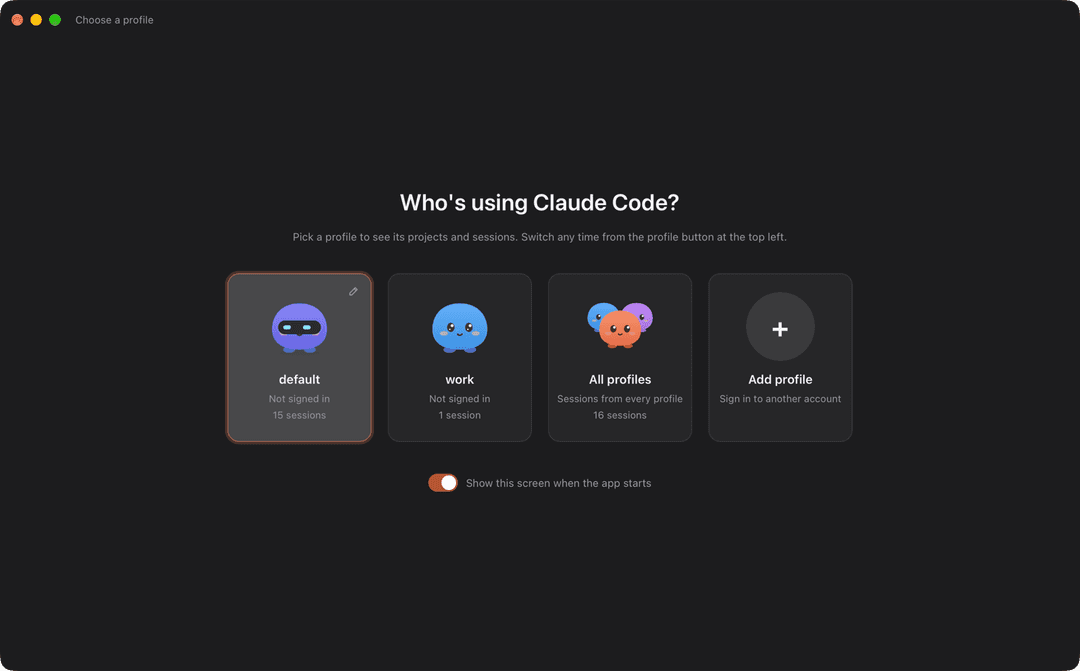
- Profiles. Switch between
~/.claudeand~/.claude-*from the title bar, add, rename or hide one; each has its own little companion as an avatar. - Source control. Changes, coloured diffs (inline or side by side), a compact history graph, branch search, commit messages written by Claude, and the repository page on GitHub one click away.
- Files. Browse and open a folder's files beside the sessions, and side panels next to a terminal.
- Memory. The
CLAUDE.mdfiles and auto memory Claude Code loads for a folder, as documents. - Usage. How much of your plan is left, in the title bar.
- Native where it counts. Dock menu and menu bar icon on macOS, Jump List and Explorer menu on Windows, in-app updates on both.
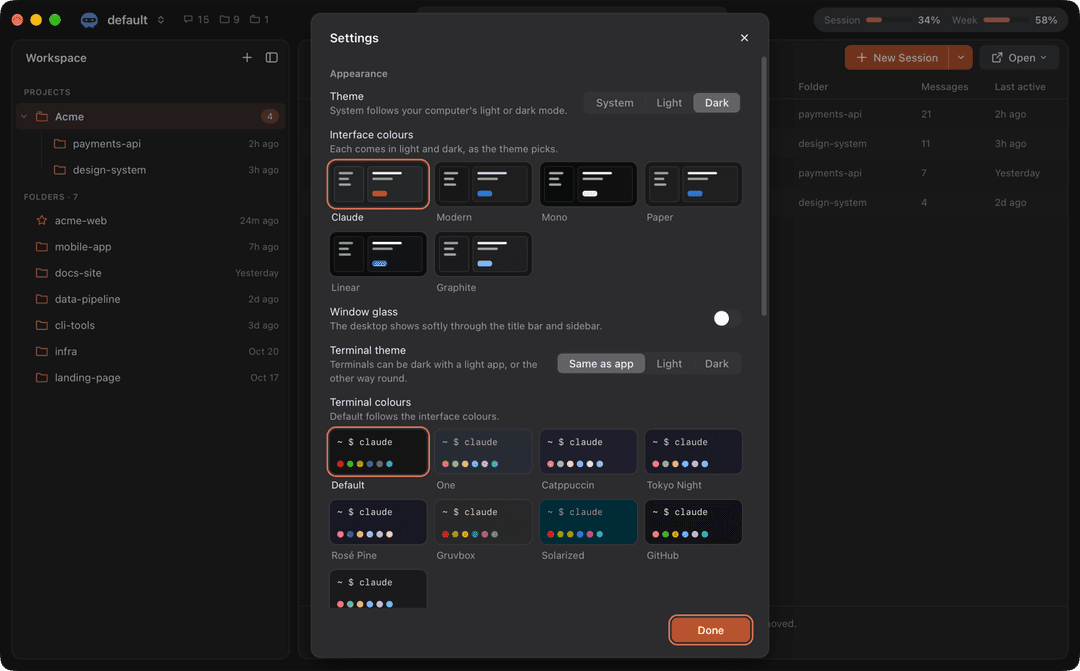
Make it yours
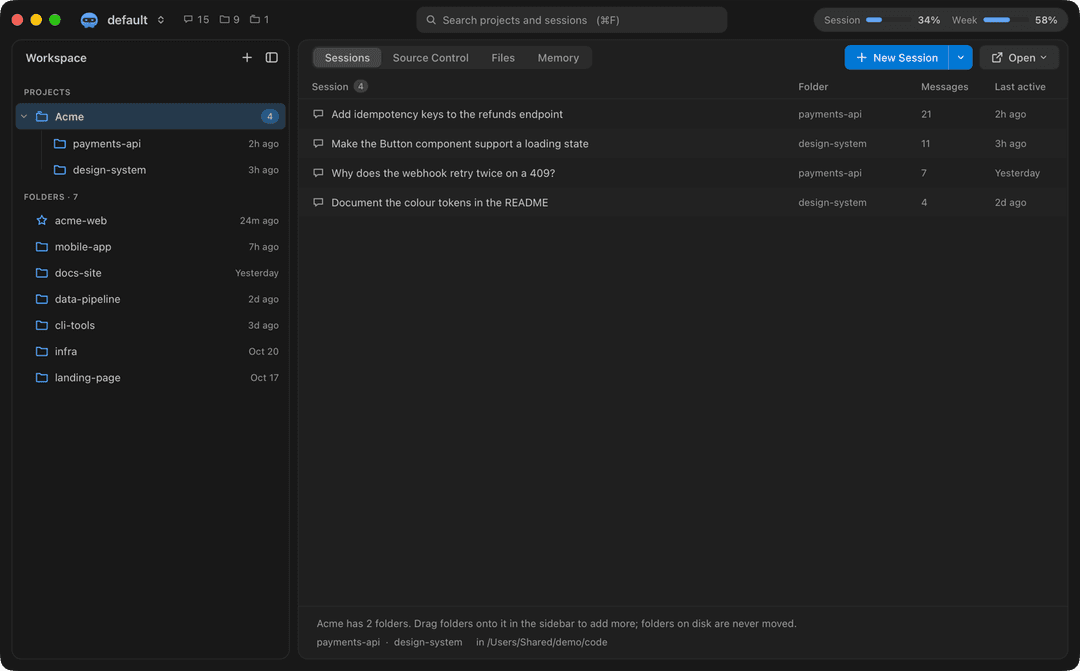
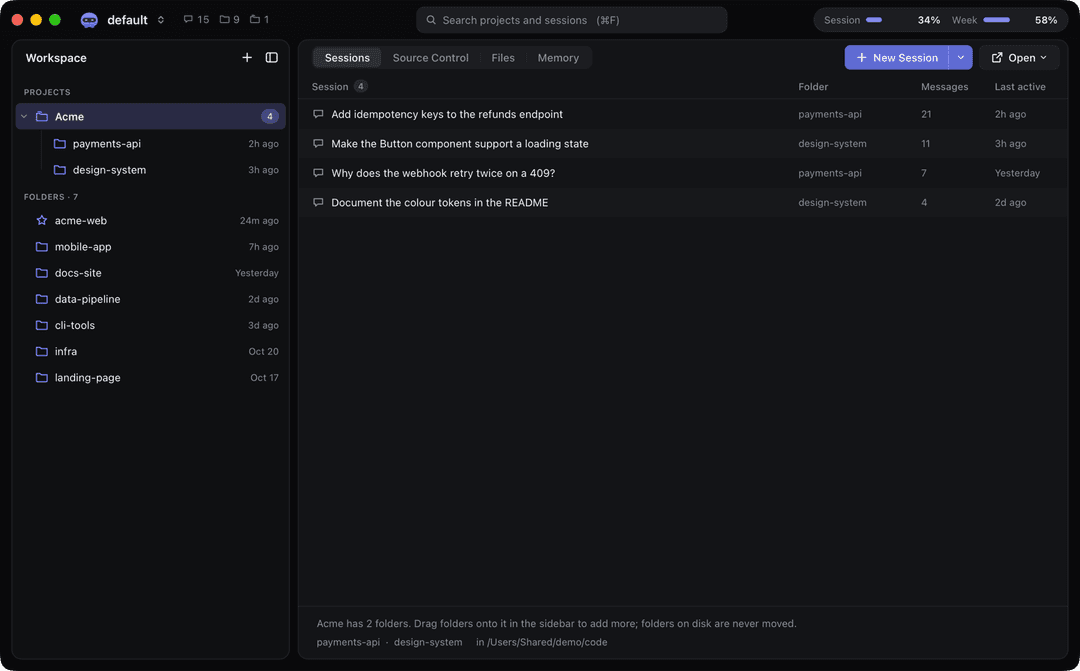
Settings > Appearance has a skin for the interface and one for the terminals, each with a dark and a light version.
| Interface | Look |
|---|---|
| Claude | The default: warm greys with the Claude orange |
| Modern | Flat editor greys and a clear blue, like VS Code's Modern themes |
| Mono | Black and white only |
| Paper | Warm off-white and soft charcoal |
| Linear | Near-black blue-greys and a violet accent |
| Graphite | Cool greys and a soft indigo |
Terminals: One, Catppuccin, Tokyo Night, Rosé Pine, Gruvbox, Solarized, GitHub and Graphite, or Default to follow the interface. On macOS, Window glass lets the desktop show softly through the title bar and sidebar.
| Modern | Linear |
|---|---|
 |  |
| Mono | Paper |
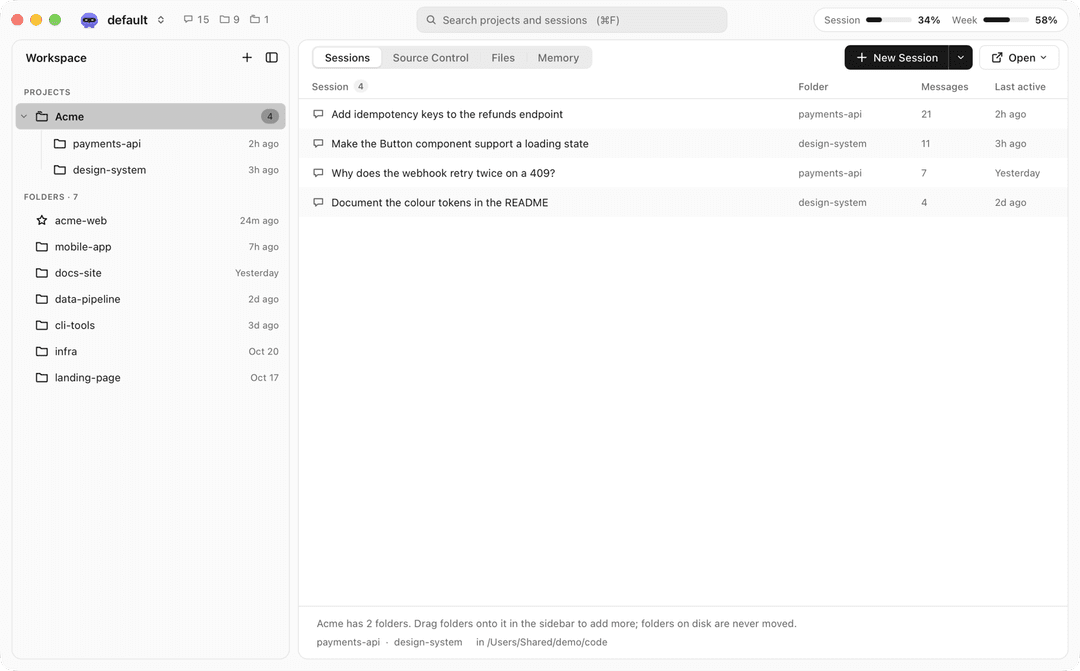 | 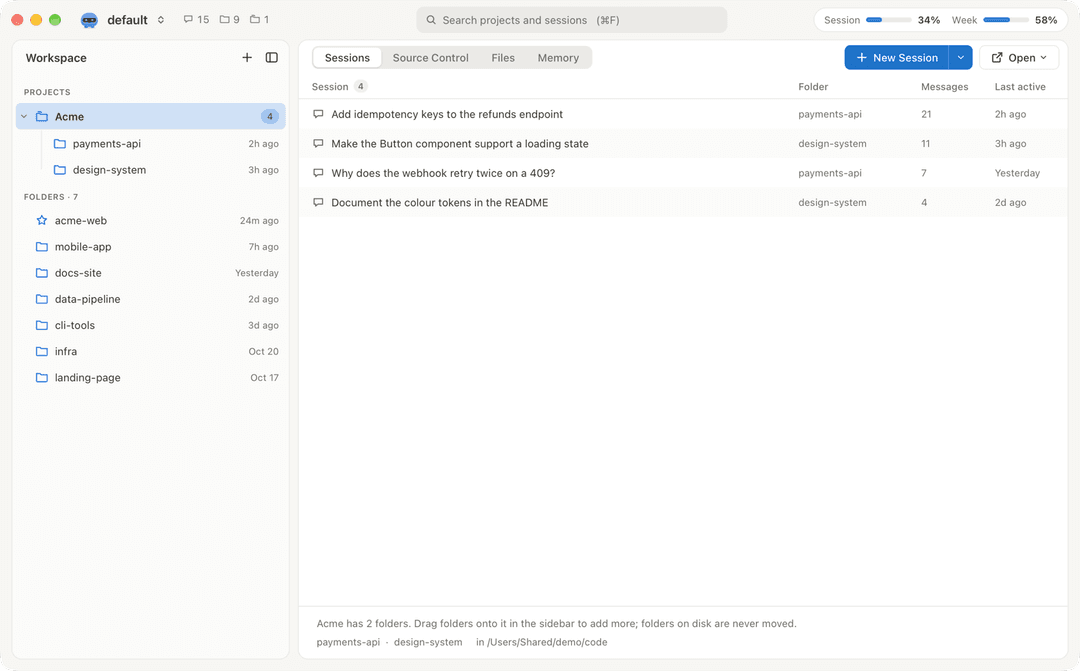 |
Get it
| macOS | Windows |
|---|---|
macOS 12 or later, Apple Silicon and Intel. Download Claude Manager_<version>_universal.dmg and drag it to Applications. | Windows 10 or 11. Download Claude Manager_<version>_x64-setup.exe and run it. Installs for you only, no admin rights; adds WebView2 when missing. |
Downloads are on the latest release. You also need
the Claude Code CLI, installed and signed in (the app shows a banner
when it cannot find claude), and optionally git on PATH for source control.
Unsigned builds
A build made without signing secrets is not code-signed (the release notes say so).
- Windows: SmartScreen may say "Windows protected your PC". Choose More info > Run anyway.
- macOS: right-click > Open no longer works on macOS 15. After the first attempt to open the app, go to
System Settings > Privacy & Security and choose Open Anyway, or run
xattr -dr com.apple.quarantine "/Applications/Claude Manager.app".
Uninstall
Windows: Settings > Apps > Claude Manager > Uninstall (also removes the Explorer menu entries). macOS: move the app to the Bin. Your settings and logs stay; delete the folders under Your data to remove them.
Your data
The app only reads ~/.claude and ~/.claude-*; it never writes there. Its own files:
| Windows | macOS | |
|---|---|---|
Settings (settings.json) | %APPDATA%\com.xbuddhi.claudemanager | ~/Library/Application Support/com.xbuddhi.claudemanager |
| Cache | %LOCALAPPDATA%\com.xbuddhi.claudemanager | ~/Library/Caches/com.xbuddhi.claudemanager |
| Logs (5 MB, one old file kept) | %LOCALAPPDATA%\com.xbuddhi.claudemanager\logs | ~/Library/Logs/com.xbuddhi.claudemanager |
On the first run on Windows, settings are imported once from the old PowerShell app
(%APPDATA%\ClaudeManager\settings.json); that file is left as it is.
macOS privacy. Sessions run in your project folders, so macOS may ask whether Claude Manager may access
Documents, Desktop, Downloads or other volumes. The app is not sandboxed and must stay that way: the App
Sandbox would block reading ~/.claude* and running claude. It uses the hardened runtime with one
entitlement (src-tauri/Entitlements.plist), Apple events, so sessions can open in Terminal or iTerm; the
first time, macOS asks whether Claude Manager may control Terminal.
Build it
Needs Node 22, pnpm (the version in package.json packageManager) and Rust (pinned in
src-tauri/rust-toolchain.toml).
pnpm install
pnpm tauri dev      # dev build with hot reload
pnpm tauri build    # release build + installer for this OS (unsigned, no updater files)
Checks (CI runs the first two lines, the release workflow the script tests):
pnpm lint && pnpm typecheck && pnpm test && pnpm build
cd src-tauri && cargo fmt --check && cargo clippy --all-targets --locked -- -D warnings && cargo test --locked
node --test "scripts/*.test.mjs"
cargo test also regenerates the TypeScript bindings in src/bindings; commit them. The developer guide is
docs/port/FOUNDATION.md.
node scripts/make-icons.mjsthenpnpm tauri icon app-icon.png: rebuild the app icon and the macOS tray icon.node scripts/third-party-notices.mjs: regenerateTHIRD_PARTY_NOTICESafter changing dependencies.
Releasing
The version has one source: version in src-tauri/Cargo.toml. Versions are plain numbers (X.Y.Z).
node scripts/bump-version.mjs 1.2.0(updates Cargo.toml, Cargo.lock and package.json).- Add the changes to
CHANGELOG.md, runnode scripts/third-party-notices.mjs, commit. git tag v1.2.0 && git push origin v1.2.0..github/workflows/release.ymlchecks that the tag matches the version, builds the Windows installer and the universal macOS dmg, and uploads them to a draft GitHub release. Check it, then publish it.
Each part below turns on when its secrets and variables are set in the repository (Settings > Secrets and
variables > Actions). Without them the build still succeeds, unsigned, and the release notes say what is
missing. .github/workflows/build.yml makes unsigned test builds on demand (Actions > build > Run workflow).
| Part | Secrets | Variables |
|---|---|---|
In-app updates (latest.json and .sig files) | TAURI_SIGNING_PRIVATE_KEY, TAURI_SIGNING_PRIVATE_KEY_PASSWORD | UPDATER_PUBKEY |
| macOS signing | APPLE_CERTIFICATE (base64 .p12), APPLE_CERTIFICATE_PASSWORD, APPLE_SIGNING_IDENTITY | |
| macOS notarization (needs signing) | APPLE_ID, APPLE_PASSWORD (app-specific password), APPLE_TEAM_ID | |
| Windows signing (Azure Trusted Signing) | AZURE_CLIENT_ID, AZURE_CLIENT_SECRET, AZURE_TENANT_ID | AZURE_SIGNING_ENDPOINT, AZURE_SIGNING_ACCOUNT, AZURE_SIGNING_PROFILE |
Updater key. Make it once with pnpm tauri signer generate -w ~/.tauri/claude-manager.key, keep the
private key and its password offline, put them in the two secrets, and put the public key in
UPDATER_PUBKEY. Never commit the key. If it is lost, installed copies can no longer update. The updater
reads https://github.com/<owner>/<repo>/releases/latest/download/latest.json (from the repository the
release runs in), so a release only reaches users once it is published. The app checks at startup and every
24 hours, shows "Update available", and restarts into the new version. Builds without the updater config
(local builds, build.yml) have updates turned off.
Licence
All rights reserved: see LICENSE. Third-party software and its licences:
THIRD_PARTY_NOTICES. Changes: CHANGELOG.md.
Claude Manager is not made by Anthropic. Claude and Claude Code are Anthropic's names.
// faq
What is claude-manager?
Claude Code session manager for Windows and macOS. It is open-source on GitHub.
Is claude-manager free to use?
claude-manager is open-source under the NOASSERTION license, so it is free to use.
What category does claude-manager belong to?
claude-manager is listed under devtools in the Claudeers registry of Claude-compatible tools.
// embed badge

[](https://claudeers.com/claude-manager)
// retro hit counter

[](https://claudeers.com/claude-manager)
// reviews
// guestbook
// related in Developer Tools
 🔓
The agent harness performance optimization system. Skills, instincts, memory, security, and research-first development for Claude Code, Codex, Opencode, Curs…
 🔓
Makes your AI agent think like the laziest senior dev in the room. The best code is the code you never wrote.
 🔓
AI coding assistant skill (Claude Code, Codex, OpenCode, Cursor, Gemini CLI, and more). Turn any folder of code, SQL schemas, R scripts, shell scripts, docs,…
 🔓
Use Garry Tan's exact Claude Code setup: 23 opinionated tools that serve as CEO, Designer, Eng Manager, Release Manager, Doc Engineer, and QA