
claude-graft
Run several Claude Desktop accounts side by side on macOS, sharing Claude Code chats between them
Install with your AI
Paste into Claude Code, Cursor, or any agent — it reads the repo and wires the tool into your project.
Install and set up claude-graft (release-binary project) into my current project.
Found on https://claudeers.com/claude-graft
Repo: https://github.com/aaditya-v-more/claude-graft
Homepage/docs: https://aaditya-v-more.github.io/claude-graft/
Detected install method: release-binary → inspect the README
Category: productivity. Platforms: api, desktop.
Read the repo's README for exact setup and env vars, then install it and wire it into my project.

Claudeers Health Verdict:
active; community-verified: false. Confirm the source before running anything.
Grab the latest release asset from GitHub.
# download a build from https://github.com/aaditya-v-more/claude-graft/releases
git clone https://github.com/aaditya-v-more/claude-graft
// compatibility
| Platforms | api, desktop |
|---|---|
| Operating systems | — |
| AI compatibility | claude |
| License | MIT |
| Pricing | open-source |
| Language | Swift |
Claude Graft
1× is less but 5× is too much. (Or 20× is less, lol.)
One Claude login is never quite the right amount.
Claude Desktop signs into one account at a time. Graft gives you as many Claudes as you want — each with its own name, icon and login — and lets any of them read another one's Claude Code history.
That last part is the point. Every other way of running two accounts gives you an empty second profile. Graft lets your work login open your personal chats, connectors and extensions while the accounts stay completely separate.
There are screenshots and the short version at claude-graft.
Install
brew install --cask aaditya-v-more/claude-graft/claude-graft
Homebrew asks you to trust the cask the first time, because this isn't an official Homebrew tap. Say yes once and it never asks again.
The app is ad-hoc signed rather than notarised — that needs a paid Apple developer account — so macOS would normally refuse it. The cask clears the quarantine flag for you at install time; the command it runs is right there in the cask file. If you'd rather judge that yourself, take the .dmg from the releases page and allow it in System Settings → Privacy & Security instead.
Requires macOS 13 or later. Universal, for Apple Silicon and Intel.
Making a Claude
Name it, choose where its chats come from, press Create Shortcut. You get a
real app in /Applications that you can launch from Spotlight or pin to the
Dock like any other.
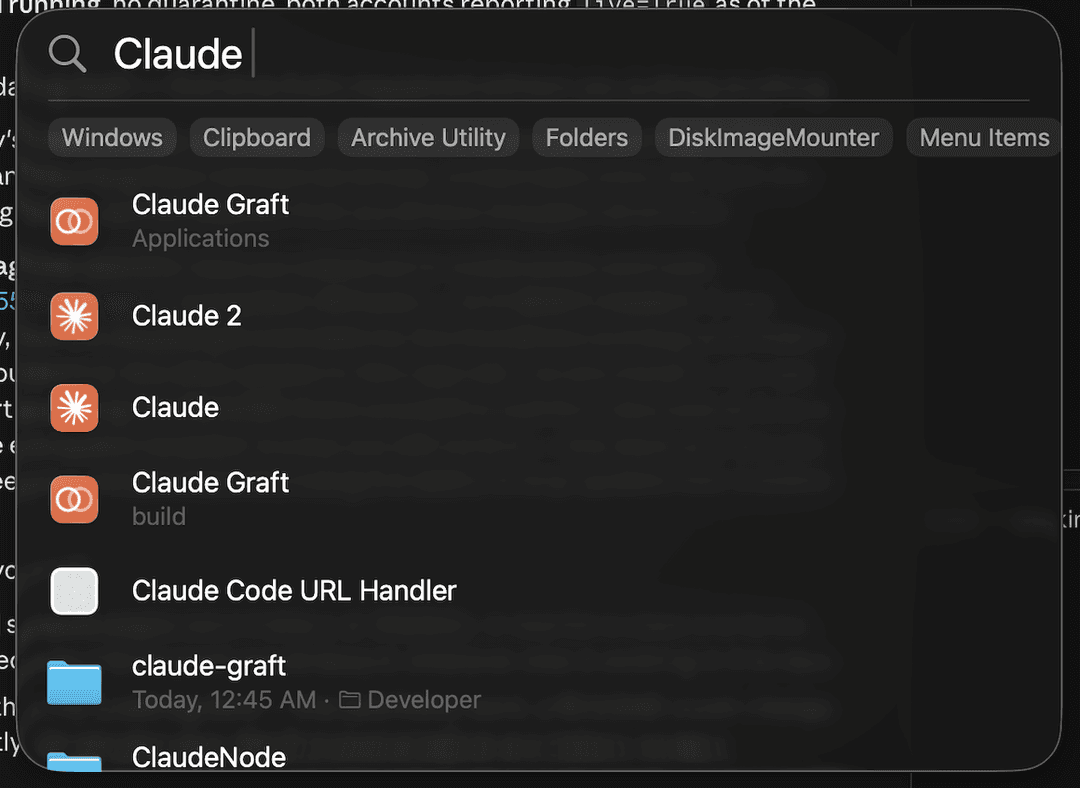
Launch it, sign in with the other account, and both run side by side.
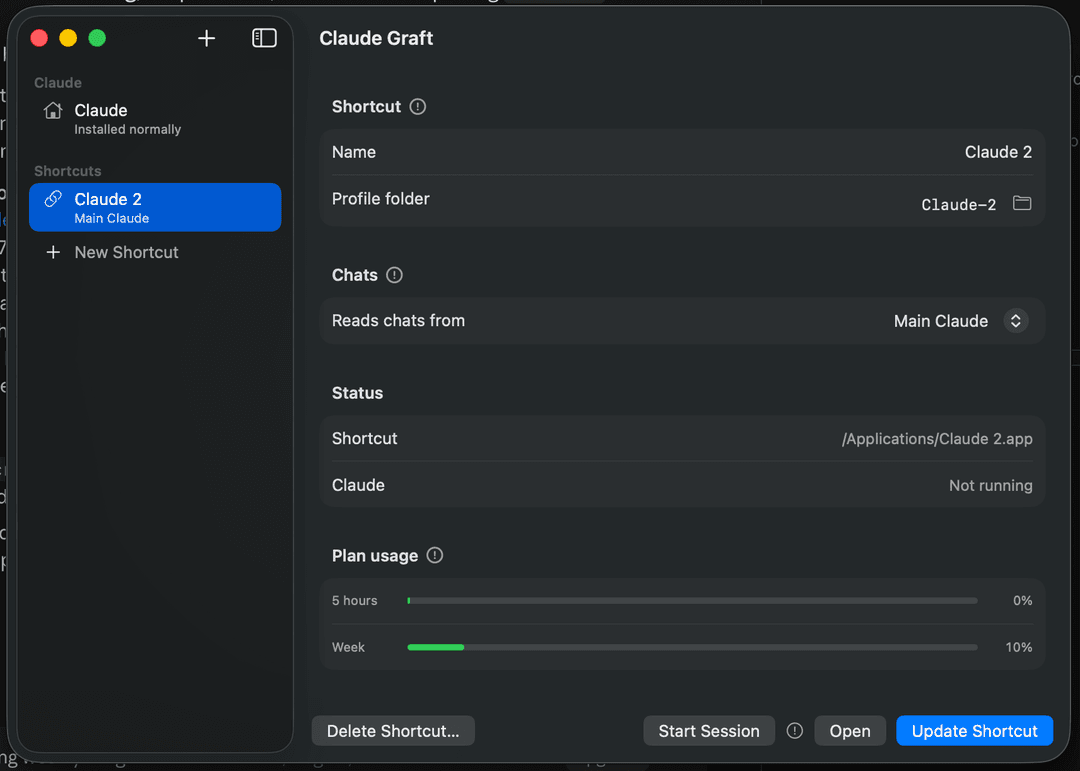
Each shortcut is self-contained — it carries its own launcher and a description of its profile — so it keeps working whether or not Graft is installed or running. Every launch re-establishes its links first, which matters because Claude replaces some config files wholesale, and that quietly detaches a symlink.
Point the profile folder at one that already exists and the shortcut adopts it, which saves signing in again if you set something up by hand.
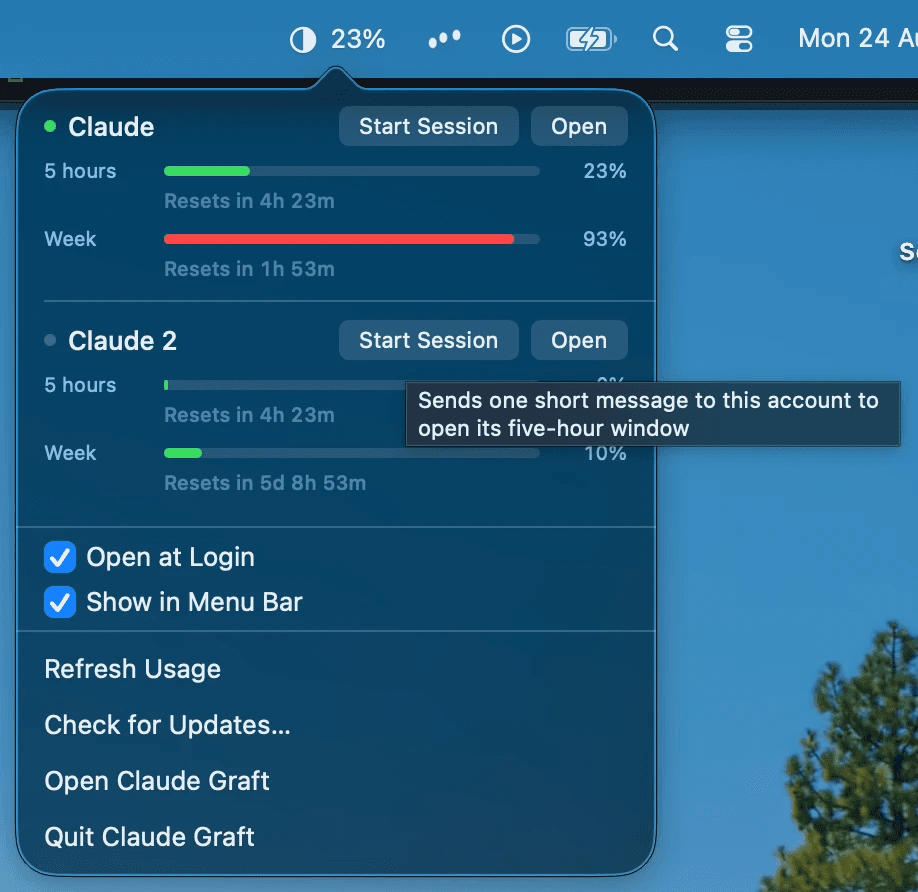
Usage in the menu bar
The percentage in the bar is whichever account is currently open, with the rest behind the tooltip. Figures come from Anthropic's own endpoint using the login each profile already holds — so they're live even for an account that isn't running, with real reset times.
Reaching that needs the profile's token, which macOS gates behind one keychain prompt. Choose Always Allow and later reads are silent. macOS ties that permission to one exact build, so a new version asks again — once, rather than quietly showing you worse numbers.
Only the access token is ever decrypted, never the refresh token, because
Anthropic rotates those and using one would sign Claude Desktop out. Nothing is
written back to Claude's config or keychain, and the token goes to
api.anthropic.com and nowhere else.
Start Session opens a five-hour window on an account without switching to
it: one short message, max_tokens as low as the API allows, reply discarded.
It costs a handful of tokens and happens only because you pressed the button.
Updating
Graft updates itself. It checks hourly, and at launch when an hour has passed, then downloads, installs and restarts on its own — the only sign is the menu bar item blinking out and back. Every download is verified against a signing key that ships inside the app. Check for Updates… does it immediately if you'd rather not wait.
Worth knowing
Two Claudes sharing a chat store write to the same files, so opening the same conversation in both at once can lose messages. Opening one from Graft — the window or the menu bar, a shortcut or Claude itself — warns you when something else is already on those chats. Launching it from the Dock doesn't check.
Opening a Claude that is already open brings that one forward instead of starting a second. Claude Desktop itself doesn't refuse a second copy on the same profile, and two copies of one profile is the worst version of the problem above — not two accounts sharing chats, but the very same files being written twice over. If you've closed the window and left it in the menu bar, opening it builds the window back, the way clicking a Dock icon does.
~/.claude — settings, CLAUDE.md, skills, plugins, MCP servers, transcripts —
is already shared by every instance, since it comes from $HOME rather than the
profile.
Claude Code prunes transcripts after 30 days while the desktop's records are
permanent, so old chats can open to "Session not found on disk". That happens in
a normal single-account setup too; raise cleanupPeriodDays in
~/.claude/settings.json to keep them longer.
Deleting a shortcut asks whether to take the profile folder with it. Keeping it
is the default, and the destructive option is guarded: Claude's own profile can
never be removed, nor anything outside ~/Library/Application Support, nor a
profile that's running or that another shortcut still points at. Graft also
refuses to touch any app it didn't create — it identifies its own by the
description file they carry, never by name.
Building it
./build.sh     the app, into build.noindex/
./test.sh      246 checks, all in a throwaway directory
./release.sh   tests, builds universal, signs, packages
Swift toolchain from Xcode, no project file, no dependencies to install —
Sparkle is fetched into vendor/ on the first build, pinned to a version and a
checksum. The version lives in one file, VERSION.
CLAUDE.md has the notes that aren't obvious from the code: what Claude Desktop
keeps where, the rules around borrowed credentials, and the several things that
had to go wrong before this worked. Read it before changing anything that
touches profiles, the keychain or the menu bar.
Supporting it
Free, and staying that way — no licence to buy, no account to make, nothing measured and sent anywhere. If it saved you the trouble, there's a tip jar. New macOS releases break things and Claude Desktop moves its own furniture every few weeks, and that's what the money is for.
Licence
MIT.
// faq
What is claude-graft?
Run several Claude Desktop accounts side by side on macOS, sharing Claude Code chats between them. It is open-source on GitHub.
Is claude-graft free to use?
claude-graft is open-source under the MIT license, so it is free to use.
What category does claude-graft belong to?
claude-graft is listed under productivity in the Claudeers registry of Claude-compatible tools.
// embed badge

[](https://claudeers.com/claude-graft)
// retro hit counter

[](https://claudeers.com/claude-graft)
// reviews
// guestbook
// related in Productivity
 🔓
🔓Agent skills for Obsidian. Teach your agent to use Obsidian CLI and open formats including Markdown, Bases, JSON Canvas.
 🔓
🔓Garry's Opinionated OpenClaw/Hermes Agent Brain
 🔓
🔓Open source repository of plugins primarily intended for knowledge workers to use in Claude Cowork
 🔓
🔓An open-source alternative to Claude Cowork (powered by opencode)