
claude-gfm-render
Claude Code mod: GitHub Flavored Markdown alerts, task lists, strikethrough and Mermaid diagrams in the transcript
Install with your AI
Paste into Claude Code, Cursor, or any agent — it reads the repo and wires the tool into your project.
Install and set up claude-gfm-render (claude-plugin project) into my current project.
Found on https://claudeers.com/claude-gfm-render
Repo: https://github.com/briangtn/claude-gfm-render
Homepage/docs: —
Detected install method: claude-plugin → /plugin install claude-gfm-render@briangtn/claude-gfm-render
Category: plugins. Platforms: cli, api, desktop, mobile.
Read the repo's README for exact setup and env vars, then install it and wire it into my project.

Claudeers Health Verdict:
unknown; community-verified: false. Confirm the source before running anything.
⚠ Unverified / not recently updated — review before pasting a run-this config.
/plugin marketplace add briangtn/claude-gfm-render
/plugin install claude-gfm-render@briangtn/claude-gfm-render
git clone https://github.com/briangtn/claude-gfm-render
// compatibility
| Platforms | cli, api, desktop, mobile |
|---|---|
| Operating systems | — |
| AI compatibility | claude |
| License | MIT |
| Pricing | open-source |
| Language | JavaScript |
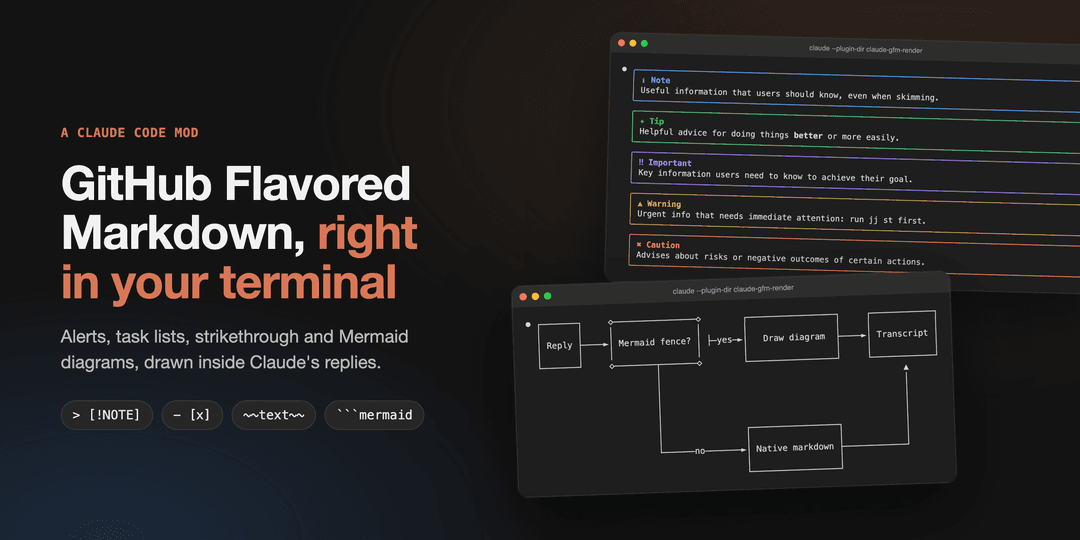
claude-gfm-render
Alerts, task lists, strikethrough and Mermaid diagrams, drawn inside Claude Code's replies.
Claude writes GitHub Flavored Markdown all day: > [!WARNING] callouts, - [ ] checklists, ```mermaid diagrams. The terminal shows them as raw text. This mod draws them, without touching the message itself (ctrl+o still shows the original).
Install
git clone https://github.com/briangtn/claude-gfm-render.git ~/perso/claude-gfm-render
claude --plugin-dir ~/perso/claude-gfm-render
To load it in every session, terminal and desktop app alike, add it to ~/.claude/settings.json:
{
  "env": {
    "CLAUDE_CODE_PLUGIN_DIRS": "~/perso/claude-gfm-render"
  }
}
[!NOTE] Mods (function hooks) are an early-access API of Claude Code and may change between releases. Built and tested on Claude Code 2.1.286 and 2.1.287. No build step: the mod is plain files, and the folder is watched, so an edit reloads it in the running session.
Claude writes GFM on its own
Drawing GFM is half the job: Claude also has to write it. The mod ships GFM.md, a short note on what the transcript can draw (alerts, task lists, strikethrough, the Mermaid types that render), which a SessionStart hook adds to Claude's context at startup, after /clear and after a compaction. No CLAUDE.md to edit.
To turn it off and keep only the rendering, in ~/.claude/settings.json:
{
  "pluginConfigs": {
    "gfm-render": { "options": { "promptHint": false } }
  }
}
Before / after
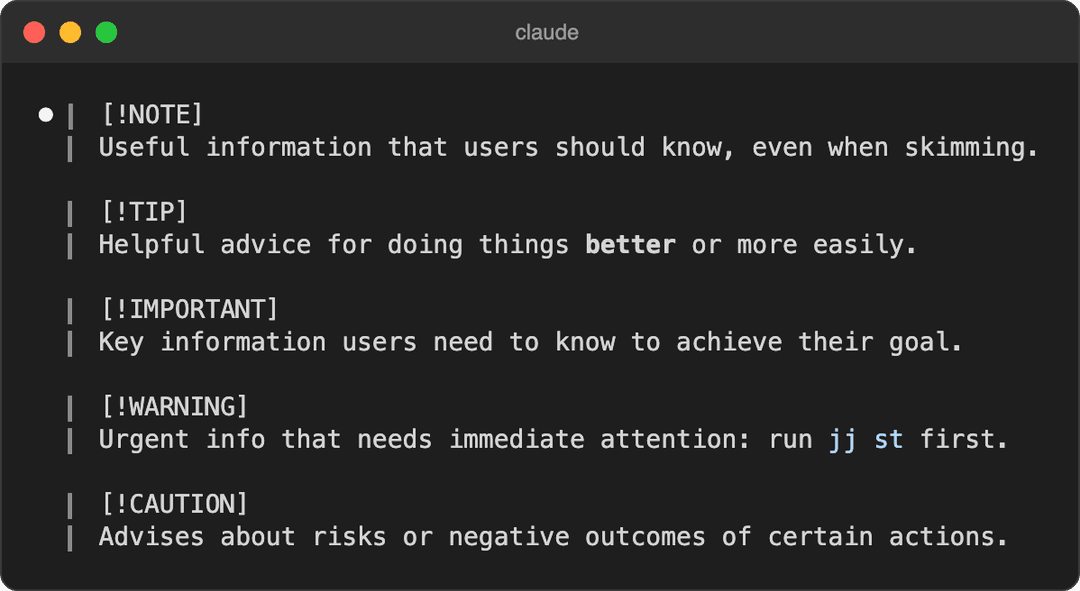
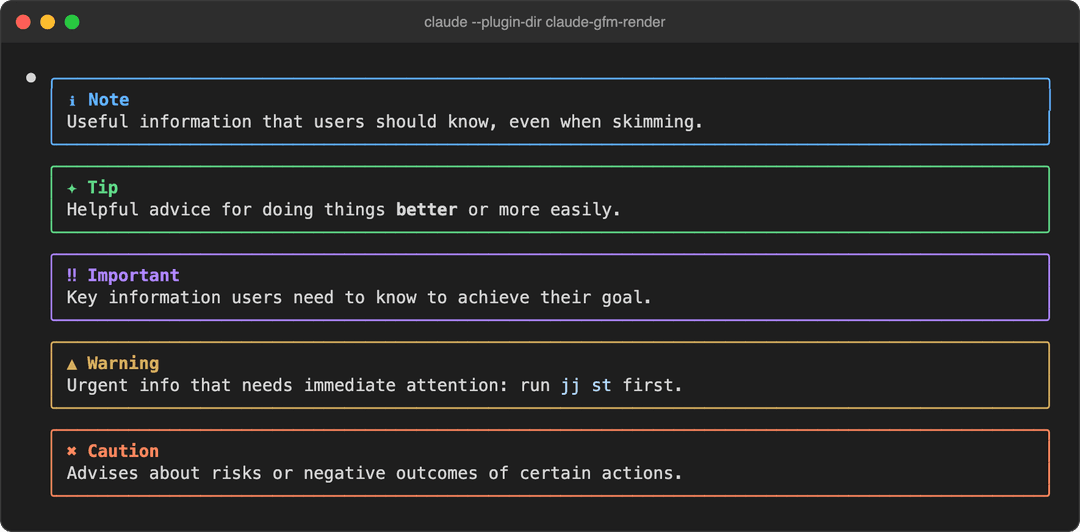
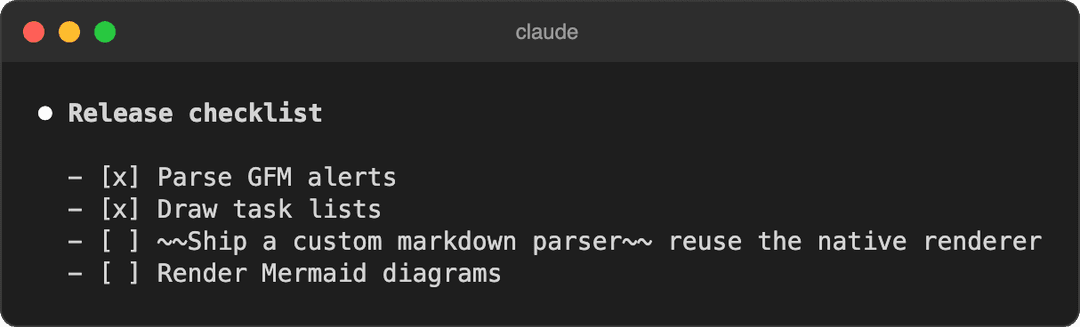
Real claude sessions (100 columns, captured with tmux); before is the same reply without the mod.
| Before | With claude-gfm-render |
|---|---|
 |  |
 | 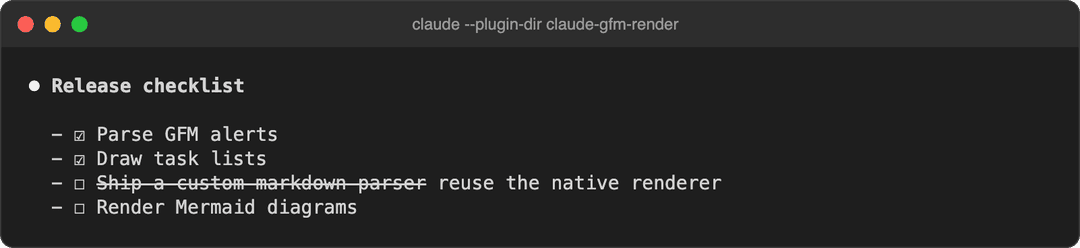 |
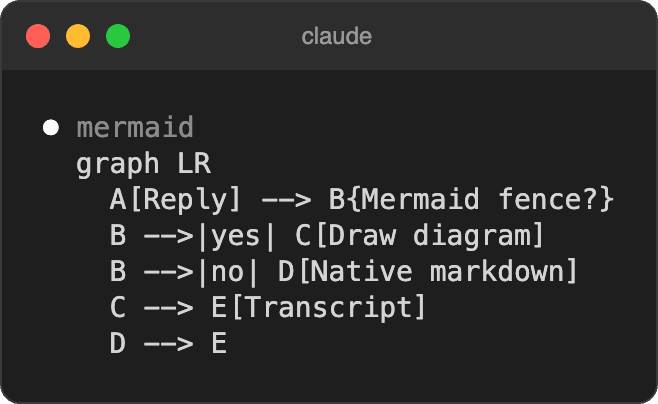 | 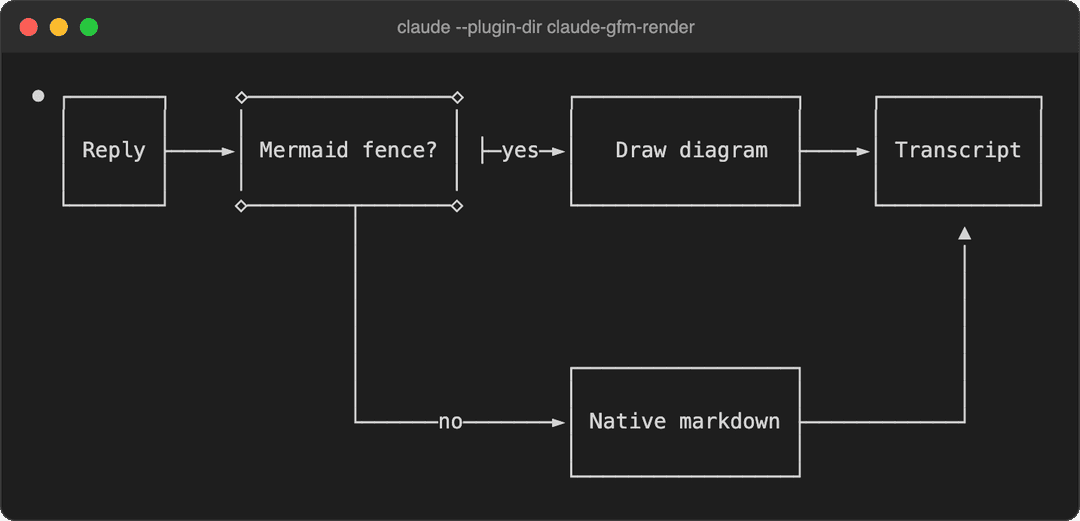 |
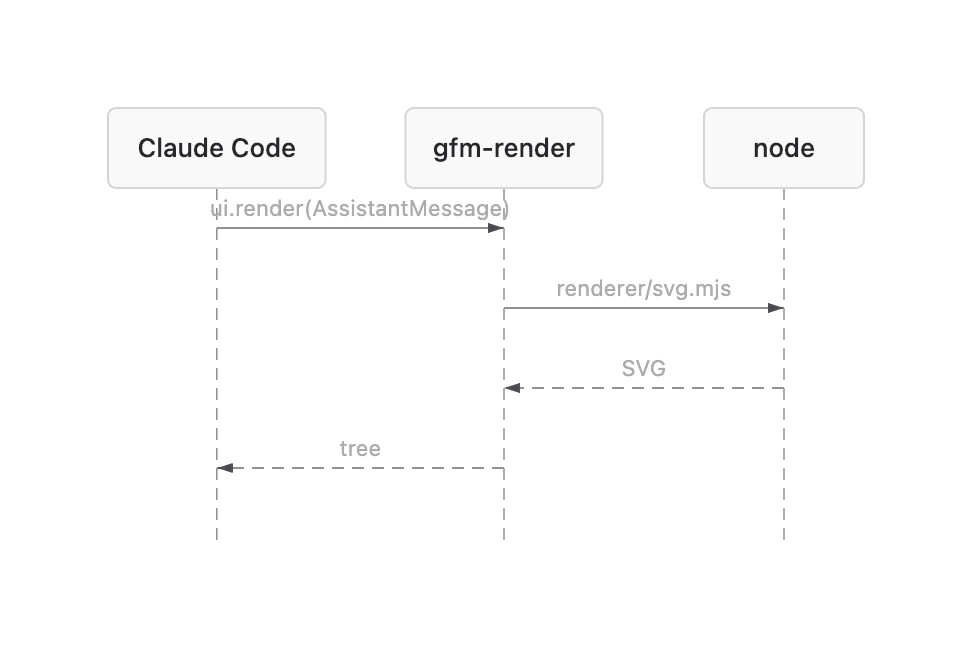
Sequence diagrams too

On desktop, VS Code and mobile
Alerts get a little more room, captured in the Claude desktop app (dark theme):

Mermaid becomes a real SVG that follows the light or dark scheme. Below, the mod's own output rendered by Chrome (not a capture of the app):

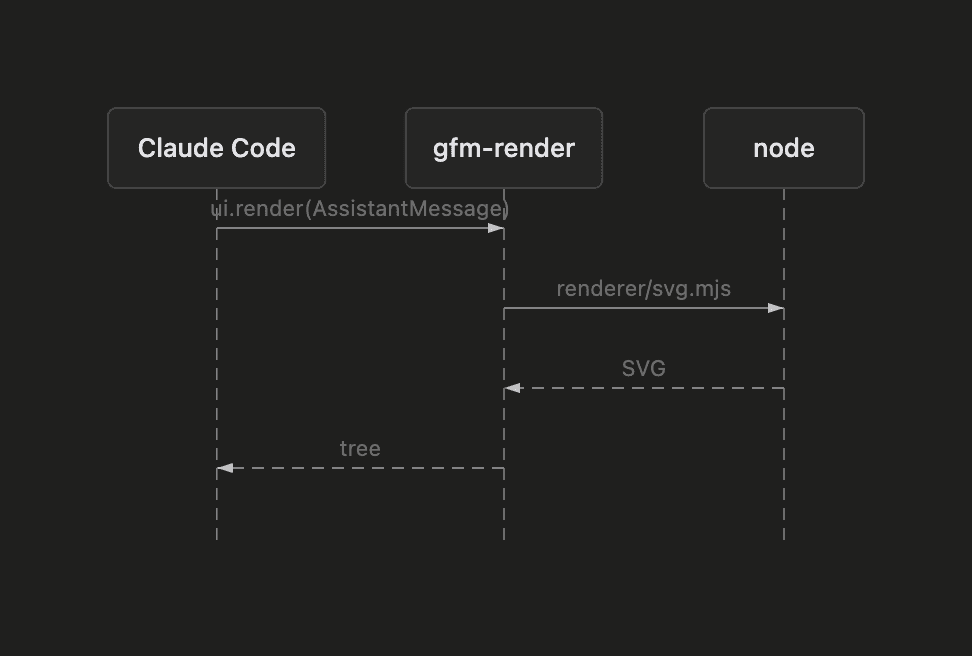
Sequence diagram, light and dark
| Light | Dark |
|---|---|
 |  |
What it handles
| Markdown | Terminal | Desktop · VS Code · mobile | |
|---|---|---|---|
| 💬 | Alerts > [!NOTE] [!TIP] [!IMPORTANT] [!WARNING] [!CAUTION], any markdown inside | ✅ colored box | ✅ colored box |
| ☑️ | Task lists - [ ] / - [x] (also *, +, 1.) | ✅ ☐ / ☑ | ➖ native |
Strikethrough ~~text~~ | ✅ | ➖ native | |
| 🔀 | Mermaid flowchart / graph | ✅ Unicode art | ✅ SVG |
| 🧭 | Mermaid sequence, state, class, ER, xychart | ✅ Unicode art | ✅ SVG |
| 🔒 | Code fences and inline code | never rewritten | never rewritten |
| 📝 | Everything else (headings, tables, links, emphasis…) | native | native |
What it does not handle
| Case | What you get |
|---|---|
Mermaid gantt, pie, mindmap, gitGraph, journey, timeline, quadrantChart, sankey, C4… | the code block, as written |
| Mermaid with a syntax error, or wider than the terminal even with tighter spacing | the code block |
Mermaid on desktop without node on the session's PATH | the Unicode art in a code block |
Single-line Mermaid (graph TD; A-->B) | may fail to parse: write one statement per line |
An alert nested in a list item or in another blockquote (> > [!NOTE]) | a plain blockquote |
| A reply still streaming in | the native rendering until the alert or the closing ``` arrives |
| A single reply block over 10,000 characters | the native rendering of that block |
Footnotes, emoji shortcodes, #123 / @user autolinks, $math$, raw HTML | left to the native renderer |
| Your own messages and tool output | untouched: only Claude's replies are drawn |
Known glitch: in the terminal, an edge label leaving a {decision} node can show a stray ├ (beautiful-mermaid's ASCII layout, visible in the flowchart above).
How it works
The mod hooks ui.render on AssistantMessage: every text block of a reply goes through it, gets split into markdown, alert and Mermaid segments, and comes back as a tree the surface draws. A block with nothing to draw goes to the native renderer untouched.
graph LR
  A[Reply block] --> B{GFM inside?}
  B -->|no| N[Native renderer]
  B -->|alert| C[Colored box]
  B -->|mermaid| D{Surface}
  D -->|terminal| E[Unicode art, in process]
  D -->|desktop| F[SVG via node]
Mermaid is rendered by beautiful-mermaid, split in two because a hooks module may not import a file over 1 MiB and has no eval, while the ELK layout engine the SVG needs weighs 1.6 MB:
- Terminal:
hooks/vendor/mermaid-ascii.js, the ASCII renderer alone (84 KB), imported by the mod. - Desktop / VS Code / mobile:
renderer/svg.mjsrun bynode, once per diagram, then cached.
Develop
npm test                # claude plugin test .
npm run validate        # claude plugin validate .
npm run build:vendor    # rebuild both Mermaid bundles with bun
| File | Role |
|---|---|
hooks/register.tsx | the ui.render hook and the SVG process call |
hooks/gfm.ts | splits a reply into blocks; task-list and strikethrough rewrites |
hooks/mermaid.ts | Unicode art sized to the terminal, SVG theming |
hooks/gfm.test.tsx | tests, run on every surface |
renderer/svg.mjs | Mermaid on stdin, SVG on stdout |
GFM.md | what Claude is told it can write, loaded by the SessionStart hook in hooks/hooks.json |
Issues and PRs welcome, especially screenshots from other terminals and the desktop app's light theme.
License
MIT. Vendored bundles keep their own licenses: beautiful-mermaid (MIT) and elkjs (EPL-2.0), in renderer/.
// faq
What is claude-gfm-render?
Claude Code mod: GitHub Flavored Markdown alerts, task lists, strikethrough and Mermaid diagrams in the transcript. It is open-source on GitHub.
Is claude-gfm-render free to use?
claude-gfm-render is open-source under the MIT license, so it is free to use.
What category does claude-gfm-render belong to?
claude-gfm-render is listed under plugins in the Claudeers registry of Claude-compatible tools.
// embed badge

[](https://claudeers.com/claude-gfm-render)
// retro hit counter

[](https://claudeers.com/claude-gfm-render)
// reviews
// guestbook
// related in Claude Plugins
 🔓
🔓A single CLAUDE.md file to improve Claude Code behavior, derived from Andrej Karpathy's observations on LLM coding pitfalls.
 🔓
🔓Claude Code is an agentic coding tool that lives in your terminal, understands your codebase, and helps you code faster by executing routine tasks, explainin…
 🔓
🔓"CLI-Anything: Making ALL Software Agent-Native" -- CLI-Hub: https://clianything.cc/
🔓financial-services — a Claude ecosystem project on GitHub.