
claude-editing-skills
Claude Code skills that edit your talking-head clips into reels: trial reels, behind the person, explainer, split screen, ranking list, storytelling. Rendere…
Install with your AI
Paste into Claude Code, Cursor, or any agent — it reads the repo and wires the tool into your project.
Install and set up claude-editing-skills (claude-plugin project) into my current project.
Found on https://claudeers.com/claude-editing-skills
Repo: https://github.com/artemnovitckii/claude-editing-skills
Homepage/docs: https://novitckii.com/resources/editing-skills/
Detected install method: claude-plugin → /plugin install claude-editing-skills@artemnovitckii/claude-editing-skills
Category: skills. Platforms: api, desktop.
Read the repo's README for exact setup and env vars, then install it and wire it into my project.

Claudeers Health Verdict:
active; community-verified: false. Confirm the source before running anything.
/plugin marketplace add artemnovitckii/claude-editing-skills
/plugin install claude-editing-skills@artemnovitckii/claude-editing-skills
git clone https://github.com/artemnovitckii/claude-editing-skills
// compatibility
| Platforms | api, desktop |
|---|---|
| Operating systems | — |
| AI compatibility | claude |
| License | NOASSERTION |
| Pricing | open-source |
| Language | HTML |
Claude editing skills
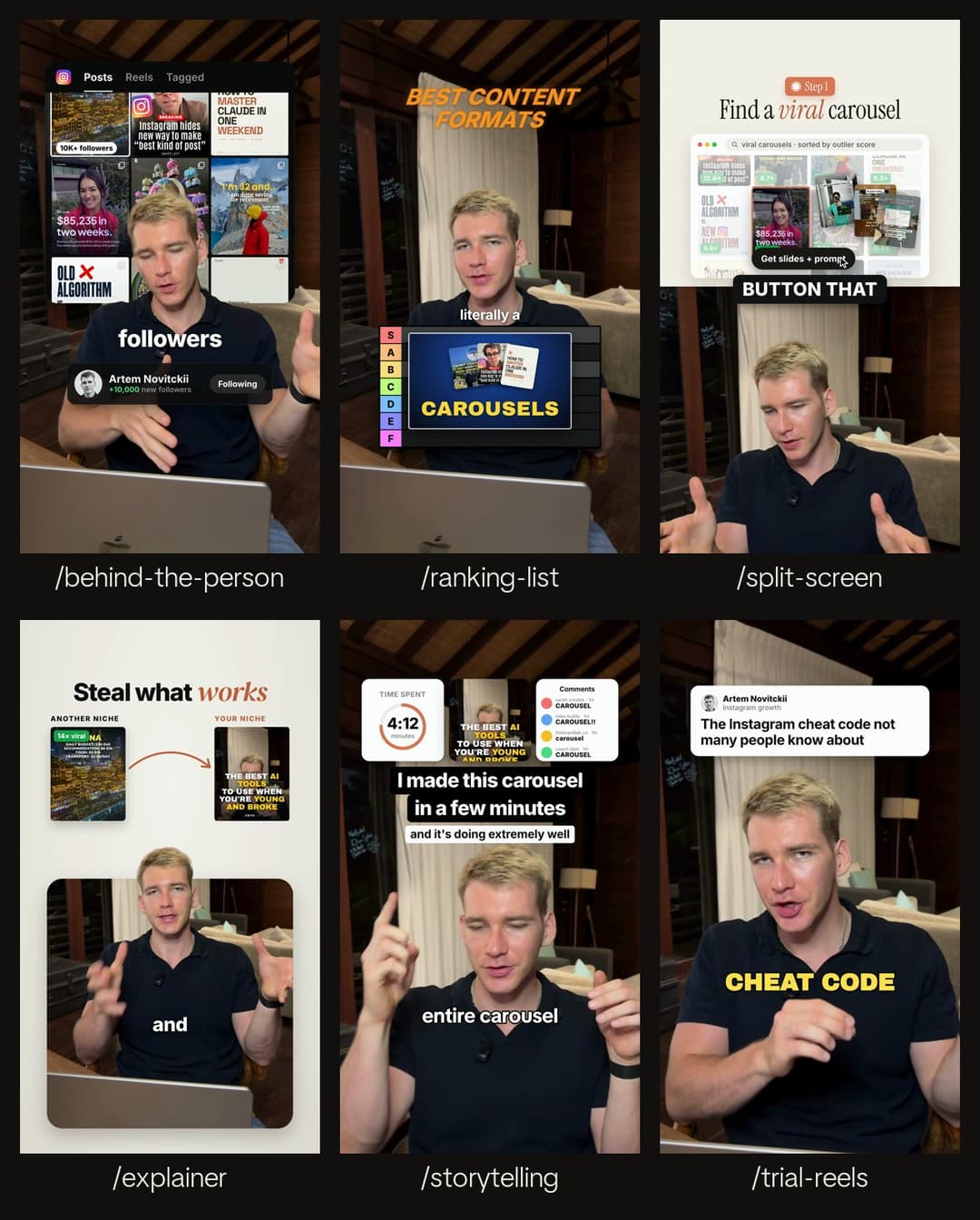
Eleven skills for Claude Code: six workflows that edit your talking-head clips around your words, plus five photographic styles with editable templates and included image assets. Rendering happens on your own computer.
| Skill | What it makes |
|---|---|
/trial-reels | The same clip as 3 visually distinct reels to post as Instagram trial reels: a big title with karaoke captions, a post-card header with punch-in zooms, and a pixel-font stat in a framed shot. |
/behind-the-person | Graphics behind you. You are cut out and stand in front of a panel (your post grid, a bar chart or a screenshot). Big words land on your chest and a profile card counts up. |
/explainer | You at the bottom, visuals on top. A rounded panel on a light backdrop with your head breaking out over it, and a before-to-after comparison (or a list) explaining the point. |
/split-screen | The classic half-and-half. A step badge, a serif headline and a window showing the step on top, you on the bottom, and captions on the seam. |
/ranking-list | A tier list on your chest. Each item pops up when you name it and drops into its tier (S to F) on the verdict. |
/storytelling | Three image cards, a title and a subtitle, all landing together over one continuous take, with simple TikTok-style captions. |
Five new photographic styles
| Skill | What it makes |
|---|---|
/shape-shift | Circular photographic match cuts above an established speaker. |
/picture-stack | Three image cards above the speaker, then one expands into focus. |
/scene-switch | Sharp photographic backgrounds change behind a continuous speaker cutout. |
/visual-notes | A complete image becomes a close-up of one meaningful detail. |
/orbit-reel | Image cards orbit in 3D, passing behind and in front of the speaker. |
| Shape Shift | Picture Stack | Scene Switch | Visual Notes | Orbit Reel |
|---|---|---|---|---|
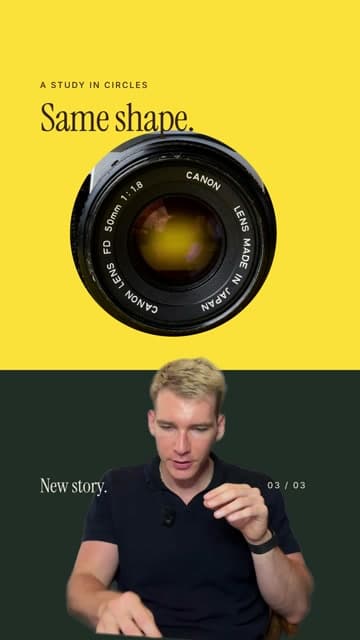 | 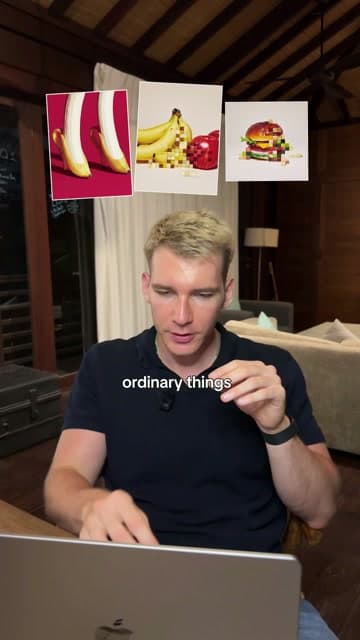 | 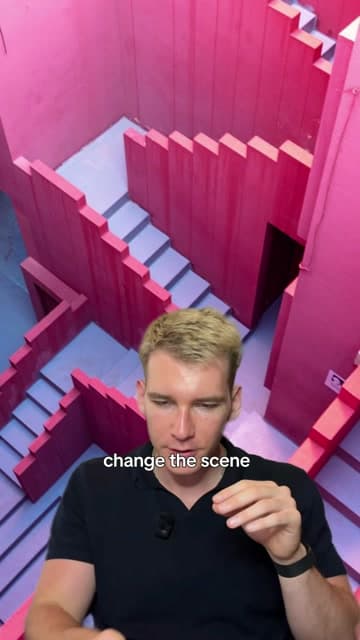 | 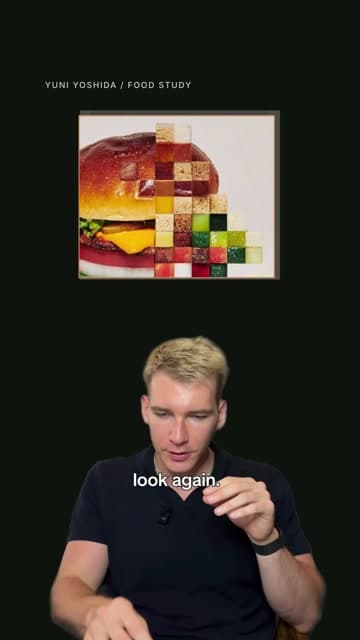 | 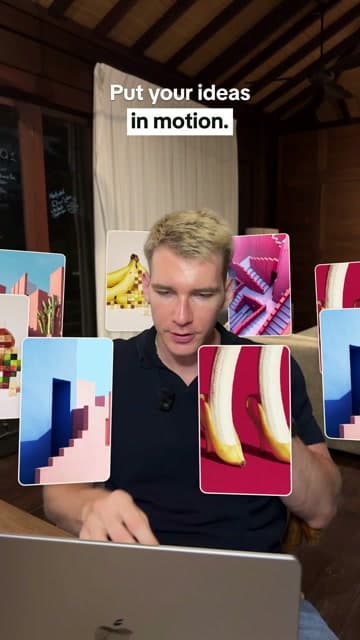 |
Click an image for its moving preview. These five start from reviewed 4.2-second silent templates, with nine source photographs and sample footage included. They can showcase a visual idea independently of the spoken topic. Build and customize them · Browse the images and credits.
See the original six moving: novitckii.com/resources/editing-skills
More skills are coming. Pull the repo to get them.
Install
You need macOS or Linux with ffmpeg, Node.js 22+ and Python 3.9+, plus a free Groq API key for the original six skills’ transcripts. The five photographic templates do not require an API key.
brew install ffmpeg node        # if you don't have them
export GROQ_API_KEY=gsk_...     # add it to ~/.zshrc so it sticks
git clone https://github.com/artemnovitckii/claude-editing-skills.git ~/claude-editing-skills
cd ~/claude-editing-skills && ./install.sh
install.sh links every skill into ~/.claude/skills/ (so they show up as /trial-reels, /explainer and so on) and runs the one-time setup. The setup:
- makes a Python environment in
kit/.venv - fetches GSAP
- warms up HyperFrames
- downloads the matting model when run with
--cutout
To update later, run git pull && ./install.sh.
It's also packaged as a Claude Code plugin. Run these inside Claude Code:
/plugin marketplace add artemnovitckii/claude-editing-skills
/plugin install editing-skills@claude-editing-skills
Plugin skills are namespaced (/editing-skills:explainer). The git clone above is the route tested end to end.
Use the original six workflows
Open Claude Code anywhere and point it at a clip:
/explainer ~/Downloads/my-clip.mp4
/trial-reels ~/Downloads/my-reel.mp4 use the hook
/behind-the-person ~/Downloads/clip.mp4, my posts are in ~/Desktop/posts
The original six skills follow these five steps:
- It transcribes the clip with word timings (Groq Whisper).
- It picks a stretch and looks at a frame to find your eyes and chin.
- It writes a small JSON spec next to your clip. Every visual is anchored to a spoken word, so it lands when you say it.
- It renders with HyperFrames (HTML and GSAP to MP4, 1080x1920, 30 fps, your voice kept).
- It checks a contact sheet with Instagram's safe zones marked, and fixes what's off.
You get my-clip.explainer.mp4 (and its .sheet.jpg) next to the clip. Rendering takes about 15 to 30 seconds per reel. The cutout skills add about 0.1 s per frame for the matting.
Bring your own images (your posts, screenshots, analytics) for the visuals that need them. Every skill also has visuals that need none.
How it's built
skills/<name>/SKILL.md     what Claude follows: steps, the spec, taste rules
skills/<name>/build.py     spec.json -> HyperFrames composition -> mp4
kit/reel.py                shared: clip prep, word anchors, captions, render, checks
kit/transcribe.py          Groq Whisper with word timestamps
kit/cutout.py              speaker cutout (RobustVideoMatting, ONNX on the CPU) -> VP9 alpha webm
kit/setup.sh               one-time setup
To add a skill, copy a folder in skills/ and change its build.py. The original six use Job(spec) -> Comp -> finish() for clips, words, captions, rendering and safe-zone sheets. The five photographic styles use kit/style_template.py to prepare their editable HTML templates and media overrides. Then run ./install.sh again.
Credits
- HyperFrames by HeyGen renders the compositions.
- GSAP drives the animation. It is fetched at setup, not included here.
- RobustVideoMatting by Shanchuan Lin et al. (GPL-3.0) does the cutout. The model is downloaded at setup, not included here.
- Transcription is Whisper on Groq.
- The fonts are Inter, Archivo Black, DM Serif Display, Instrument Serif, Pixelify Sans and TikTok Sans, all under the SIL Open Font License.
Made by Artem Novitckii. Code and authored instructions are MIT licensed; image and sample-media rights are separate.
// faq
What is claude-editing-skills?
Claude Code skills that edit your talking-head clips into reels: trial reels, behind the person, explainer, split screen, ranking list, storytelling. Rendered locally with HyperFrames.. It is open-source on GitHub.
Is claude-editing-skills free to use?
claude-editing-skills is open-source under the NOASSERTION license, so it is free to use.
What category does claude-editing-skills belong to?
claude-editing-skills is listed under skills in the Claudeers registry of Claude-compatible tools.
// embed badge

[](https://claudeers.com/claude-editing-skills)
// retro hit counter

[](https://claudeers.com/claude-editing-skills)
// reviews
// guestbook
// related in Claude Skills
 🔓
An agentic skills framework & software development methodology that works.
 🔓
 🔓
AI coding assistant skill (Claude Code, Codex, OpenCode, Cursor, Gemini CLI, and more). Turn any folder of code, SQL schemas, R scripts, shell scripts, docs,…
 🔓
💫 Toolkit to help you get started with Spec-Driven Development