
claude-chat-viewer
View Claude chat conversations in the browser, from exported JSON files
Install with your AI
Paste into Claude Code, Cursor, or any agent — it reads the repo and wires the tool into your project.
Install and set up claude-chat-viewer (git-clone project) into my current project.
Found on https://claudeers.com/claude-chat-viewer
Repo: https://github.com/osteele/claude-chat-viewer
Homepage/docs: https://tools.osteele.com/claude-chat-viewer
Detected install method: git-clone → git clone https://github.com/osteele/claude-chat-viewer
Category: devtools. Platforms: api, web.
Read the repo's README for exact setup and env vars, then install it and wire it into my project.

Claudeers Health Verdict:
active; community-verified: false. Confirm the source before running anything.
git clone https://github.com/osteele/claude-chat-viewer
// compatibility
| Platforms | api, web |
|---|---|
| Operating systems | — |
| AI compatibility | claude |
| License | MIT |
| Pricing | open-source |
| Language | TypeScript |
Claude Chat Viewer
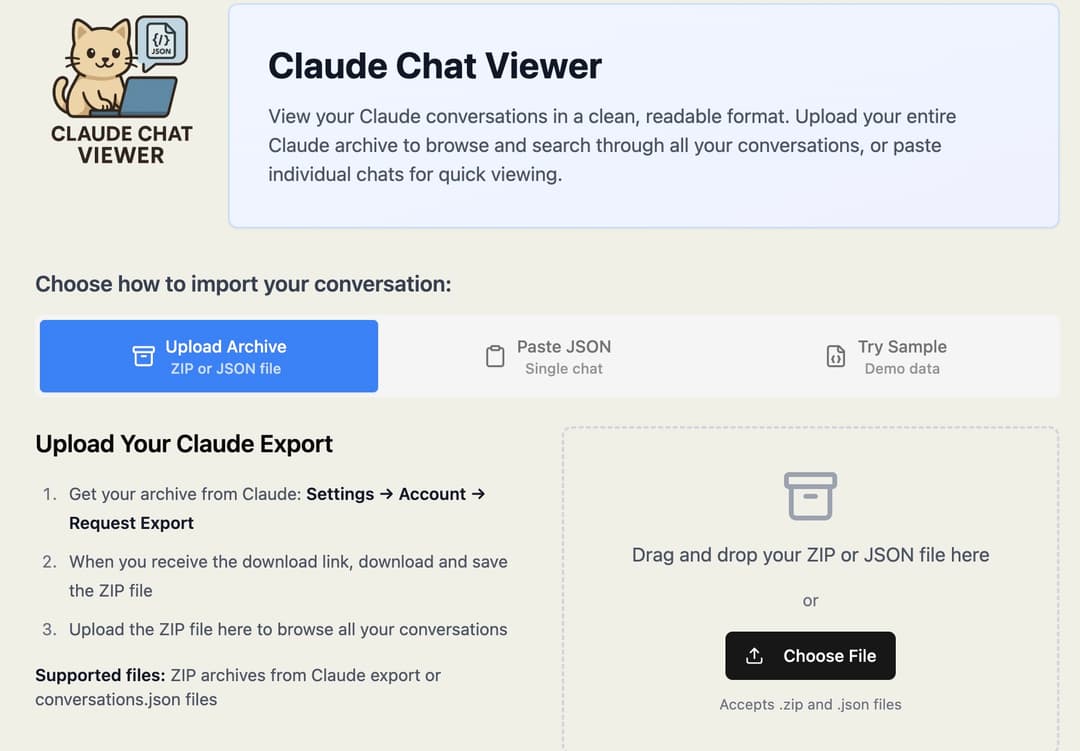
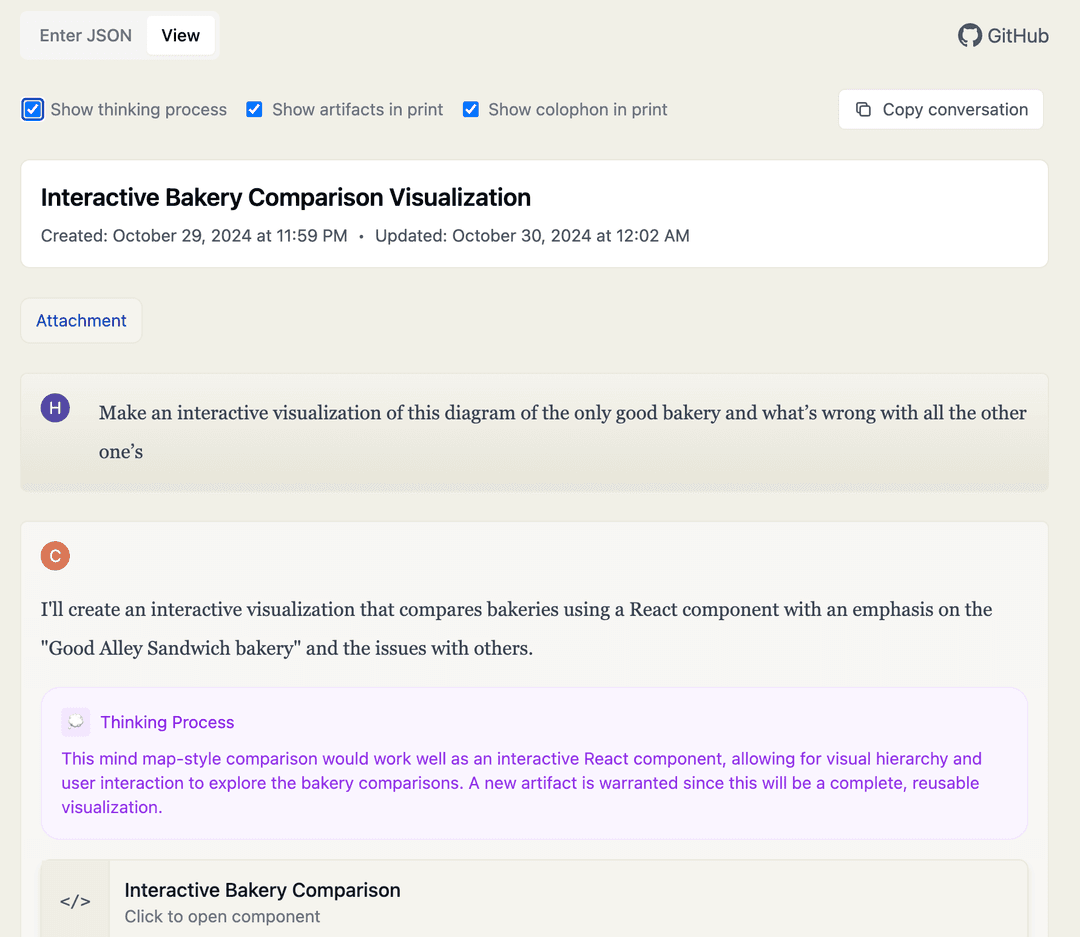
A web application for viewing Claude chat conversations from exported JSON files. Renders Claude's chat JSON exports in a clean, readable format with support for code blocks, artifacts, and thinking process sections.
Features
- View Claude chat JSON exports in a readable format
- Direct ZIP archive upload - no extraction needed
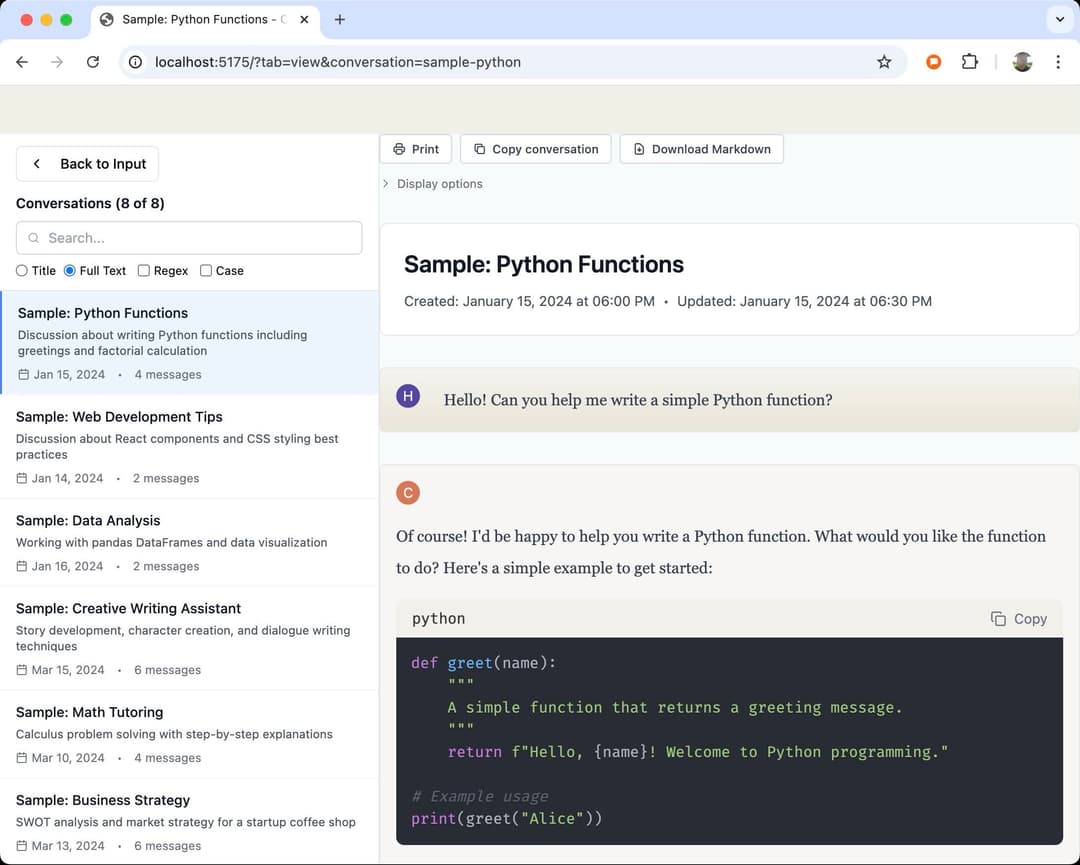
- Browse and select from multiple conversations (conversations.json support)
- Advanced search and filtering for conversations:
- Search by title/summary or full conversation text
- Regular expression (regex) pattern matching
- Case-sensitive search option
- Real-time filtering with result counter
- Support for code blocks with syntax highlighting
- Download all code and artifacts as a zip file
- Copy entire conversations with formatting preserved
- Display Claude's thinking process (optional)
- Print-friendly layout
- Responsive design
- Persistent storage of last viewed conversation
Privacy
Your data stays private. This application runs entirely in your browser as a static website. Your conversations and files:
- Never leave your computer
- Are not uploaded to any server
- Cannot be accessed by us or anyone else
- Are processed locally using JavaScript
The app is served as static files from a CDN with no backend server or database. All processing happens client-side in your browser. We have no ability to see, store, or access any of your Claude conversation data.
Usage
Visit tools.osteele.com/claude-chat-viewer to use the application.
Viewing Individual Conversations
- Export your Claude chat as JSON
- Click "Enter JSON" in the viewer or use the "Upload File" button
- Paste your JSON or select a file
- View your conversation in a clean, readable format
Viewing Multiple Conversations
The viewer supports Claude's full data export in two ways:
Option 1: Direct ZIP Upload (Recommended)
- Request a data export from Claude (Settings → Account → Request Export)
- Download the ZIP archive when ready
- Click "Upload File" and select the ZIP directly - no extraction needed!
- Browse through all your conversations with summaries
- Select any conversation to view in detail
- Use the header navigation to switch between conversations
Option 2: Upload conversations.json
- Extract the Claude export ZIP
- Upload the
conversations.jsonfile using the "Upload File" button - Browse and select from your conversations
Searching Conversations
When browsing multiple conversations, you can use the search feature to quickly find specific conversations:
- Search by Title & Summary: Quick search through conversation names and summaries
- Search Full Text: Deep search through all messages in conversations
- Regex Mode: Use regular expressions for advanced pattern matching (e.g.,
\d{4}-\d{2}-\d{2}for dates) - Case Sensitive: Toggle for exact case matching
- Clear Button: Click the X button to quickly clear your search
Loading Files via URL Parameter
In development mode, you can load files directly via URL parameter:
# Single conversation
http://localhost:5173/?file=inputs/chat.json

# Multiple conversations
http://localhost:5173/?file=inputs/data/conversations.json
This is particularly useful for:
- Development and testing with sample data
- Sharing specific conversation files
- Automating the viewer with pre-loaded content
Downloading Artifacts
Click the "Download Artifacts" button to download all code snippets and artifacts as a zip file. The downloaded archive will:
- Maintain file extensions based on language or MIME type
- Preserve directory structure from file paths
- Include all code snippets and tool outputs from the conversation
- Name files based on their titles or content
Copying Conversations
Click the "Copy conversation" button to copy the entire conversation to your clipboard. The copied text will:
- Preserve formatting when pasted into rich text editors (like Google Docs or Word)
- Include proper formatting for code blocks with monospace font
- Fall back to clean plain text when pasted into plain text editors
Printing
Use your browser's print function to create a PDF or paper copy. The viewer automatically formats the conversation for printing.
Keyboard Shortcuts
Cmd/Ctrl + V- Paste JSONTab- Navigate between elementsEnter- Activate buttons and controls
Local Installation
If you want to run the viewer locally:
# Clone the repository
git clone https://github.com/osteele/claude-chat-viewer.git

# Install dependencies
cd claude-chat-viewer
bun install

# Start the development server
bun dev
Visit http://localhost:5173 in your browser.
Contributing
See CONTRIBUTING.md for development setup and guidelines.
More Tools
Check out my other web applications and AI & LLM tools.
Related Projects
- Convert Claude JSON to Markdown - Observable script to convert Claude JSON to markdown
- Claude Artifact Unpacker - Extract and save Claude artifacts as files
- There's some Chrome extensions with similar functionality. They don't require you to download or export JSON files.
Also see my other Development Tools - Collection of development utilities and tools
Acknowledgements
Inspired by Simon Willison's Convert Claude JSON to Markdown tool.
Thanks to @adamnemecek for the UI improvement suggestion (#1).
License
MIT
// faq
What is claude-chat-viewer?
View Claude chat conversations in the browser, from exported JSON files. It is open-source on GitHub.
Is claude-chat-viewer free to use?
claude-chat-viewer is open-source under the MIT license, so it is free to use.
What category does claude-chat-viewer belong to?
claude-chat-viewer is listed under devtools in the Claudeers registry of Claude-compatible tools.
// embed badge

[](https://claudeers.com/claude-chat-viewer)
// retro hit counter

[](https://claudeers.com/claude-chat-viewer)
// reviews
// guestbook
// related in Developer Tools
 🔓
🔓The agent harness performance optimization system. Skills, instincts, memory, security, and research-first development for Claude Code, Codex, Opencode, Curs…
 🔓
🔓Makes your AI agent think like the laziest senior dev in the room. The best code is the code you never wrote.
 🔓
🔓Use Garry Tan's exact Claude Code setup: 23 opinionated tools that serve as CEO, Designer, Eng Manager, Release Manager, Doc Engineer, and QA
 🔓
🔓AI coding assistant skill (Claude Code, Codex, OpenCode, Cursor, Gemini CLI, and more). Turn any folder of code, SQL schemas, R scripts, shell scripts, docs,…