
claude-chat-clean
A clean chat view for Claude Code: your messages and Claude's replies, tool calls folded away
Install with your AI
Paste into Claude Code, Cursor, or any agent — it reads the repo and wires the tool into your project.
Install and set up claude-chat-clean (git-clone project) into my current project.
Found on https://claudeers.com/claude-chat-clean
Repo: https://github.com/achammah/claude-chat-clean
Homepage/docs: —
Detected install method: git-clone → git clone https://github.com/achammah/claude-chat-clean
Category: plugins. Platforms: cli, api, desktop.
Read the repo's README for exact setup and env vars, then install it and wire it into my project.

Claudeers Health Verdict:
unknown; community-verified: false. Confirm the source before running anything.
git clone https://github.com/achammah/claude-chat-clean
// compatibility
| Platforms | cli, api, desktop |
|---|---|
| Operating systems | — |
| AI compatibility | claude |
| License | MIT |
| Pricing | open-source |
| Language | TypeScript |
chat-clean. Read the chat, not the machinery.
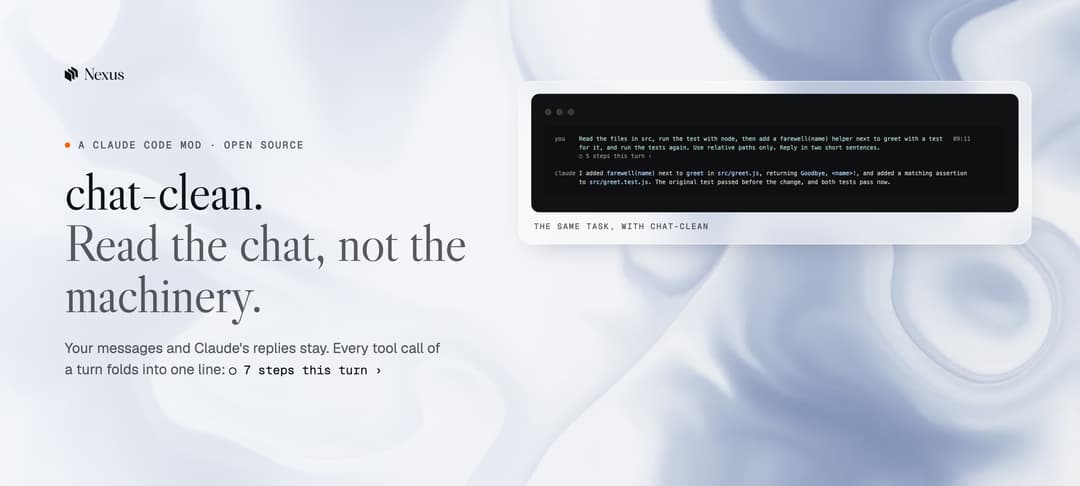
Quick start · Before and after · How it works · Contributing · agent.nexus
What is chat-clean
chat-clean is a Claude Code mod. It changes how the chat looks, not what Claude does.
Claude Code shows every tool call it makes: each command, each file read, each diff. On a long task that buries the conversation. chat-clean keeps your messages and Claude's replies, and folds the work of each turn into one line you can open.
It runs in the terminal and in the Claude Code desktop app. It is free, open source and MIT licensed.
Before and after
The same task, the same session. Left: Claude Code's own drawing. Right: with chat-clean.
| Before | After |
|---|---|
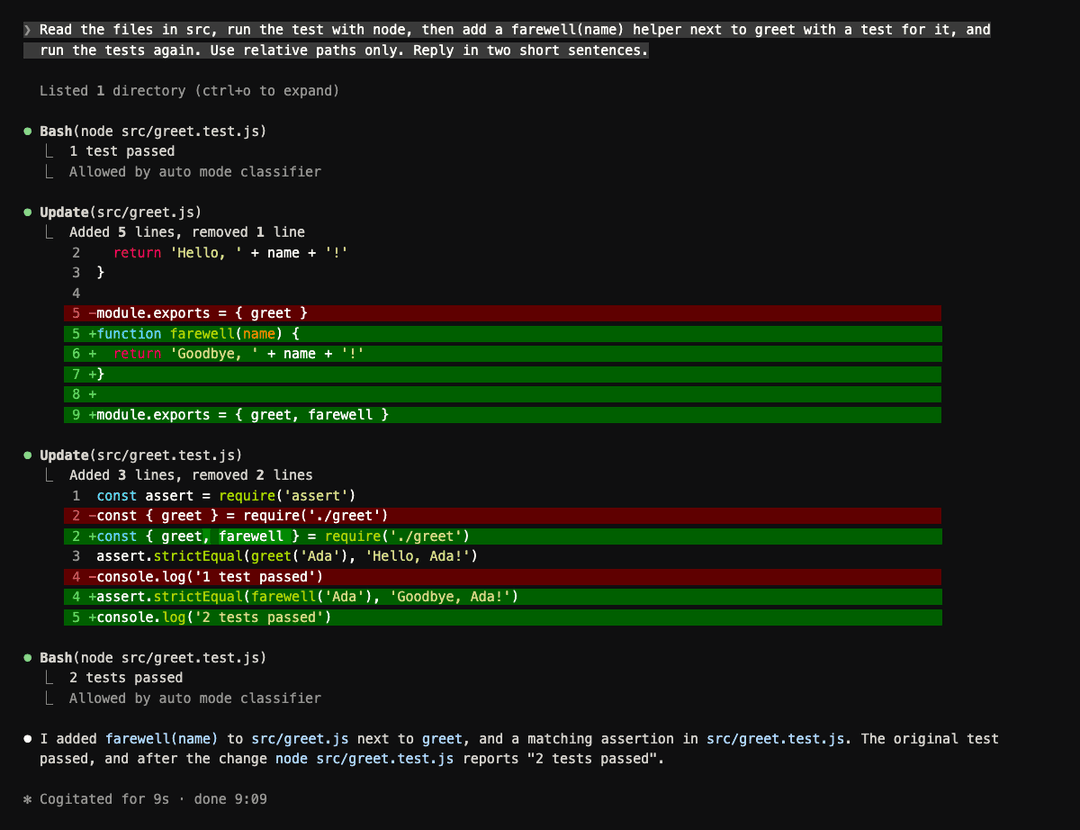 Every command, output and diff stays on screen. |  you and claude in a name column. The work folds into ○ 5 steps this turn ›. |
 A raw API error. |  One line: what happened, then what to do. |
Helpers at a glance
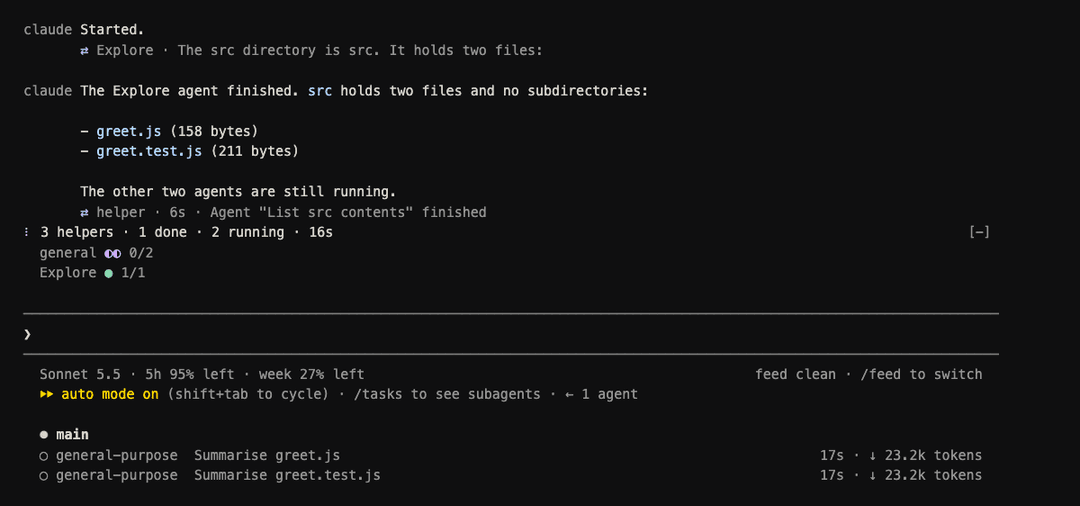
Helpers (subagents) launched together show as one line above the input: the total, how many are done or running, and the time. Below it, one line per kind.
Quick start
You need Claude Code 2.1.289 or newer. Check with claude --version.
cd /path/to/your/project
git clone https://github.com/achammah/claude-chat-clean .claude/skills/chat-clean
Start Claude Code in that project with claude. The mod loads by itself. You know it works when the bottom right of the screen reads feed clean · /feed to switch.
Other ways to install
| Way | Commands | When |
|---|---|---|
| One project (recommended) | git clone https://github.com/achammah/claude-chat-clean .claude/skills/chat-clean | You want it every time you work in this project |
| Try it once | git clone https://github.com/achammah/claude-chat-clean ~/chat-clean, then claude --plugin-dir ~/chat-clean | You want to see it before you keep it |
| Desktop app | Install as for one project, then open the project in the app | You use the Claude Code desktop app. If it was already open, type /reload-plugins |
Update and remove
cd /path/to/your/project/.claude/skills/chat-clean
git pull
Open sessions reload the mod as soon as its files change. To remove it, delete the folder .claude/skills/chat-clean.
What it does
| Part | What you see |
|---|---|
| Name column | you beside your messages, claude beside the replies, the time of each message at the right edge |
| Folded turns | Every tool call of a turn becomes one line, ○ 7 steps this turn ›. The arrow opens it in place |
| Working line | While Claude works: a spinner, the step in plain words (Reading app.py), and the time |
| Helpers | Helpers launched together show above the input: 3 helpers · 1 done · 2 running · 24s, one line per kind below |
| Background runs | After the turn: Running in the background · Build the docs · 2m · you can keep typing |
| Questions | Each answered question becomes one line: ? Which colour → Red |
| Errors | One line that says what happened and what to do: ! Connection lost · check your internet · send again to retry |
| Slash commands | The answer is one quiet line under the command |
| Helper messages | A helper's report reads as one line (who, state, time, summary), then its first paragraph, formatted. ctrl+o shows all |
| Safeguard stops | One line that says the model's safeguards stopped the reply and what to do: edit your message, or switch model |
| Light mode | The desktop band switches to pale tints when Claude Code's theme is light |
Labels never show a raw command, a path or an id.
The three views
| View | What you see |
|---|---|
clean (default) | Your messages, Claude's replies, and one line per turn for the work |
normal | Each run of tool calls is one line with counts: Ran 3 shell commands · read 1 file |
raw | Claude Code's own drawing. The mod draws nothing |
/feed clean,/feed normalor/feed rawswitches the view, even while Claude runs./feedopens the settings page. Each setting has its own command, for example/feed group off./feed hide <kind>and/feed show <kind>switch one kind of row off or on:you,said,tool,agent,question,peer,helper,search.- ctrl+o still shows the full transcript. The view you pick is kept for your next sessions.
How it works
A Claude Code mod is a plugin folder. Claude Code loads it from .claude/skills/<name>/ and reloads it when a file changes.
chat-clean/
  .claude-plugin/plugin.json   the mod's name and version
  hooks/hooks.json             points to the one hooks module
  hooks/register.tsx           the hooks: one per row type it draws
  hooks/feed.ts                plain functions: labels, folding rules, error words
  types/index.d.ts             every value the mod keeps between draws
  tests/                       claude plugin test runs these
| Claude Code row | What chat-clean does with it |
|---|---|
UserMessage | Draws the you column and the time |
AssistantMessage | Draws the claude column; turns an API error into one line |
ToolUse, ToolGroup, ToolResult | Folds a turn's calls into one line |
Spinner | Draws the working line under the last row |
AbovePrompt | Draws the helper line and the background line above the input |
CommandOutput | Draws a slash command's answer as one line |
Check a change with claude plugin validate . and claude plugin test ..
What it cannot hide
Some rows belong to Claude Code itself, and no mod can reach them:
- hook rows, for example "Ran 2 stop hooks";
- the reload line that appears when a mod reloads;
- the attachment lines under a message, for example "Loaded CLAUDE.md";
- the "N background agents launched" block. chat-clean shows helpers above the input instead.
Rows drawn while the mod reloads keep Claude Code's look, because they are already on screen.
In the desktop app
- The desktop app keeps its own message bubbles. The name column is for the terminal.
- The desktop app runs no status line, so the band above the input shows your 5-hour and weekly usage, and one pill per running helper, job and test.
Contributing
Issues and pull requests are welcome. Read CONTRIBUTING.md first.
- Fork the repo and clone it into a test project's
.claude/skills/chat-clean/. - Make your change, then run
claude plugin validate .andclaude plugin test .. - Open a pull request with a before and after screenshot of the row you changed.
Made by Nexus

Nexus makes Self Operating Procedures: what your best people know, turned into procedures that run themselves. We built chat-clean for our own work in Claude Code and share it as is.
Licence
MIT. See LICENSE.
// faq
What is claude-chat-clean?
A clean chat view for Claude Code: your messages and Claude's replies, tool calls folded away. It is open-source on GitHub.
Is claude-chat-clean free to use?
claude-chat-clean is open-source under the MIT license, so it is free to use.
What category does claude-chat-clean belong to?
claude-chat-clean is listed under plugins in the Claudeers registry of Claude-compatible tools.
// embed badge

[](https://claudeers.com/claude-chat-clean)
// retro hit counter

[](https://claudeers.com/claude-chat-clean)
// reviews
// guestbook
// related in Claude Plugins
 🔓
🔓A single CLAUDE.md file to improve Claude Code behavior, derived from Andrej Karpathy's observations on LLM coding pitfalls.
 🔓
🔓Claude Code is an agentic coding tool that lives in your terminal, understands your codebase, and helps you code faster by executing routine tasks, explainin…
 🔓
🔓"CLI-Anything: Making ALL Software Agent-Native" -- CLI-Hub: https://clianything.cc/
🔓financial-services — a Claude ecosystem project on GitHub.