
claritymaxx
Understand difficult things. A Claude Code plugin that turns difficult topics into clear mental models.
Install with your AI
Paste into Claude Code, Cursor, or any agent — it reads the repo and wires the tool into your project.
Install and set up claritymaxx (git-clone project) into my current project.
Found on https://claudeers.com/claritymaxx
Repo: https://github.com/v60samurai/claritymaxx
Homepage/docs: —
Detected install method: git-clone → git clone https://github.com/v60samurai/claritymaxx
Category: plugins. Platforms: api, desktop, web.
Read the repo's README for exact setup and env vars, then install it and wire it into my project.

Claudeers Health Verdict:
unknown; community-verified: false. Confirm the source before running anything.
git clone https://github.com/v60samurai/claritymaxx
// compatibility
| Platforms | api, desktop, web |
|---|---|
| Operating systems | — |
| AI compatibility | claude |
| License | MIT |
| Pricing | open-source |
| Language | Python |
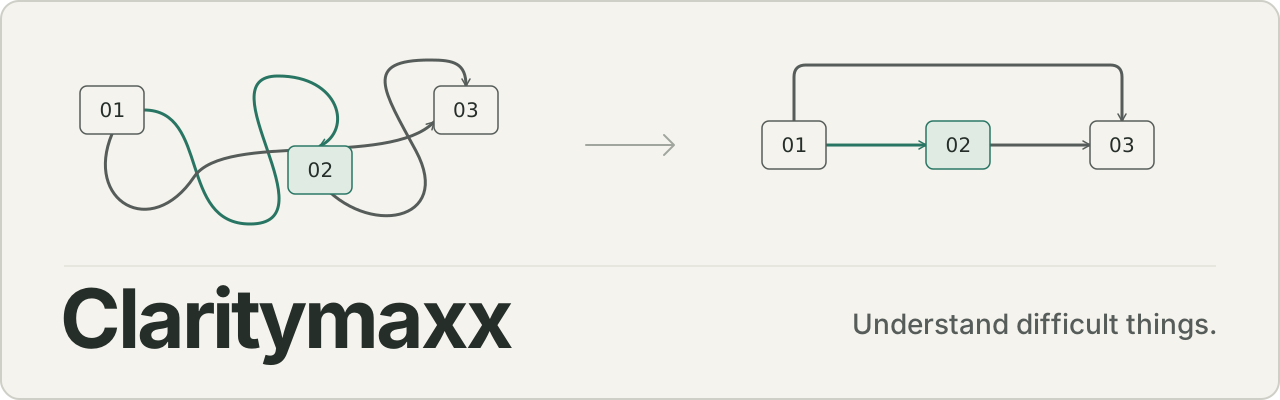
Claritymaxx
Understand difficult things.
Claritymaxx is a Claude plugin with skills for understanding hard material: code, systems, papers, data, logs, and processes. It works in Claude on the web, in the Claude desktop app, in Cowork, and in Claude Code. Models now do more of the implementation work. More of your work is to inspect what they did, judge it, and decide what matters. Claritymaxx helps with that part.
It has one skill today: explain.
Use Claritymaxx
Add the plugin once, then ask in your own words.
Claude web
- Open Customize in the left sidebar, then Plugins.
- Select Add, then Add marketplace.
- Enter
v60samurai/claritymaxx. - Select Claritymaxx in the plugin list, then Add.
Start a chat and ask. Plugins need a paid plan (Pro, Max, Team, or Enterprise). Skills run in Claude's code sandbox, so Code execution and file creation must be on under Settings > Capabilities. On Team and Enterprise plans, an Owner controls both settings.
Claude Desktop
Use the same four steps in the desktop app. The plugin is saved to your Claude account, not to your computer. If you added it on the web, it is already in the Chat tab. You do not edit a configuration file, and this is not an MCP server or a desktop extension.
Claude Cowork
Open the Cowork tab, then Customize. A plugin that you added to your account is available in Cowork tasks. Claritymaxx has no agents, hooks, or connectors, so it does the same work in Cowork as in chat. In Cowork, explain can also read the files in the folder you give the task.
Claude Code
/plugin marketplace add v60samurai/claritymaxx
/plugin install claritymaxx@claritymaxx
Or from a shell:
claude plugin marketplace add v60samurai/claritymaxx
claude plugin install claritymaxx@claritymaxx
Start a new session, or run /reload-plugins. If you added the plugin to your Claude account on the web or in the desktop app, Claude Code v2.1.273 or later downloads it at the next session start when you sign in with the same account, and you can skip these commands.
Other ways to add it
Each release has two files. Both are built from the same skills/explain folder.
claritymaxx-plugin.zipis the plugin as a file. Use Customize > Plugins > Add > Upload plugin.explain-skill.zipis theexplainskill alone. Open Customize > Skills, select +, then Create skill, then Upload a skill, and turn the skill on.
A plugin from the marketplace takes new versions from this repository when you select Check for updates. An uploaded file stays at the version you uploaded.
Ask
What is idempotency?
Explain this paper to me. I understand transformers but not this technique.
I mostly understand this architecture. Help me find the parts I'm misunderstanding.
Help me understand why these two teams are describing the same system differently.
Explain this incident. Separate what actually happened from what we're inferring.
Attach or paste the material that the question is about: a document, a PDF, a screenshot, code, or logs. explain reads it before it answers. In Claude Code and Cowork it reads the files in your project.
You do not choose the format. explain picks text, a diagram, or a small page from the shape of the subject. If you name a format or a length, you get that.
To call the skill by name in chat or Cowork, type / in the message box and pick explain. In Claude Code, type /claritymaxx:explain <what you want to understand>.
Where it works
| Surface | explain | Added through | Notes |
|---|---|---|---|
| Claude web chat | Yes | Plugin or standalone skill | Reads what you attach or paste. Creates a page or a file when the conversation has file creation. |
| Claude Desktop, Chat tab | Yes | Same account as the web | Same behaviour as web chat. No local setup. |
| Claude Cowork | Yes | Same account as the web | Also reads the files in the task's folder. The plugin adds nothing that only Cowork runs. |
| Claude Code | Yes | Account sync or /plugin install | Reads the repository, saves pages in the working directory. |
The skill is instructions, four reference files, and one image. It has no scripts, no hooks, no sub-agents, no MCP server, and no network calls, so every surface loads all of it. When a surface cannot create the page that explain chose, the skill puts the same structure in the reply and says so. It does not report a file that it did not create.
Checked against Plugins, Plugin feature support across platforms, and Create custom skills in October 2026. Menu names can change, and those pages are the reference.
Inspiration
Claritymaxx started from a post by Andrej Karpathy about understanding the outputs of language models. His observation: as models do more of the implementation work on their own, more human work moves up into oversight and understanding.
He described a progression of output formats for that work:
- Clear writing. Ask for prose in the style of ASD-STE100, a controlled language from aerospace maintenance. The full standard is strict, so he suggests a softer target, "80% of the way to ASD-STE100".
- Diagrams and images, when structure is easier to see than to read.
- HTML pages built for the one question, which can be interactive.
- Bespoke explainer videos, the format he is most optimistic about.
The larger idea is that intelligence and code are getting cheap. A custom, disposable software artifact made to answer one question was too expensive to build before. Now it is a reasonable thing to ask for.
Both the ladder of output formats and the ASD-STE100 writing style in this project come from that post. Claritymaxx is our implementation and extension of the idea: a reusable skill that builds the mental model first, then chooses the simplest medium that explains the topic well. Karpathy is not involved in this project and has not reviewed or endorsed it.
What explain does
explain builds a mental model of the subject before it writes a word of explanation. It reads the source, finds the few parts and relationships that carry most of the difficulty, and separates what the source shows from what it inferred. Then it chooses the representation that makes the model easiest to form: text, a diagram, or a small web page built for the question.
> why does this service read from both the cache and the database?
explain reads the code first. Then it answers the question you asked: which reads go where, why two sources exist, and where they can disagree. It says which parts of that answer it saw in the code and which parts it inferred. If the hard part is the flow of requests, you get a small diagram and a few sentences in place of a page of prose.
It adapts to the reader without a mode switch:
- Learn. You have no working model yet. It builds one from first principles, one concept at a time.
- Inspect. You know the domain. It skips the basics and goes to relationships, odd decisions, failure modes, and what is known versus inferred.
The ladder
text → diagram → bespoke web explainer → video (optional)
This ladder is Karpathy's progression of output formats (see Inspiration). He presents each format as better than the one before for hard material. Claritymaxx adds one rule of its own: it picks the rung where the topic is easiest to understand, and goes no higher. The goal is understanding, and a page is one way to get there. The conditions in the table below are ours.
The choice is automatic, and it follows the shape of the idea more than its size. A short question about a mechanism can get a page, because a mechanism is easier to watch than to read. A long prompt about one line of reasoning gets text.
| Medium | Chosen when |
|---|---|
| Text | The hard part is a definition or one line of reasoning, and you can hold it in your head. |
| Diagram | One or two relationships are the hard part: flow, sequence, dependency, state, cause. |
| Web explainer | You need several connected pictures of one model: one thing that changes form across many stages, an architecture map, a normal flow next to a failure flow, an incident traced through components. The page does not need controls. |
| Video | The model is a change over time that a still frame hides, or you ask for one. No paid service is required. |
"Why does ice float?" gets a few sentences. An OAuth login flow gets a diagram and a few sentences. A question about how a mechanism turns its input into its output, stage by stage, will often get a small page that follows one example through the stages. A production system with many services, trust boundaries, and an incident to diagnose will often get a small page with a map and the failure path. Not every complex topic gets a page. If you name a medium or a length, you get that.
Writing style
The prose is inspired by ASD-STE100 Simplified Technical English, a controlled language written for aerospace maintenance documents: familiar words, short sentences, one term for one thing, explicit cause and effect. Using it for explanations is Karpathy's suggestion, and so is the target: "80% of the way to ASD-STE100".
That phrase names a style. It is not a score. Claritymaxx does not check text against the standard and does not claim that its output complies with ASD-STE100. Correct technical terms stay, and when precision and simplicity conflict, precision wins.
Before it sends anything, the skill edits once against a short list of rules: plain words, whole sentences, no em dashes, no filler openers or closers, and no claim that the source does not support. The same pass covers diagram labels, the text in HTML pages, and video narration.
What is in the repository
.claude-plugin/        plugin and marketplace manifests
skills/explain/        SKILL.md, four reference files, one reference image
evals/                 22 eval cases for `claude plugin eval`, RUBRIC.md, pairwise.py
evals-surface/         1 case that runs with no file tool
evals-heldout/         8 cases that are never read while the skill is edited
scripts/package.sh     builds the two release archives into dist/
SKILL.md is short. The reference files for diagrams, HTML explainers, the ladder, and the writing style load only when a request needs them.
To try the plugin from a clone without installing it, run claude --plugin-dir ./claritymaxx.
Run the evals from a clone:
claude plugin eval . --scaffold --allow-tools Write --judge-model sonnet
--scaffold lets one case create a small fixture repository, and --allow-tools Write lets the HTML cases write a file. --judge-model sonnet helps: the default small judge fails correct answers on the longer rubrics. The judge is still noisy. In October 2026, 04-software-architecture and 16-long-prompt-linear failed their rubric graders on answers that a direct reading passes, so read the reply before you trust a failed verdict. The cases check invariants such as factual fidelity, medium choice, kept caveats, and stated uncertainty. They do not check wording. evals/RUBRIC.md lists the failure categories, including medium_under_escalation and medium_over_escalation.
The cases run in Claude Code. evals-surface/ holds one case that gives the skill a complex system and no tool that can create a file, which stands in for a chat with file creation off. It checks that the reply keeps the structure and reports no file. Run it without the Write grant:
claude plugin eval . --eval-dir evals-surface --judge-model sonnet
The graders cannot read a page as a reader does. evals/RUBRIC.md has a review record for checking medium choice by hand.
Medium choice has two extra checks. evals-heldout/ holds cases that were not used to tune the skill, so a change that helps evals/ and not these has overfit. evals/pairwise.py generates a text answer and an HTML answer for each held-out case, then asks a second model to pick the more useful one without knowing which medium the skill chose:
python3 evals/pairwise.py
The judge reads the page source and one screenshot. It cannot operate the page, so treat its verdicts as evidence to check against your own reading, not as ground truth.
Later
More focused skills for understanding may follow, for example for codebases, systems, research, and data. They will be added when real use shows a need.
License
// faq
What is claritymaxx?
Understand difficult things. A Claude Code plugin that turns difficult topics into clear mental models.. It is open-source on GitHub.
Is claritymaxx free to use?
claritymaxx is open-source under the MIT license, so it is free to use.
What category does claritymaxx belong to?
claritymaxx is listed under plugins in the Claudeers registry of Claude-compatible tools.
// embed badge

[](https://claudeers.com/claritymaxx)
// retro hit counter

[](https://claudeers.com/claritymaxx)
// reviews
// guestbook
// related in Claude Plugins
 🔓
🔓A single CLAUDE.md file to improve Claude Code behavior, derived from Andrej Karpathy's observations on LLM coding pitfalls.
 🔓
🔓Claude Code is an agentic coding tool that lives in your terminal, understands your codebase, and helps you code faster by executing routine tasks, explainin…
 🔓
🔓"CLI-Anything: Making ALL Software Agent-Native" -- CLI-Hub: https://clianything.cc/
🔓financial-services — a Claude ecosystem project on GitHub.