
best-claude-hud
Minimal Claude Code statusline HUD powered by Rust.
Install with your AI
Paste into Claude Code, Cursor, or any agent — it reads the repo and wires the tool into your project.
Install and set up best-claude-hud (release-binary project) into my current project.
Found on https://claudeers.com/best-claude-hud
Repo: https://github.com/GaoSSR/best-claude-hud
Homepage/docs: —
Detected install method: release-binary → inspect the README
Category: devtools. Platforms: cli, api.
Read the repo's README for exact setup and env vars, then install it and wire it into my project.

Claudeers Health Verdict:
slowing; community-verified: false. Confirm the source before running anything.
Grab the latest release asset from GitHub.
# download a build from https://github.com/GaoSSR/best-claude-hud/releases
git clone https://github.com/GaoSSR/best-claude-hud
// compatibility
| Platforms | cli, api |
|---|---|
| Operating systems | — |
| AI compatibility | claude |
| License | Apache-2.0 |
| Pricing | open-source |
| Language | Rust |
English | 简体中文
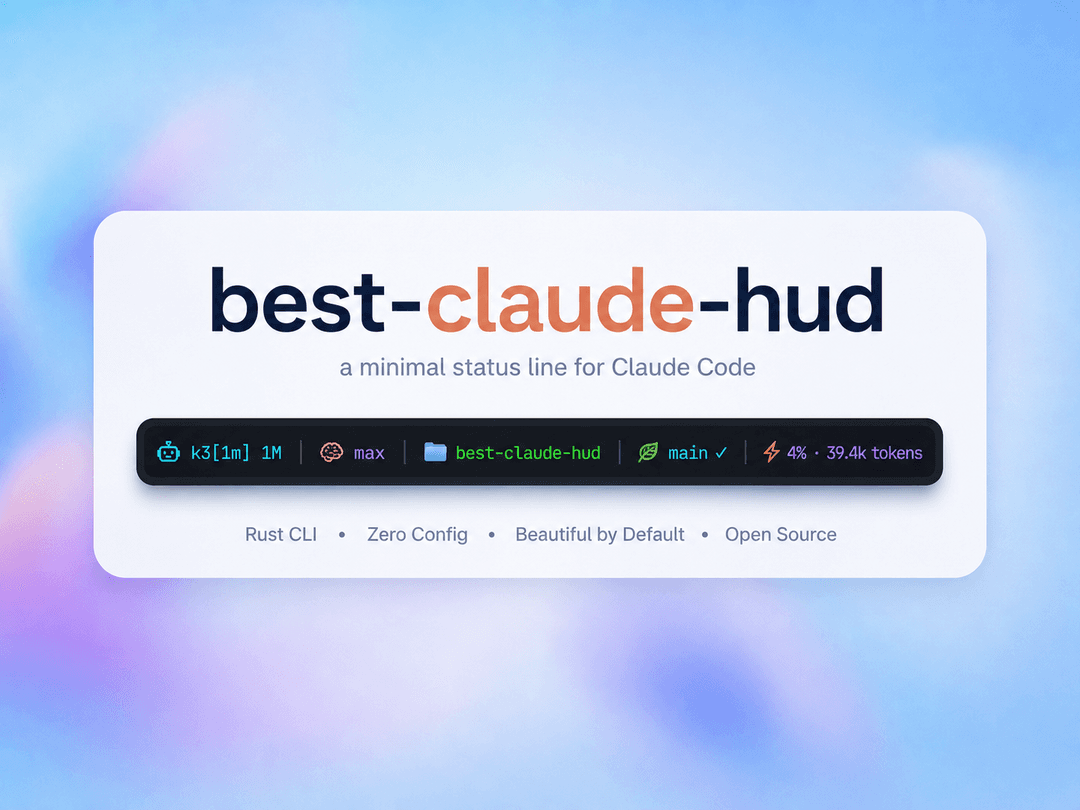
Minimal Claude Code statusline HUD, powered by Rust
best-claude-hud Overview
best-claude-hud is a high-performance Claude Code statusline tool written in Rust. It shows the status information you actually need while using Claude Code in a terminal: model, workspace, Git branch/status, context window usage, and optional usage/rate-limit metadata.
This project starts from the source code of Haleclipse/CCometixLine, then rebuilds the project under a new repository, package name, release workflow, and maintenance direction. The default goal is a compact single-line HUD, not a noisy multi-line dashboard.
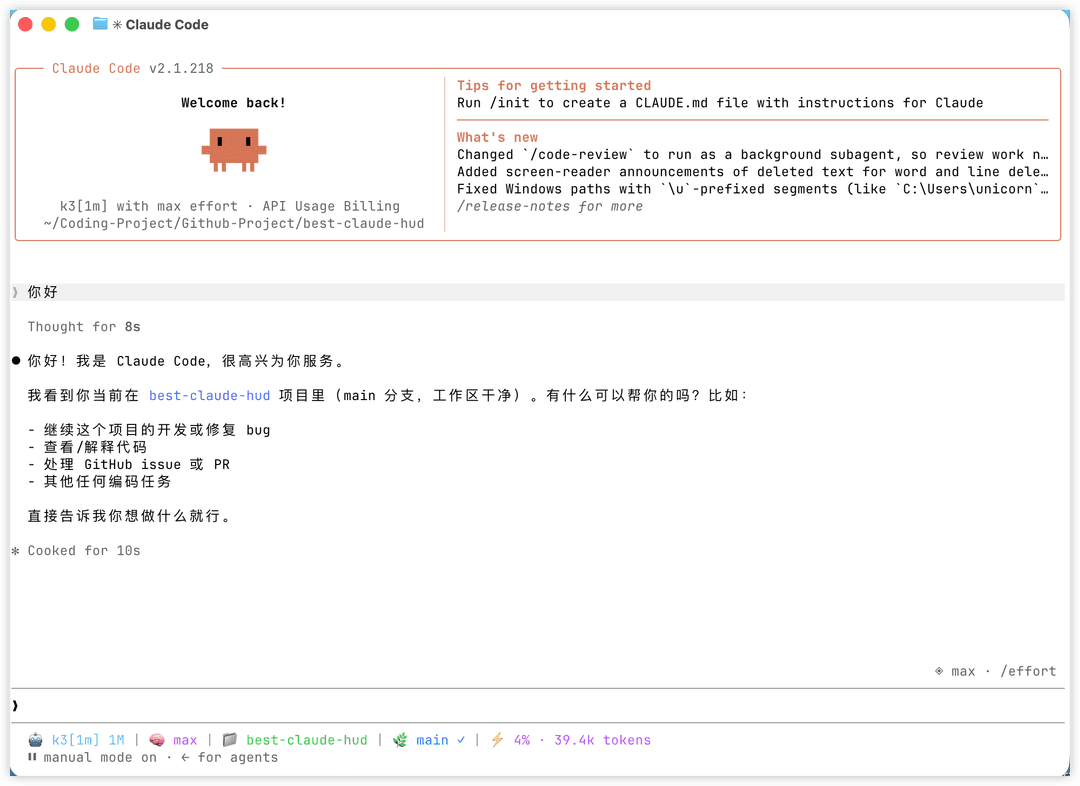
The default statusline focuses on:
- Claude model display
- Claude Code launch directory, stable across temporary working-directory changes
- Git branch, clean/dirty/conflict state, and ahead/behind counts
- context window usage from Claude Code's official statusLine data, with active-transcript fallback
- optional usage/rate-limit, cost, session, and output style segments
Why This Fork Exists
The original CCometixLine is useful and feature-rich, but the maintenance queue has open PRs/issues that need review, compatibility fixes, and a clear default-output policy. best-claude-hud keeps the useful Rust/TUI foundation and makes the project easier to maintain as a public package.
Accepted in the initial rebuild:
- npm-first installation and platform optional dependencies
- no binary copy/link into
~/.claude - Claude Code
modelinput compatible with both string and object forms rate_limitsparsed directly from Claude Code statusLine stdin before falling back to API polling- context-window parsing fixed so a new terminal/session does not reuse stale token data from an older transcript
- interrupted responses no longer reset context usage to zero while waiting for the next API response
- workspace and Git segments anchored to
workspace.project_dirso skills, subagents, and shellcdoperations do not replace the project name git --no-optional-locksused for statusline Git commands
Install
best-claude-hud is distributed through npm. The npm package uses prebuilt native binaries; users do not need Rust installed.
Install and configure Claude Code in one line:
npm install -g best-claude-hud && best-claude-hud --setup
Restart Claude Code after setup. Existing sessions do not automatically reload ~/.claude/settings.json.
Install only:
npm install -g best-claude-hud
Using yarn or pnpm:
yarn global add best-claude-hud
pnpm add -g best-claude-hud
For users in China:
npm install -g best-claude-hud --registry https://registry.npmmirror.com && best-claude-hud --setup
Update an existing installation:
npm update -g best-claude-hud
Uninstall:
npm uninstall -g best-claude-hud
Nix
best-claude-hud also ships a Nix flake for declarative and reproducible environments.
Run without installing globally:
nix run github:GaoSSR/best-claude-hud -- --help
Install into a Nix profile:
nix profile install github:GaoSSR/best-claude-hud
best-claude-hud --setup
For home-manager or another declarative setup, point Claude Code directly at the Nix store binary:
# In your flake inputs:
# best-claude-hud.url = "github:GaoSSR/best-claude-hud";

{ inputs, pkgs, ... }:

let
  hud = inputs.best-claude-hud.packages.${pkgs.system}.default;
in
{
  home.packages = [ hud ];

  home.file.".claude/settings.json".text = builtins.toJSON {
    statusLine = {
      type = "command";
      command = "${hud}/bin/best-claude-hud";
      padding = 0;
    };
  };
}
If you already manage ~/.claude/settings.json with Nix, merge the statusLine block into your existing JSON instead of replacing the whole file.
Development shell:
nix develop
Claude Code Configuration
npm install -g best-claude-hud only installs the command. Claude Code will not show the HUD until statusLine is configured.
Recommended:
best-claude-hud --setup
The setup command writes a statusLine block to ~/.claude/settings.json and preserves existing settings. It resolves the installed command to an absolute path when possible:
{
  "statusLine": {
    "type": "command",
    "command": "/path/to/best-claude-hud",
    "padding": 0
  }
}
Manual configuration can also use "command": "best-claude-hud" if your Claude Code sessions inherit the same PATH as your shell. If statusLine already exists, --setup creates a timestamped backup next to settings.json before replacing it. Restart Claude Code after changing this file.
The npm package intentionally does not install a binary into ~/.claude. It uses the global npm command and resolves the matching native binary from Kiri-style npm alias optional dependencies.
Commands
best-claude-hud                    # open the interactive menu when run in a terminal
best-claude-hud --help             # print command help
best-claude-hud --version          # print version
best-claude-hud --setup            # configure Claude Code statusLine
best-claude-hud --config           # open the TUI configuration interface
best-claude-hud --theme minimal    # temporarily render with a built-in theme
best-claude-hud --patch <cli.js>   # patch Claude Code cli.js context warnings
Themes
Temporarily override the configured theme:
best-claude-hud --theme cometix
best-claude-hud --theme minimal
best-claude-hud --theme gruvbox
best-claude-hud --theme nord
best-claude-hud --theme powerline-dark
best-claude-hud --theme powerline-light
best-claude-hud --theme powerline-rose-pine
best-claude-hud --theme powerline-tokyo-night
Custom themes can be stored under:
~/.claude/best-claude-hud/themes/
Then use:
best-claude-hud --theme my-custom-theme
Configuration
Configuration files are stored under:
~/.claude/best-claude-hud/
Important files:
config.toml: main HUD and segment configurationmodels.toml: model display names and context window limitsthemes/*.toml: custom theme presets.api_usage_cache.json: optional usage API cache.update_state.json: update-check state
Run the TUI configurator:
best-claude-hud --config
Available segment families:
modeldirectorygitcontext_windowusagecostsessionoutput_styleupdate
Model Configuration
models.toml is created automatically on first run:
~/.claude/best-claude-hud/models.toml
It controls model display names and context limits. Claude model families are recognized automatically, while third-party models can be customized:
[[models]]
pattern = "kimi-k2.7"
display_name = "Kimi K2.7"
context_limit = 262144

[[models]]
pattern = "glm-5"
display_name = "GLM-5"
context_limit = 200000

[[models]]
pattern = "qwen3-coder"
display_name = "Qwen Coder"
context_limit = 256000

[[context_modifiers]]
pattern = "[1m]"
display_suffix = " 1M"
context_limit = 1000000
Statusline Data
Claude Code sends statusLine data to the command through stdin. best-claude-hud reads:
modelworkspace.project_dirfor the stable Claude Code launch directoryworkspace.current_diras a fallback for older Claude Code versionstranscript_pathcontext_windowcostoutput_stylerate_limits
For context window usage, the HUD prefers Claude Code's official context_window fields. The active transcript is used only as a compatibility fallback when those fields are absent, null, or temporarily zero. All-zero usage placeholders written after an interrupted response are ignored, so pressing Esc does not erase the last valid context reading. A genuinely new session with no usage still shows 0% · 0 tokens and never scans older project history.
Git Status Indicators
✓: clean working tree●: dirty working tree⚠: conflicts↑n: commits ahead of upstream↓n: commits behind upstream
Git commands run with --no-optional-locks, so the HUD does not create unnecessary .git/index.lock contention while you work.
Claude Code Patch Utility
The inherited patcher can patch Claude Code cli.js to reduce context warning noise:
best-claude-hud --patch /path/to/claude-code/cli.js
Example:
best-claude-hud --patch ~/.local/share/fnm/node-versions/v24.4.1/installation/lib/node_modules/@anthropic-ai/claude-code/cli.js
The patcher creates a backup next to the target file before writing.
Platform Support
| Platform | Native binary source | Status |
|---|---|---|
| MacOS arm64 | Native binary selected automatically by npm | Supported |
| MacOS x64 | Native binary selected automatically by npm | Supported |
| Linux x64 musl | Native binary selected automatically by npm | Supported |
| Windows x64 | Native binary selected automatically by npm | Supported |
| Linux arm64 / Windows arm64 | - | Planned |
Requirements
- Claude Code with
statusLinesupport - Git for branch/status display
- A terminal with ANSI color support
- A Nerd Font if you choose Nerd Font or Powerline themes
Development
For maintainers and contributors working from source:
cargo fmt
cargo clippy -- -D warnings
cargo test
cargo build --release
cargo run -- --help
npm --prefix packaging/npm run check
npm --prefix packaging/npm run test
Useful release checks:
cargo build --release
mkdir -p release-artifacts
tar -C target/release -czf release-artifacts/best-claude-hud-darwin-arm64.tar.gz best-claude-hud
node packaging/npm/scripts/build-packages.js \
  --version 0.1.7 \
  --release-dir release-artifacts \
  --output-dir npm-tarballs
Release
Release is split into two workflows:
Release: builds GitHub release artifacts and npm tarballsnpm publish: manually publishes npm packages after release artifacts exist
Create a GitHub Release:
git tag v0.1.7
git push origin v0.1.7
Publish to npm after npm trusted publishing is configured:
gh workflow run "npm publish" --repo GaoSSR/best-claude-hud -f version=0.1.7
Project Resources
Acknowledgements
best-claude-hud is based on source code from Haleclipse/CCometixLine. The upstream project is declared MIT in its Cargo metadata, and upstream attribution is preserved in NOTICE.
License
Licensed under the Apache License 2.0.
// faq
What is best-claude-hud?
Minimal Claude Code statusline HUD powered by Rust.. It is open-source on GitHub.
Is best-claude-hud free to use?
best-claude-hud is open-source under the Apache-2.0 license, so it is free to use.
What category does best-claude-hud belong to?
best-claude-hud is listed under devtools in the Claudeers registry of Claude-compatible tools.
// embed badge

[](https://claudeers.com/best-claude-hud)
// retro hit counter

[](https://claudeers.com/best-claude-hud)
// reviews
// guestbook
// related in Developer Tools
 🔓
🔓The agent harness performance optimization system. Skills, instincts, memory, security, and research-first development for Claude Code, Codex, Opencode, Curs…
 🔓
🔓Makes your AI agent think like the laziest senior dev in the room. The best code is the code you never wrote.
 🔓
🔓Use Garry Tan's exact Claude Code setup: 23 opinionated tools that serve as CEO, Designer, Eng Manager, Release Manager, Doc Engineer, and QA
 🔓
🔓AI coding assistant skill (Claude Code, Codex, OpenCode, Cursor, Gemini CLI, and more). Turn any folder of code, SQL schemas, R scripts, shell scripts, docs,…