
Beatreel
Make explainer reels from one prompt. A Claude Code / Codex skill that writes the script, voices it with a natural offline voice, puts every word on screen,…
Install with your AI
Paste into Claude Code, Cursor, or any agent — it reads the repo and wires the tool into your project.
Install and set up Beatreel (claude-skill project) into my current project.
Found on https://claudeers.com/beatreel
Repo: https://github.com/anand-reddi/Beatreel
Homepage/docs: —
Detected install method: claude-skill → # copy this skill into .claude/skills/beatreel/
Category: devops. Platforms: cli, api, web.
Read the repo's README for exact setup and env vars, then install it and wire it into my project.

Claudeers Health Verdict:
unknown; community-verified: false. Confirm the source before running anything.
# copy the skill dir into your project:
# .claude/skills/beatreel/   (or ~/.claude/skills/beatreel/ for all projects)
git clone https://github.com/anand-reddi/Beatreel
// compatibility
| Platforms | cli, api, web |
|---|---|
| Operating systems | — |
| AI compatibility | claude |
| License | MIT |
| Pricing | open-source |
| Language | CSS |
beatreel
Make explainer videos from a JSON script, vertical (1080×1920) or wide (1920×1080), 30 fps. You write the lines; beatreel speaks them, puts the words on screen as they are said, and gives every idea its own animated scene, with a talking presenter at the bottom.
script.json → voice (Kokoro, offline) → word timings → HTML + GSAP page → HyperFrames render → mix → video.mp4
It runs entirely on your machine. No accounts, no API keys, no cloud voice.
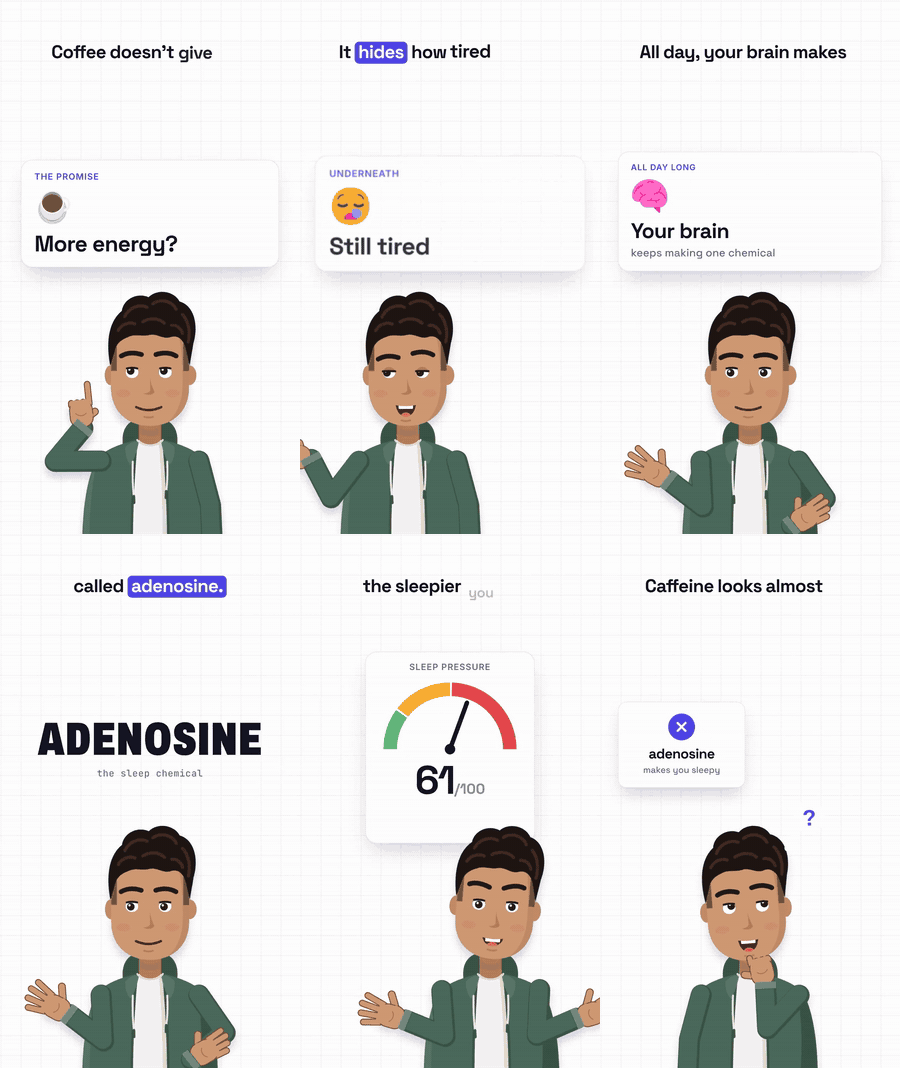 9:16 · Kai · grid | 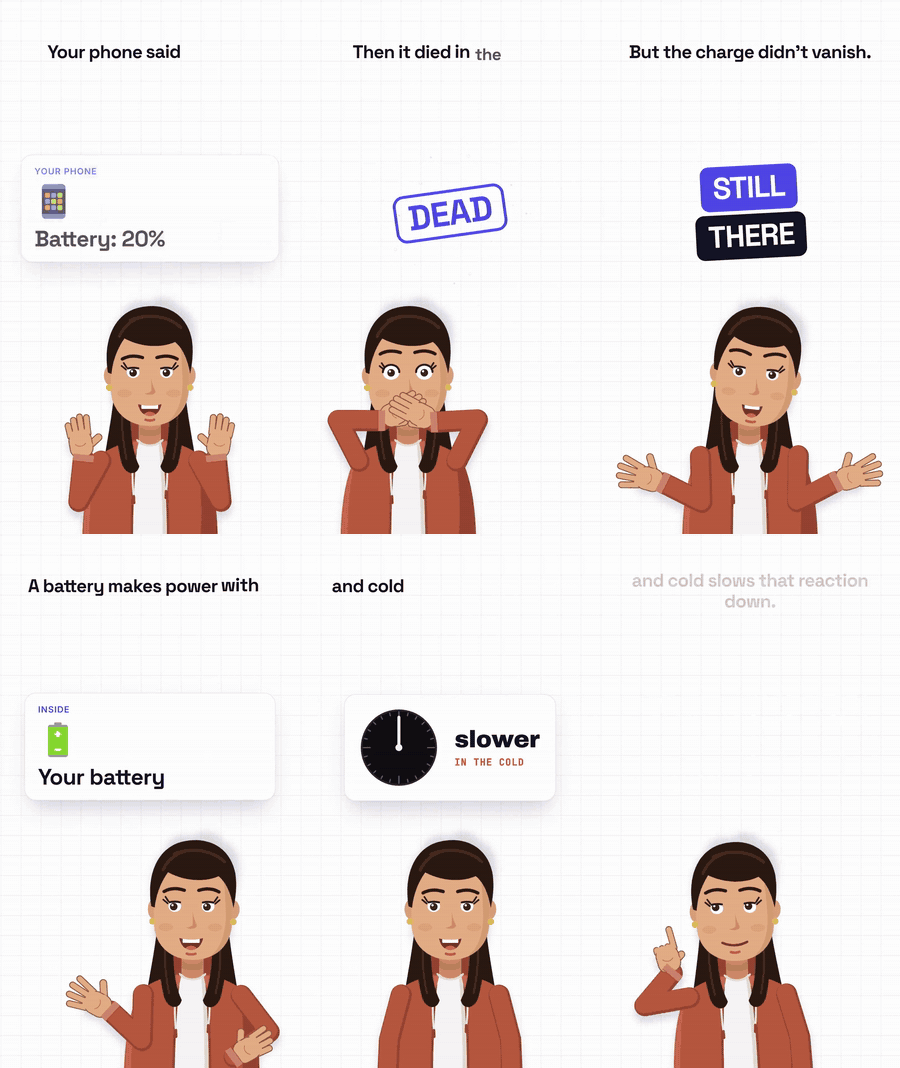 9:16 · Maya · female voice |
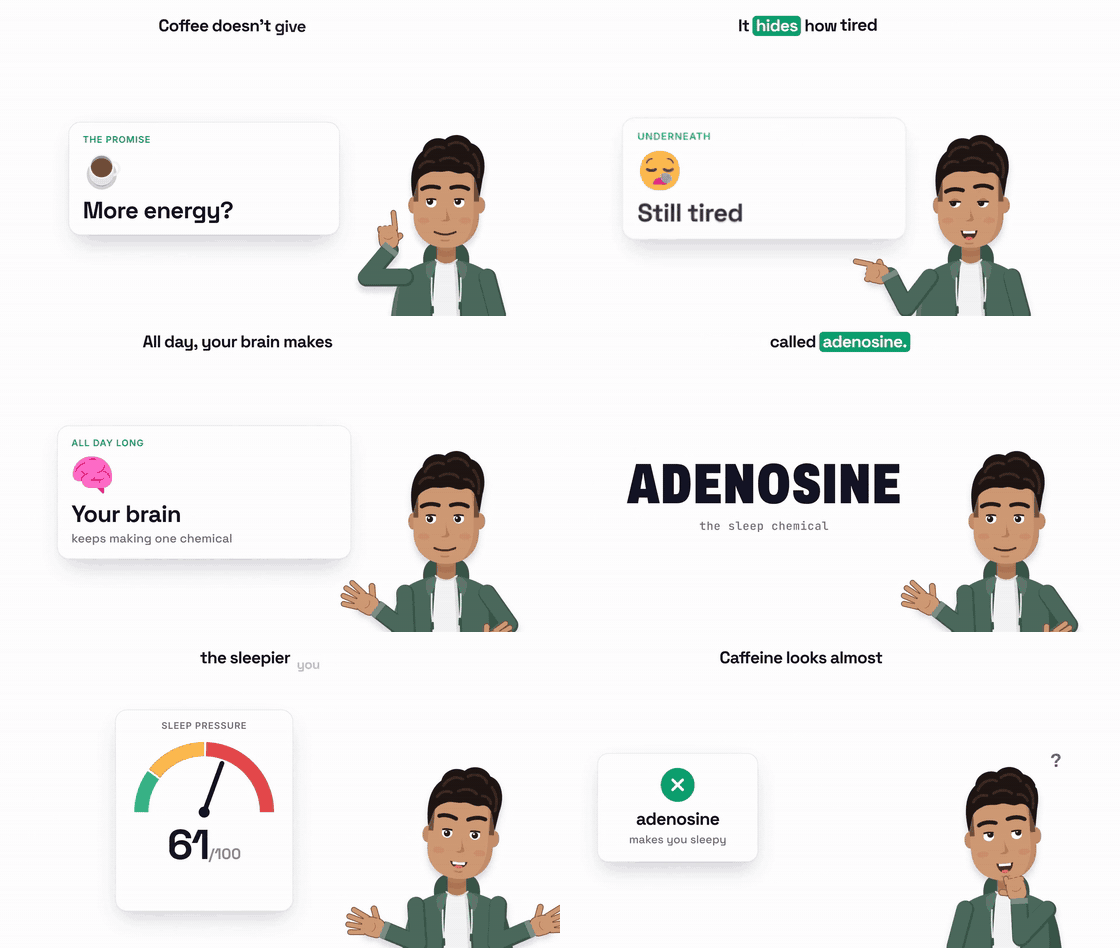 16:9 · plain background · custom accent | |
The GIFs are silent 9-second previews; click one for the full video with voice, sound effects and music. A catalogue of every scene: docs/tour.mp4.
What it has
- A voice: Kokoro, 50+ stock voices, with a pronunciation
checker that lists every word it had to guess (
./beatreel say "..."), so names, acronyms and prices come out right. - Word-synced captions: each word pops in as it is spoken, key words (
_like this_) get a highlight. - One idea per beat, cut into shots: about 60 animated scenes (cards, numbers that roll, terminals that type, checklists that
tick, code that scrolls, charts, gauges, a world map, dominoes, status boards, file conversions, star bursts,
follow cards ...). Every piece lands on the word that names it (
"at": "word:checklist"), entrances vary from shot to shot, impacts shake the frame and throw sparks, and every scene is scaled to fit the frame. - Two presenters drawn in code: Kai and Maya (
"character": "maya"), on screen the whole video: lip movement on every word, blinks, 25+ poses and moods (docs/kai-poses.jpg), and he moves between left, centre and right along the bottom. Recolour them, ask your coding agent to draw a new presenter on the same rig (SKILL.md, "Make your own presenter"), plug in your own character video, or leave the presenter out. - Sound effects built in: 12 short code-made sounds (pops, ticks, a whoosh, an impact, typing, chimes) in
engine/sfx/, placed on every entrance, tick and impact."sfx": falseturns them off. - Two formats:
"format": "9:16"(default, Reels/Shorts/TikTok) or"16:9"(YouTube): caption on top, scenes on the left, the presenter bottom right. - Background and colours:
"bg": "grid"(default, a faint grid on white) or"plain", and any colours you like with"colors": {"accent": "#0e9f6e", "bg": "#fffaf2"}. Themes:studio(light, default),night(dark),paper. - Optional extras: a quiet code-made music bed (
"music": {"style": "soft"}), any of earshot's 250+ sounds through earshot ("sfx_id"on a scene), your own intro sound, pre-rendered clips with transparency (for example 3D shots). - A frames sheet before the full render (
board), so you can check every beat in one picture.
What it doesn't have
- No timeline editor or GUI: the script is the edit.
- No AI script writing or research: you (or your coding agent) write the lines.
- No stock footage or image generation: it animates what you give it.
- No voice cloning, and no cloud TTS.
- No auto-posting to Instagram, TikTok or YouTube.
- Two sizes only: 1080×1920 and 1920×1080.
Install
Needs Python 3.10-3.13, Node 18+ and ffmpeg. On a Mac: brew install [email protected] node ffmpeg (the python3
that ships with macOS is 3.9, which is too old; setup finds the newer one by itself).
git clone https://github.com/anand-reddi/beatreel && cd beatreel
bash setup.sh            # .venv with the python packages, voice model (~340 MB), gsap, icons, headless Chrome
bash setup.sh --sfx      # optional: also install earshot for sound effects
./beatreel ... runs with the Python that setup installed. HyperFrames renders through a headless Chrome; setup
installs one with Playwright, or point HYPERFRAMES_BROWSER_PATH at your own.
Use it with an AI agent
Paste the repo link into Claude Code or Codex CLI and ask for a video ("make a 30 second video about how vaccines work"). The agent clones the repo, reads AGENTS.md (the steps: setup, research, script, pronunciation check, render, frame check) and hands you the mp4. It needs to run on a machine with internet for the first setup; chat-only assistants and offline sandboxes can write the script but not render it.
To have it as a Claude Code skill in every project:
git clone https://github.com/anand-reddi/beatreel ~/.claude/skills/beatreel && bash ~/.claude/skills/beatreel/setup.sh
Then ask Claude Code for a video anywhere; it finds the skill by its description.
Make your first video
./beatreel board examples/coffee/coffee.json   # voice + a frames sheet: examples/coffee/coffee-frames.jpg
./beatreel make  examples/coffee/coffee.json   # the video: examples/coffee/coffee.mp4
A script is a list of beats. Each beat has the lines it says and the scene that shows them:
{
 "name": "coffee",
 "theme": "studio",
 "beats": [
  {"pose": "point_up",
   "lines": ["Coffee doesn't give you energy.", "It _hides_ how tired you are."],
   "shots": [
    {"type": "card", "icon": "fluent-emoji-flat:hot-beverage", "title": "Energy?"},
    {"type": "sticker", "lines": ["IT HIDES", "THE TIRED"], "red": true, "at": "word:hides"}
   ]},
  {"pose": "count",
   "lines": ["About half of it is still in you five hours later."],
   "hero": {"type": "num", "value": 5, "suffix": " hrs", "label": "time to clear half the caffeine", "at": "word:five"}}
 ]
}
hero is one scene (or a list shown together) for the whole beat; shots is a list of scenes that cut from one to
the next, each starting on its at. The full reference (every scene type and key) is in SKILL.md.
Examples
examples/coffee/ | 21 s, two shots per beat, Kai on every frame, sound effects |
examples/coffee/coffee-16x9.json | the same script as a 16:9 video, plain background, green accent |
examples/cold-battery/ | 23 s, Maya with a female voice (af_heart) and the music bed |
examples/tour/ | 34 s, no presenter, one beat per scene type: a quick catalogue of what the engine draws |
Voice
"voice": {"name": "af_heart", "speed": 1.1, "say": {"SQL": "sequel", "Nguyen": "/wˈɪn/"}}
By default Kai speaks with am_michael and Maya with af_heart. name is any Kokoro voice: American af_heart, af_bella, af_nicole, am_michael, am_fenrir ...,
British bf_emma, bm_george ... (the full list is on the
Kokoro model card). say fixes a word for this
script, either as plain respelling or as phonemes between slashes; core/lexicon.json holds fixes for every script.
After each run, build/<name>/pronounce.txt lists every word the voice guessed.
The voice reads whole sentences in one breath (so the tone runs on naturally across caption lines) at a
short-form pace, about 185-200 words a minute: speed 1.1 by default (1.15 for am_michael, who reads slower;
1.0 is audiobook pace, 1.2 is fast). Pauses are short: 0.2 s before a new
beat and 0.09 s between sentences; change them with gap_beat and gap_line. core/lexicon.json already knows
about 80 brand and tech names (NVIDIA, GitHub, ChatGPT, DeepSeek, macOS, Kubernetes, ...).
Writing tips that make it sound like a person: short sentences (8-14 words), contractions ("it's", "you'll"), numbers written the way you'd say them ("about half", "five hours"), and a comma where you'd take a breath.
Format and look
"format": "16:9", "bg": "plain", "colors": {"accent": "#0e9f6e", "hi": "#f59e0b", "bg": "#ffffff", "ink": "#14142b"}
format is "9:16" (default) or "16:9". bg is "grid" (default) or "plain". colors sets any theme variable:
accent (highlights, buttons, stamps), hi (second colour), bg, ink (text), card, bad (alarms). For a
whole new look, copy the #stage.t-studio block at the end of engine/style.css, change it, and use
"theme": "yourname".
Presenter
- Kai (default) or Maya (
"character": "maya", the same poses and moods, long hair, her own palette):"pose"per beat,"kai": "left" | "center" | "right"per beat (otherwise he moves on his own;"presenter_move": falsekeeps him centred),"avatar_colors": {"shirt": "#2d4f8a", "hair": "#5a3a22", ...}to recolour,"presenter": falseon a beat to hide him for it,"character": "none"to leave him out entirely. - Your own character:
"character": "path/to/folder"with acharacter.jsonand one transparent video holding a short clip per pose:
{"file": "me.webm", "canvas": [1800, 1080], "head_x": 0.5, "head_y": 0.31, "default": "talk",
 "clips": {"talk": [0.0, 2.0], "point_up": [2.0, 3.5], "shrug": [3.5, 5.0]}, "aliases": {"explain": "talk"}}
Licence
MIT for beatreel's own code, see LICENSE. The fonts in engine/fonts/ are SIL OFL 1.1, and the voice
model, GSAP, HyperFrames and the icon sets are installed from their own projects under their own licences; see
THIRD_PARTY_NOTICES.md.
// faq
What is Beatreel?
Make explainer reels from one prompt. A Claude Code / Codex skill that writes the script, voices it with a natural offline voice, puts every word on screen, animates each idea with 60 scene types and a presenter, and renders 9:16 or 16:9 videos. Free, open source, no API keys.. It is open-source on GitHub.
Is Beatreel free to use?
Beatreel is open-source under the MIT license, so it is free to use.
What category does Beatreel belong to?
Beatreel is listed under devops in the Claudeers registry of Claude-compatible tools.
// embed badge

[](https://claudeers.com/beatreel)
// retro hit counter

[](https://claudeers.com/beatreel)
// reviews
// guestbook
// related in DevOps & CI/CD
 🔓
⭐AI-driven public opinion & trend monitor with multi-platform aggregation, RSS, and smart alerts.🎯 告别信息过载,你的 AI 舆情监控助手与热点筛选工具!聚合多平台热点 + RSS 订阅,支持关键词精准筛选。AI…
 🔓
Use Claude Code as the foundation for coding infrastructure, allowing you to decide how to interact with the model while enjoying updates from Anthropic.
 🔓
Professional Antigravity Account Manager & Switcher. One-click seamless account switching for Antigravity Tools. Built with Tauri v2 + React (Rust).专业的 Antig…
 🔓
Roadmap to becoming an ASP.NET Core developer in 2026