
ai-gate
Why juggle 6 AI tools? AI Gate does it. No API keys. A single gateway to ChatGPT, Gemini, Claude, Grok, Perplexity and more....
Install with your AI
Paste into Claude Code, Cursor, or any agent — it reads the repo and wires the tool into your project.
Install and set up ai-gate (git-clone project) into my current project.
Found on https://claudeers.com/ai-gate
Repo: https://github.com/inulute/ai-gate
Homepage/docs: https://aigate.inulute.com
Detected install method: git-clone → git clone https://github.com/inulute/ai-gate
Category: devtools. Platforms: api, desktop, web.
Read the repo's README for exact setup and env vars, then install it and wire it into my project.

Claudeers Health Verdict:
slowing; community-verified: false. Confirm the source before running anything.
git clone https://github.com/inulute/ai-gate
// compatibility
| Platforms | api, desktop, web |
|---|---|
| Operating systems | — |
| AI compatibility | claude |
| License | GPL-3.0 |
| Pricing | open-source |
| Language | TypeScript |
All your AI tools. One beautiful app.
ChatGPT • Claude • Gemini • Perplexity • Qwen • Grok
Download • Features • Development • Support
🎉 What's New in v4.6.0
🖥️ Hardened Wayland SupportFixed black window on launch — Electron now uses ⌨️ Customizable Keyboard ShortcutsFull shortcut system with Standard and Prefix (tmux-style) modes. Three built-in presets: Original, iTerm, and tmux. Record custom shortcuts live with conflict detection. 🔍 Browser Zoom & Tab NumbersZoom in/out/reset inside any provider webview ( |
🚀 Global Webview PoolSwitching layouts preserves all webview state — no reloads, no flashing. URLs, scroll position, and sessions stay intact. 🪟 Multi-Panel WorkspaceView up to 3 AI tools simultaneously with synced or separate tab modes. 🛠️ Stability FixesFixed Vite dev-server ELOOP crash, ELECTRON_ARGS feature-flag parser, and duplicate |
Smart Tab Management
- Synced tabs mode: All panels show the same tab bar — click any tab to switch
- Separate tabs mode: Each panel has independent tab management
- Persistent state: Switching layouts preserves URLs, scroll position, session state
- Hidden panel memory: Your active tool in hidden panels is remembered when expanding layout
- Browser-like behavior: Switch between tools without reloading — everything preserved
Quality of Life
- Smart startup: Hidden only on autostart; manual launches show the app immediately
- System tray: Minimize to tray and restore with a single click
- Clear notifications: Know exactly what's happening with informative toasts
- Auto updates: Seamless updates delivered through GitHub releases
✨ Features
|
🧰 Unified AI Access 🪟 Multi-Window Layouts ⚡ Lightning Fast ⌨️ Keyboard Shortcuts |
🖥️ Cross-Platform 🔄 Auto Updates 🔒 Privacy First 📦 Flatpak / Flathub |
📦 Download
Choose Your Platform
| Platform | Download | Details |
|---|---|---|
| Windows | x64 + ARM64 installer | |
| macOS | Universal (Intel + Apple Silicon) | |
| Linux | AppImage · deb · zip | |
| Flatpak | Submission in progress |
🚀 Development
Quick Start
# Clone the repository
git clone https://github.com/inulute/ai-gate.git
cd ai-gate

# Install dependencies
npm install

# Start development server (web only)
npm run dev

# Start Electron app (full desktop)
npm run electron:dev
Available Scripts
| Command | Description |
|---|---|
npm run dev | Start Vite dev server (web preview) |
npm run build | Build production web assets |
npm run electron:dev | Run Electron in development mode |
npm run electron:build | Build & package production installers |
npm run e2e | Run local Electron shortcut E2E tests |
npm run package-win | Package for Windows only |
npm run package-mac | Package for macOS only |
npm run package-linux | Package for Linux only |
npm run lint | Run ESLint |
npm run preview | Preview production build |
🖼️ Screenshots
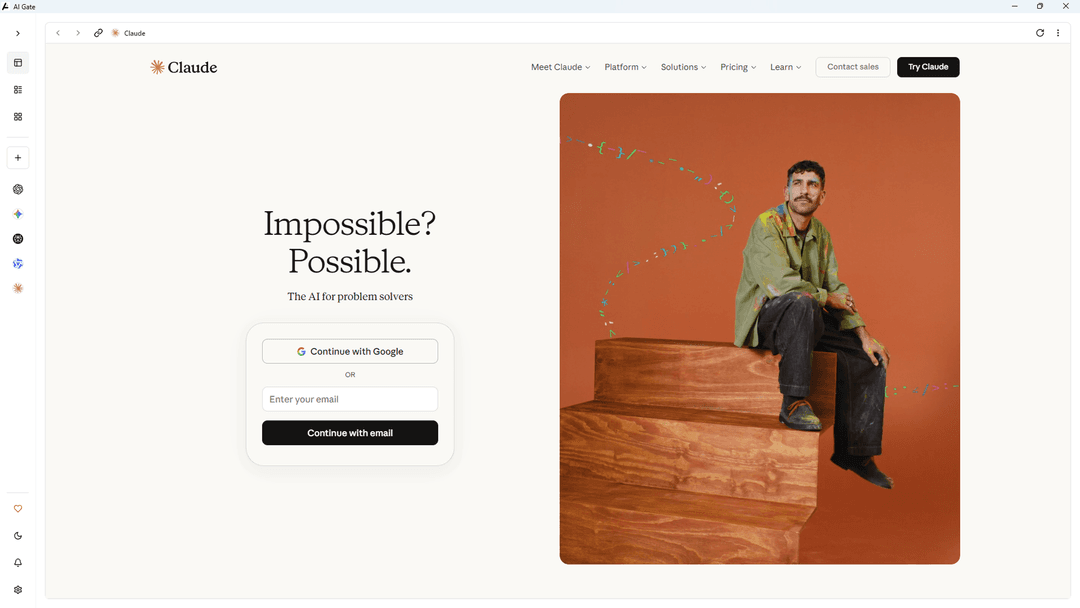
Home Screen
Multi-Panel Layouts
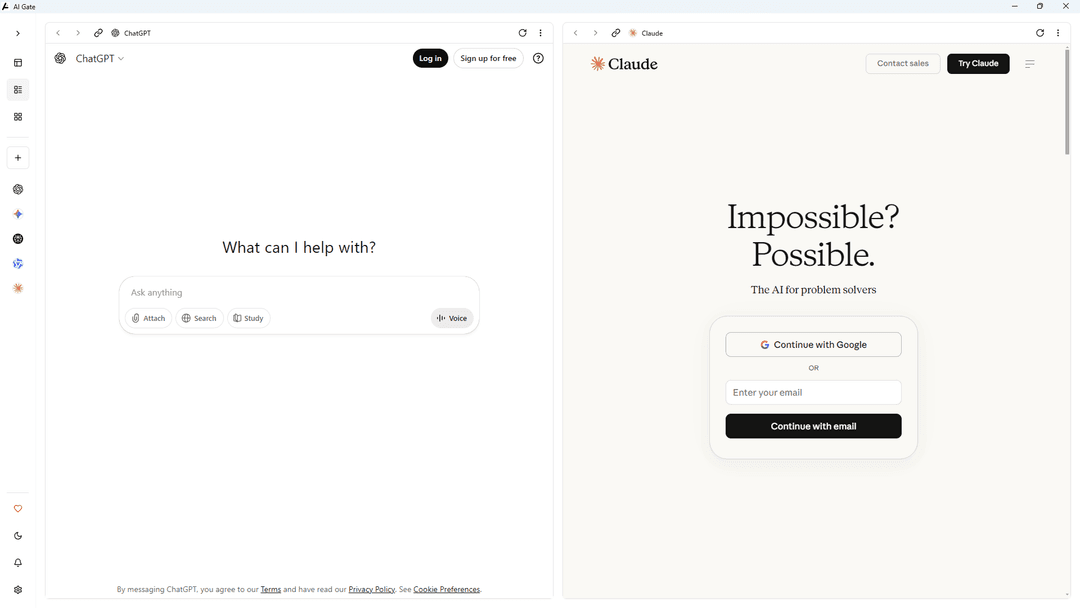
2 Panels |
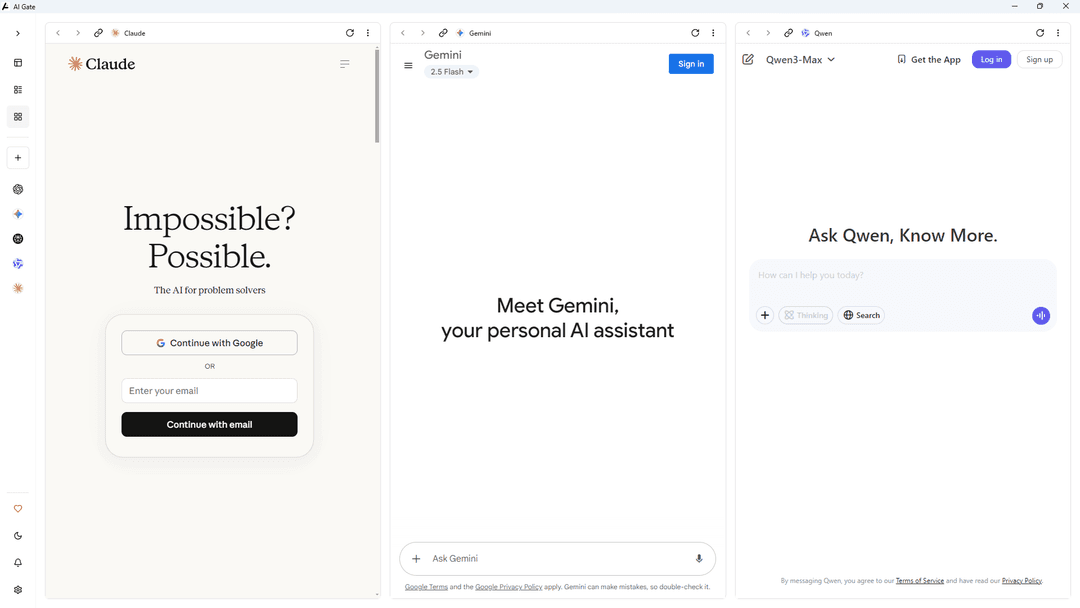
3 Panels |
🤝 Contributing
We welcome contributions! Here's how to get started:
- Fork the repository
- Create a feature branch:
git checkout -b feature/amazing-feature - Commit your changes:
git commit -m 'Add amazing feature' - Push to the branch:
git push origin feature/amazing-feature - Open a Pull Request
Contribution Guidelines
- Ensure
npm run lintpasses before submitting - Add screenshots for UI changes
- Write clear commit messages
- Update documentation as needed
📢 Support & Community
Need Help?
Found a bug? Open an issue
Have a question? Start a discussion
Want a feature? Request it here
❤️ Support
If AI Gate makes your workflow better, consider supporting its development:
Your support helps us:
- Maintain and improve AI Gate
- Add new features and AI tools
- Keep the app free and open source
- Provide timely updates and bug fixes
📄 License
This project is licensed under GPL-3.0-only — see LICENSE for details.
// faq
What is ai-gate?
Why juggle 6 AI tools? AI Gate does it. No API keys. A single gateway to ChatGPT, Gemini, Claude, Grok, Perplexity and more..... It is open-source on GitHub.
Is ai-gate free to use?
ai-gate is open-source under the GPL-3.0 license, so it is free to use.
What category does ai-gate belong to?
ai-gate is listed under devtools in the Claudeers registry of Claude-compatible tools.
// embed badge

[](https://claudeers.com/ai-gate)
// retro hit counter

[](https://claudeers.com/ai-gate)
// reviews
// guestbook
// related in Developer Tools
 🔓
🔓The agent harness performance optimization system. Skills, instincts, memory, security, and research-first development for Claude Code, Codex, Opencode, Curs…
 🔓
🔓Makes your AI agent think like the laziest senior dev in the room. The best code is the code you never wrote.
 🔓
🔓Use Garry Tan's exact Claude Code setup: 23 opinionated tools that serve as CEO, Designer, Eng Manager, Release Manager, Doc Engineer, and QA
 🔓
🔓AI coding assistant skill (Claude Code, Codex, OpenCode, Cursor, Gemini CLI, and more). Turn any folder of code, SQL schemas, R scripts, shell scripts, docs,…