
Aeroric
A desktop task manager for AI coding agents like Claude Code and Codex, with multi-project workspaces, live terminals, session tracking, permission-aware exe…
Install with your AI
Paste into Claude Code, Cursor, or any agent — it reads the repo and wires the tool into your project.
Install and set up Aeroric (git-clone project) into my current project.
Found on https://claudeers.com/aeroric
Repo: https://github.com/Aho1ic/Aeroric
Homepage/docs: —
Detected install method: git-clone → git clone https://github.com/Aho1ic/Aeroric
Category: data. Platforms: cli, api, desktop, web.
Read the repo's README for exact setup and env vars, then install it and wire it into my project.

Claudeers Health Verdict:
active; community-verified: false. Confirm the source before running anything.
git clone https://github.com/Aho1ic/Aeroric
// compatibility
| Platforms | cli, api, desktop, web |
|---|---|
| Operating systems | — |
| AI compatibility | claude |
| License | GPL-3.0 |
| Pricing | open-source |
| Language | TypeScript |

Aeroric: Desktop Workspace for AI Coding Agents
Run Claude Code, Codex, and custom agents across projects with live terminals, task tracking, Git, SSH, SFTP, Docker, database tools, Skill Hub, Markdown docs, quick notes, and release workflows in one lightweight desktop app.
Current release: v1.2.2 · Stack: React 19 / Tauri 2 / Rust · Platforms: macOS / Windows / Linux
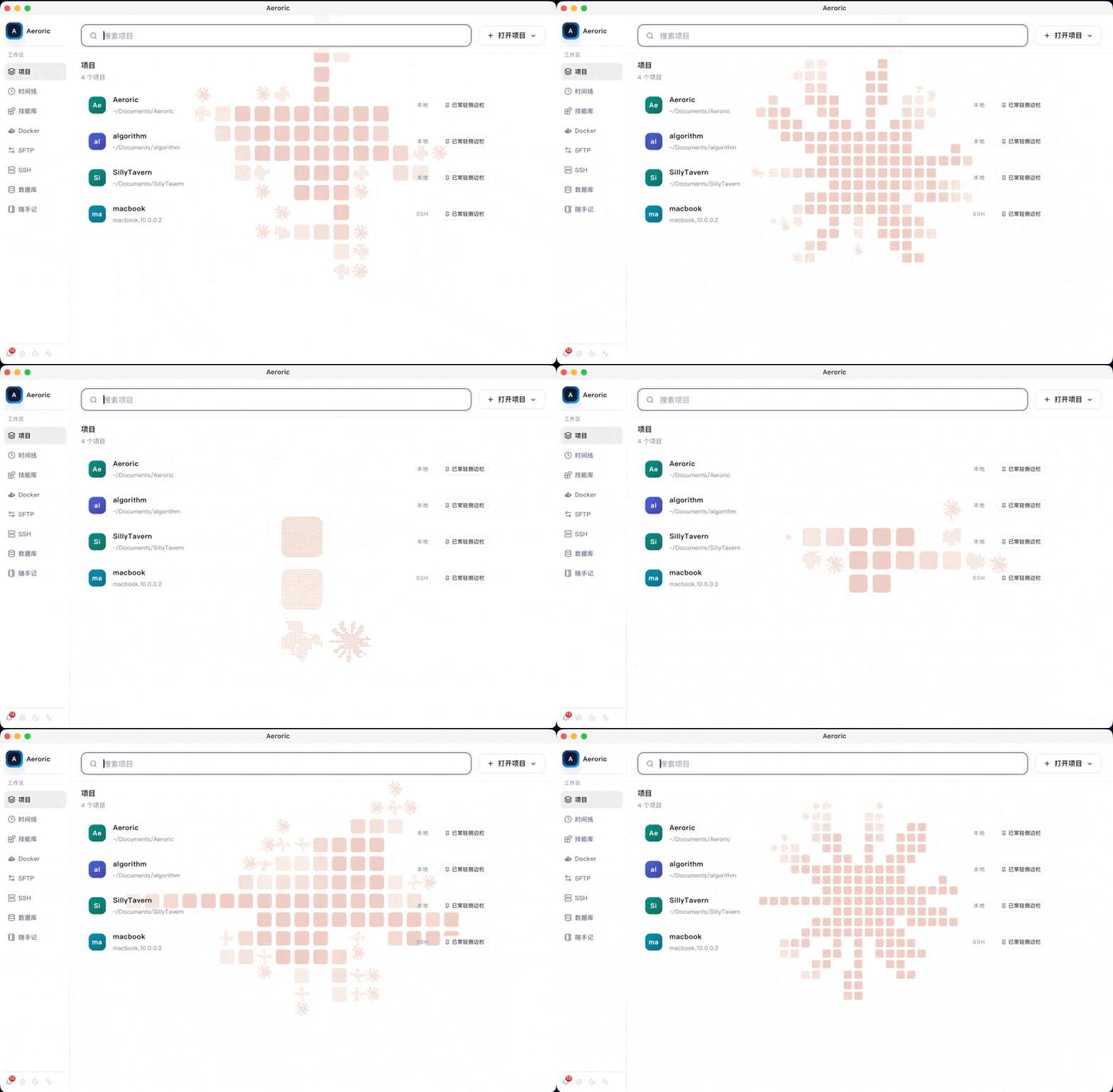
Why Aeroric
Aeroric is built for agent-first development, where multiple AI coding tasks may run at the same time across local repositories, remote machines, and operational environments. Instead of switching between terminal tabs, editors, Git clients, Docker tools, database consoles, release pages, and session logs, Aeroric keeps the workflow in one desktop workspace: start work, watch terminal output, inspect files, edit code and Markdown, keep quick notes, run scripts, review changes, and publish releases.
Aeroric does not replace Claude Code or Codex. It calls the native CLIs and adds a desktop control layer around them: multi-project navigation, permission-aware task launch, PTY-backed terminals, automatic session discovery, file browsing, LSP-backed editing, SFTP/SSH operations, Git review, Docker visibility, database utilities, local task persistence, and release coordination.
What You Can Do
- Run recursive agent workflows: start tasks, inspect output, branch into follow-up actions, and keep the evolving context visible.
- Manage project workspaces: open local or remote projects and organize tasks, files, Git state, and runtime status around each repository.
- Run Claude Code, Codex, and custom agents: create tasks, choose permission modes, stream PTY output, provide interactive input, resume sessions, and cancel work when needed.
- Browse, edit, and execute project files: inspect repository files, modify scripts, run commands, use language-server features, and keep file operations close to the agent conversation.
- Read and edit Markdown: switch between rendered reading mode and source editing mode for README files, plans, specs, generated reports, and local knowledge notes.
- Use IDE-grade project tools: search and replace, inspect diagnostics, jump through symbols, run tests, debug with DAP, manage run configurations, and preview local web apps.
- Keep quick notes: write Markdown or rich text notes for task clues, command snippets, release checks, and temporary ideas.
- Operate development infrastructure: view Docker containers and images, manage ports, use SFTP/SSH tools, and inspect SQLite, MySQL, PostgreSQL, Redis, and MongoDB resources through DBX-powered tooling.
- Keep skills and release work close: browse local Skill Hub content, review diffs, stage files, commit, push, and manage release pages.
- Track usage, sessions, and notifications: discover Claude Code/Codex JSONL sessions, inspect token/tool-call metrics, and keep long-running work observable.
Architecture at a Glance
| Layer | What it does |
|---|---|
| React 19 + TypeScript + Vite | Main workspace UI, project panels, editor surfaces, task views, and release screens. |
| Tauri 2 + Rust | Desktop shell, native filesystem/process access, PTY orchestration, storage, Git, SSH/SFTP, Docker, and database commands. |
| Agent runtime bridge | Launches Claude Code, Codex, and custom commands with permission modes, hook integration, session discovery, resume support, and cancellation. |
| Project tooling | File explorer, CodeMirror/Shiki editing, LSP diagnostics/navigation, DAP debugging, search, test explorer, web preview, and local history. |
| Operational tooling | Docker, ports, SSH tunnels, SFTP, DBX-backed database browsing/querying/import-export, notifications, and release asset workflows. |
Product Tour
Recursive Agent Workflow
Tasks can launch, stream output, branch into follow-up actions, and remain visible as they evolve, which fits multi-step debugging, code generation, and release preparation.
Project Workspace
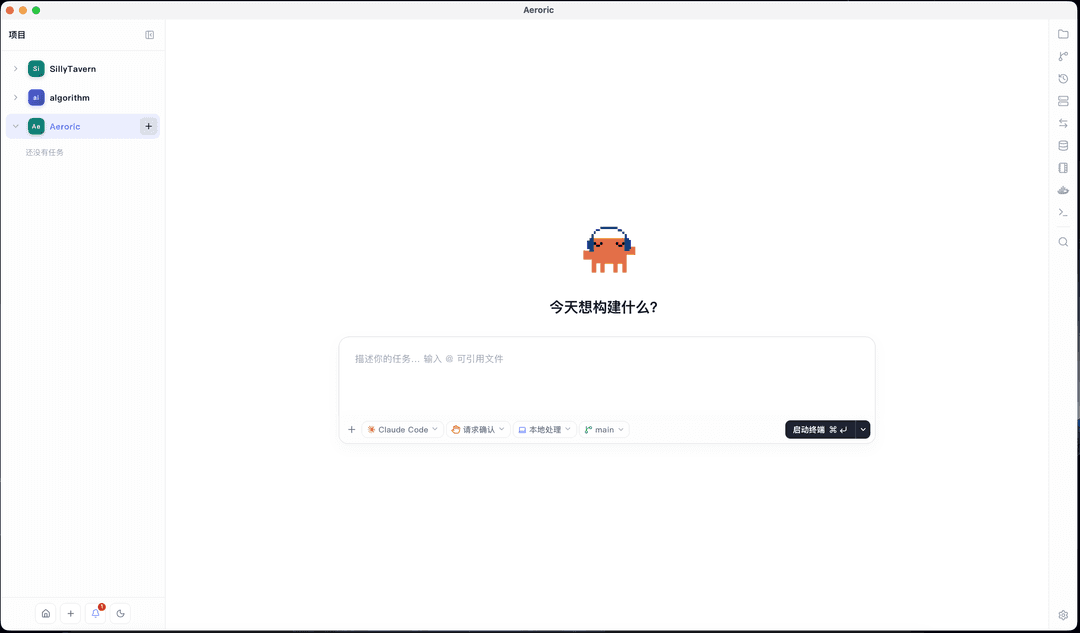
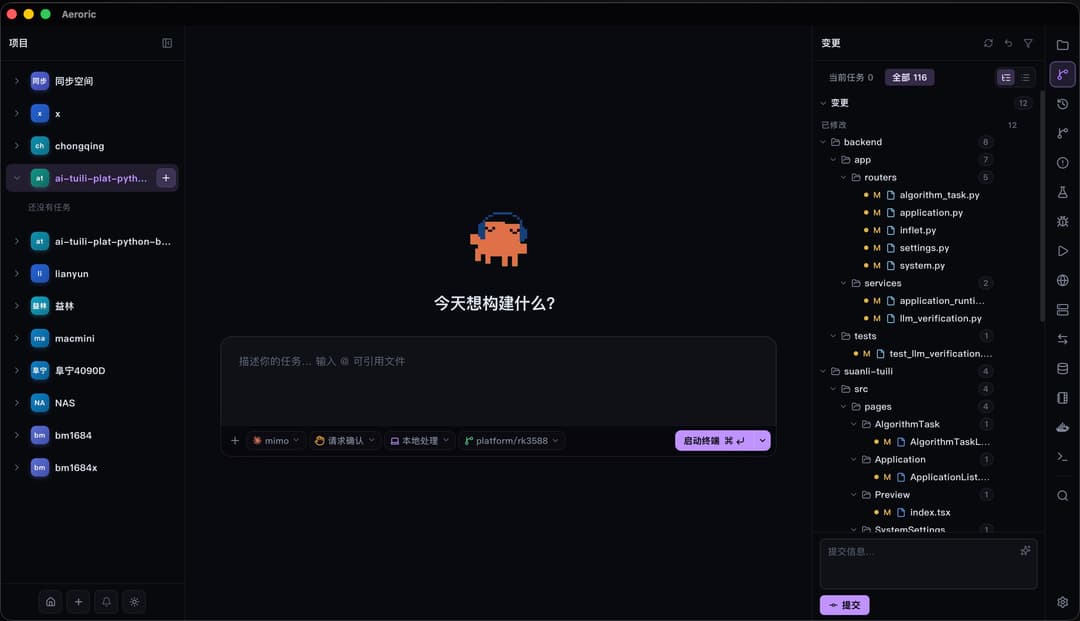
The project page keeps task lists, agent controls, file tools, Git context, and workspace actions together so each repository can be managed without losing its state.
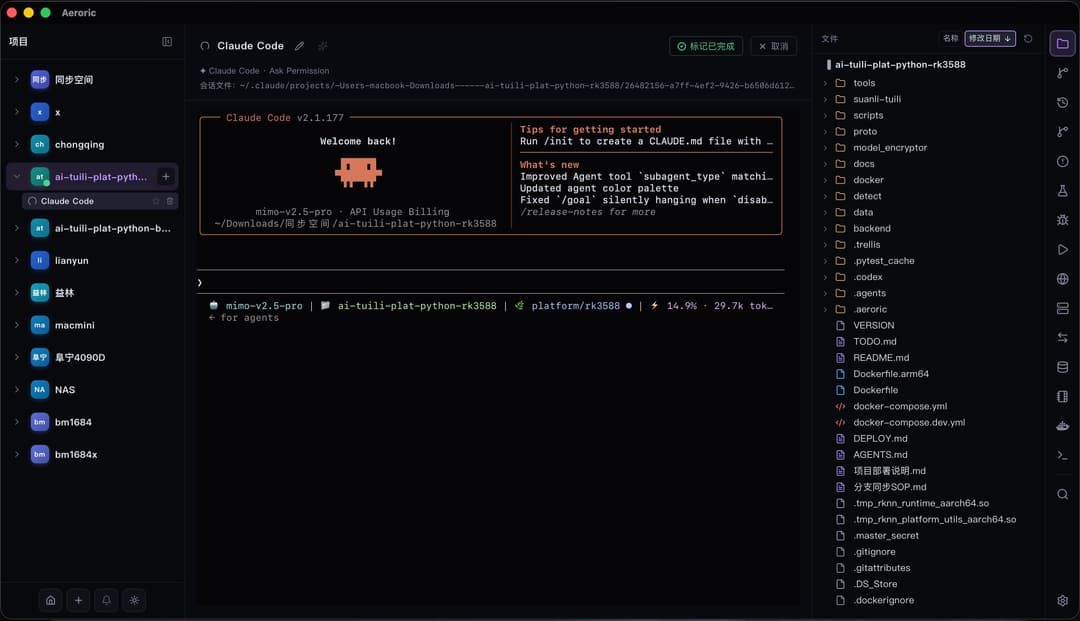
Claude Terminal and IDE Workspace
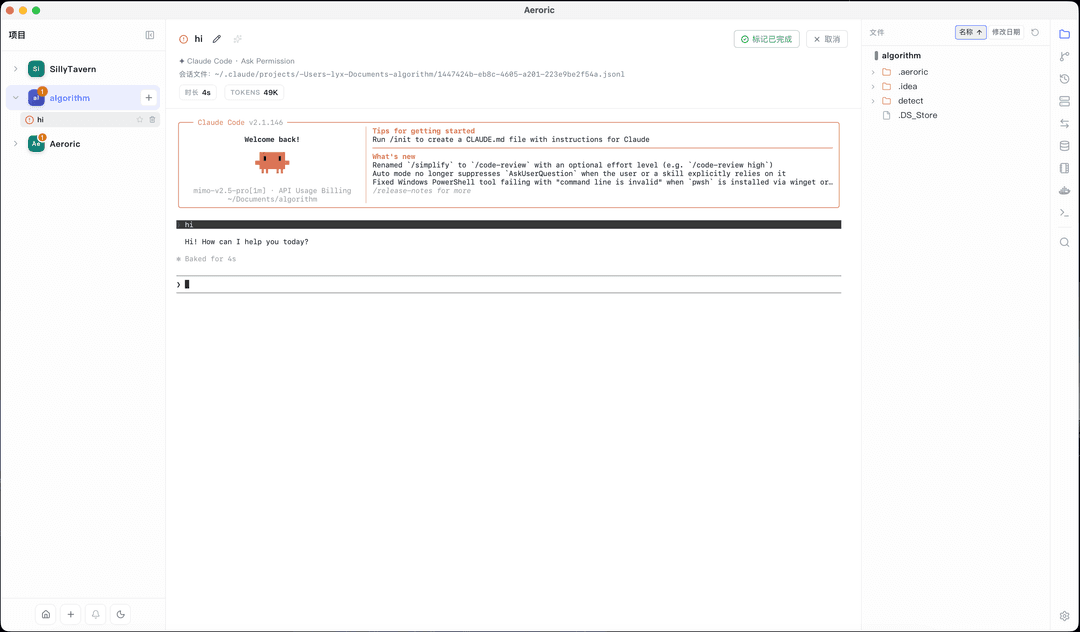
Claude Code and other agents run in PTY-backed terminals with live output, interactive input, session controls, copy behavior, font controls, file context, and IME-safe text entry.
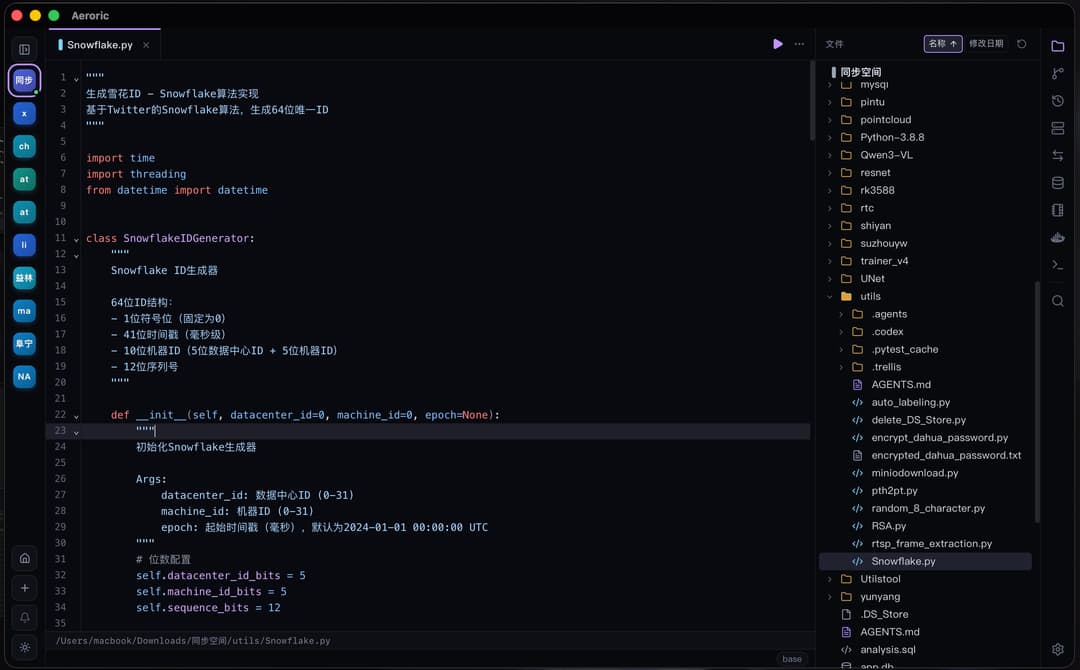
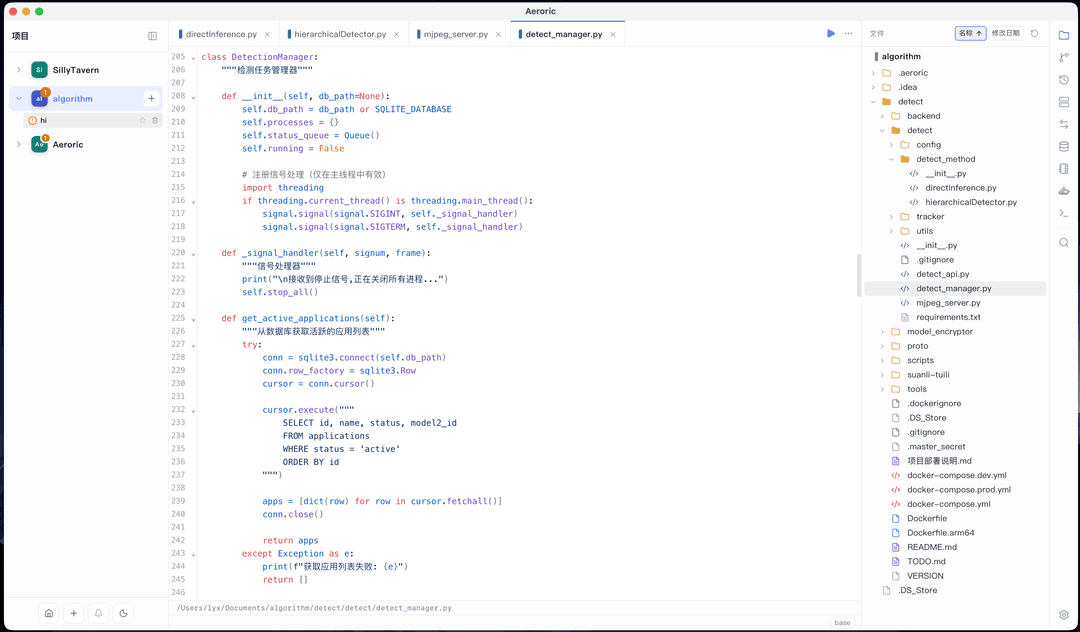
Browse, Modify, and Run Scripts
Aeroric keeps file browsing, source edits, and command execution in the same workflow, which is useful for agent-assisted debugging, script iteration, and repository maintenance.
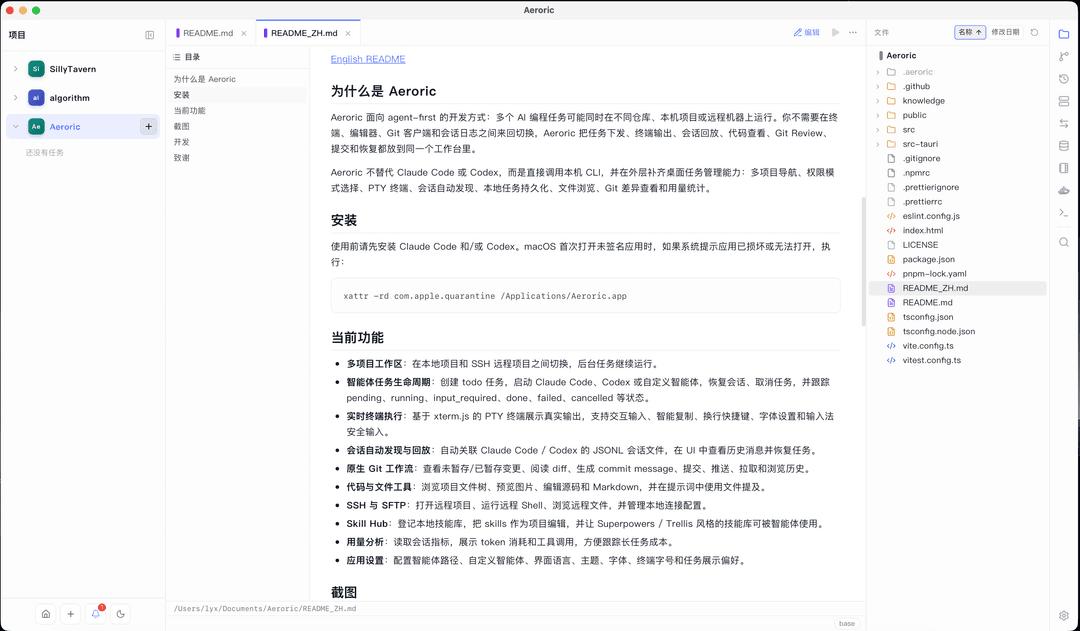
Markdown Reading Mode
Rendered Markdown preview is built into the file viewer, making README files, plans, specs, and generated reports easy to review before committing them.
Markdown Editing Mode
Markdown files can also be edited directly with syntax-aware source mode, so documentation updates stay inside the same project workspace.
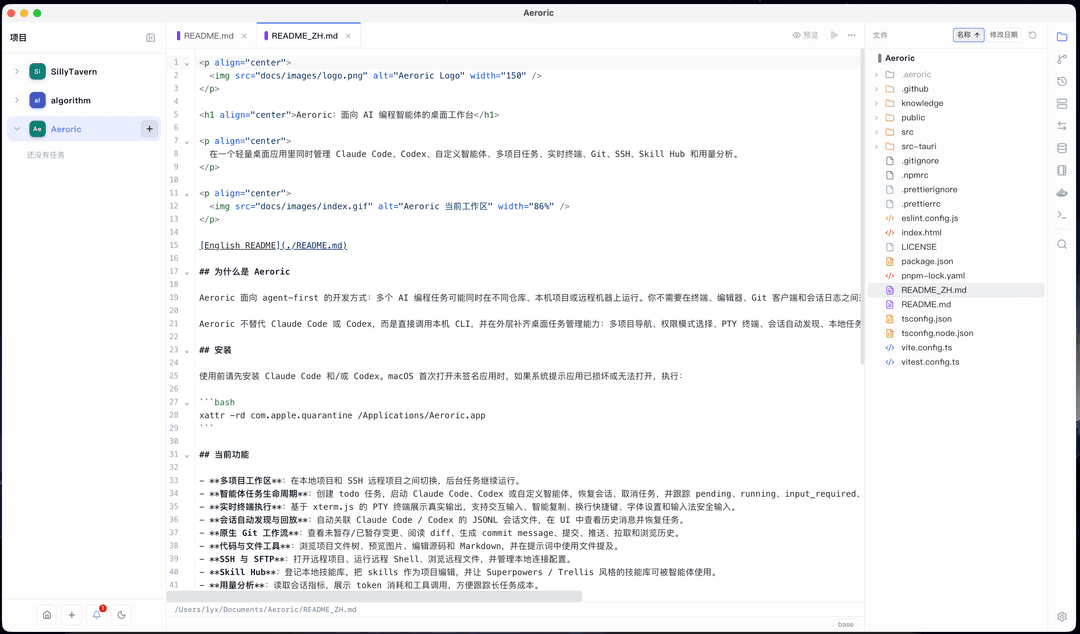
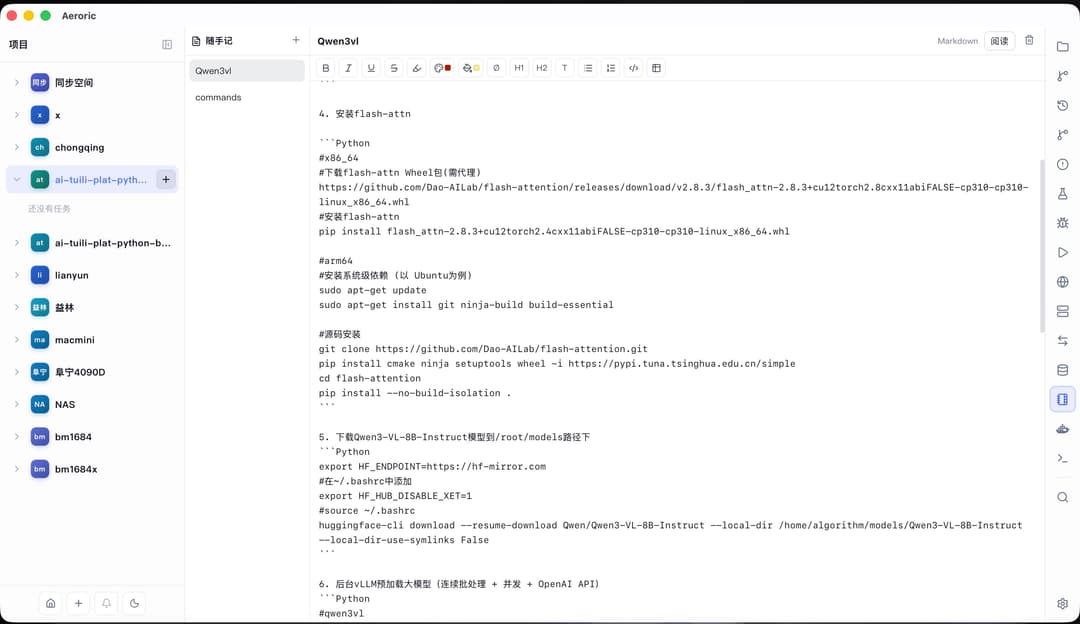
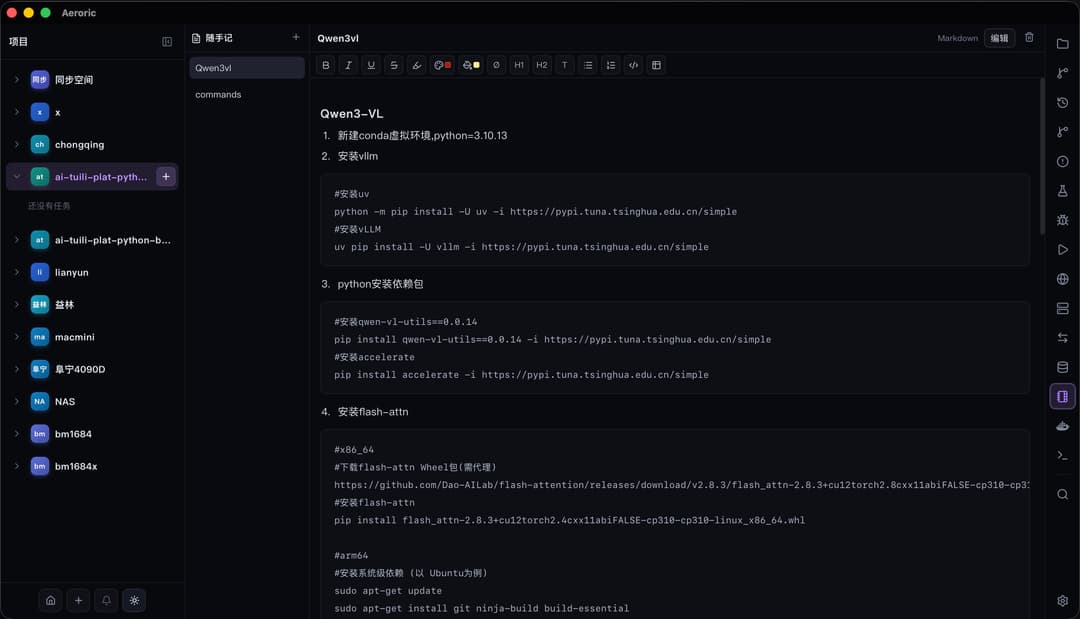
Quick Notes
Quick notes support Markdown and rich text content for task clues, command snippets, release checks, and temporary ideas.
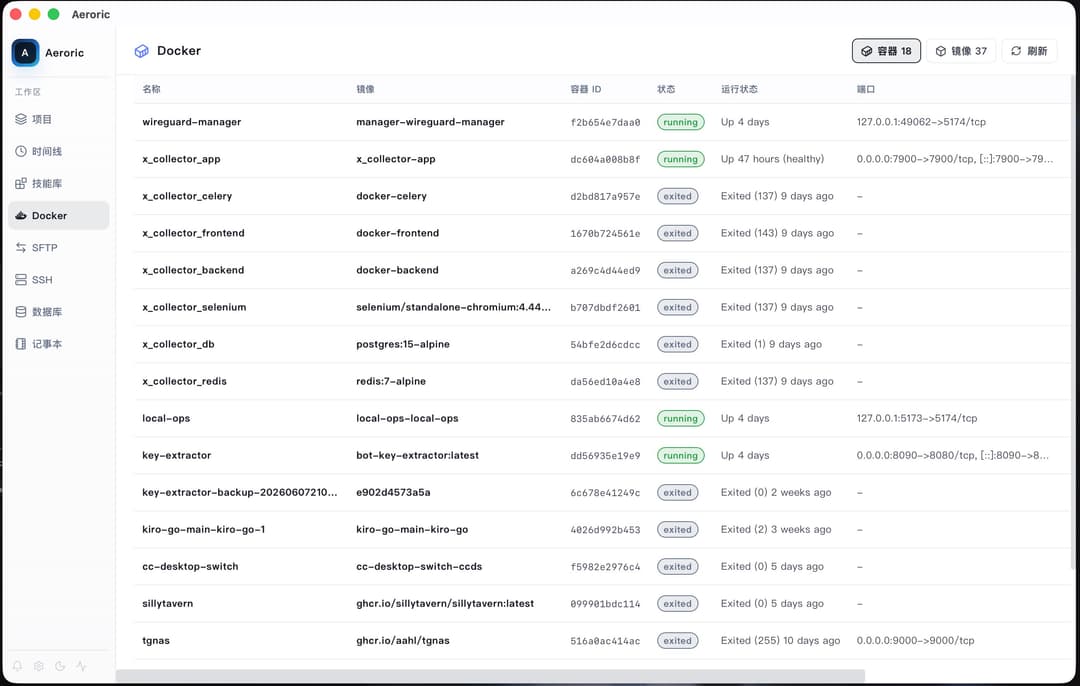
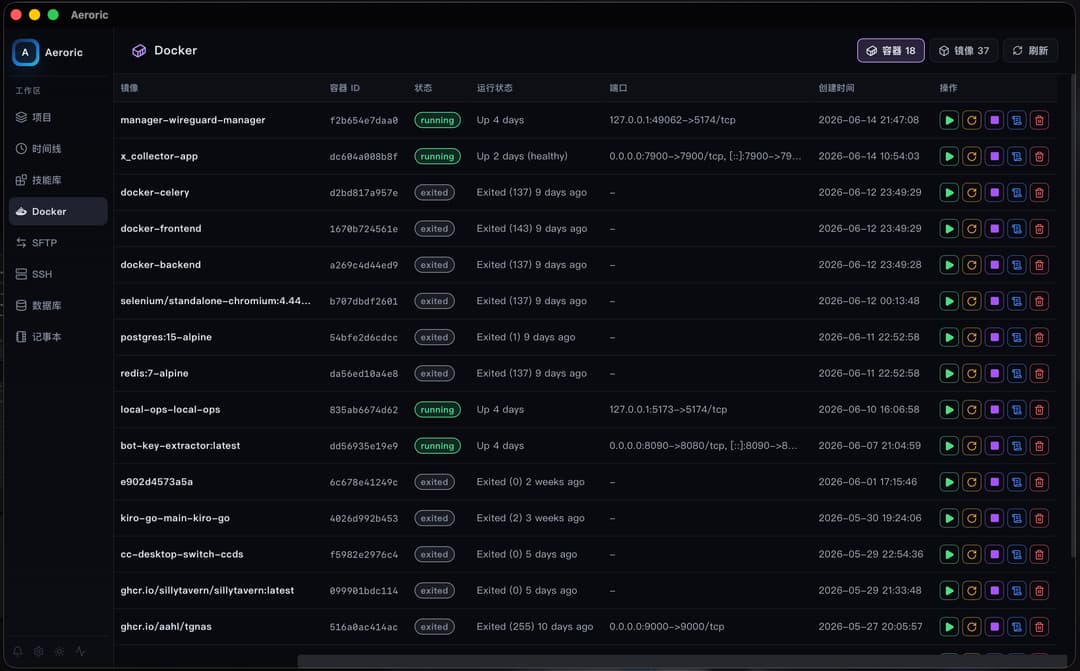
Docker View
The Docker page lists containers and images with status, runtime, port mappings, and refresh controls for local development and deployment checks.
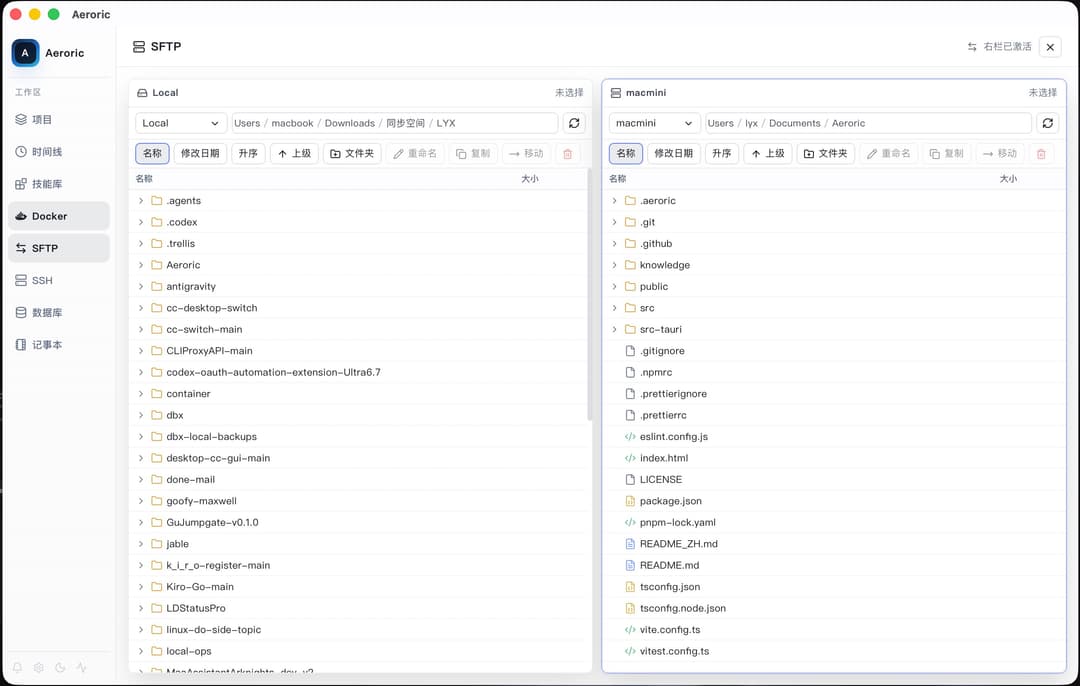
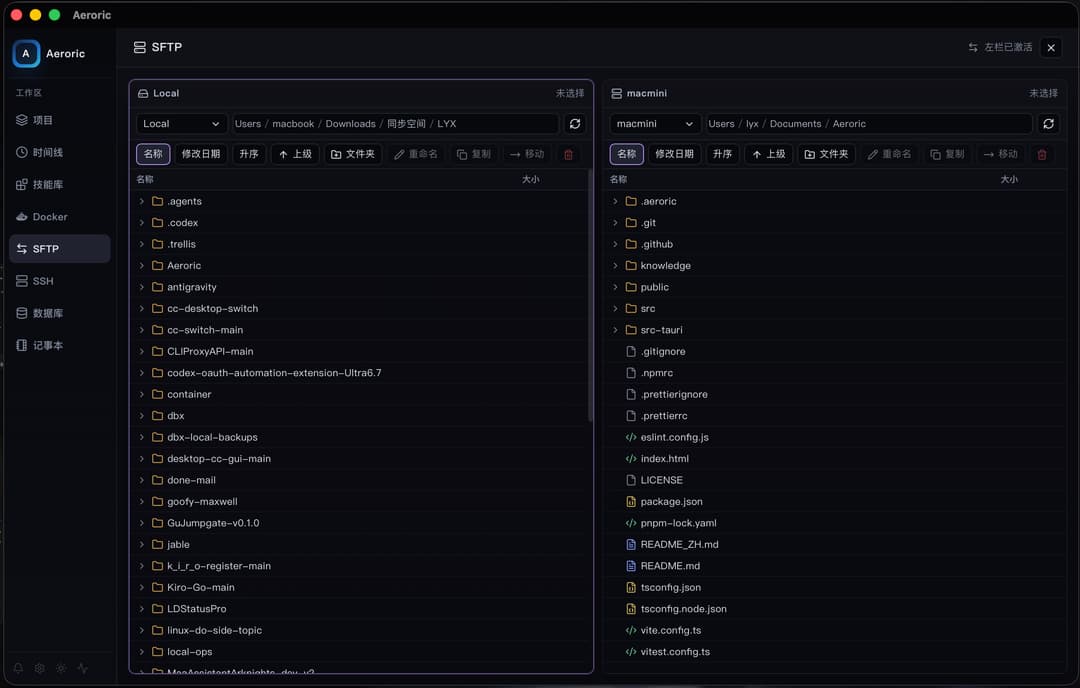
SFTP
SFTP tools keep remote file transfer and remote project inspection available next to local project work, which reduces context switching during deployment or server-side fixes.
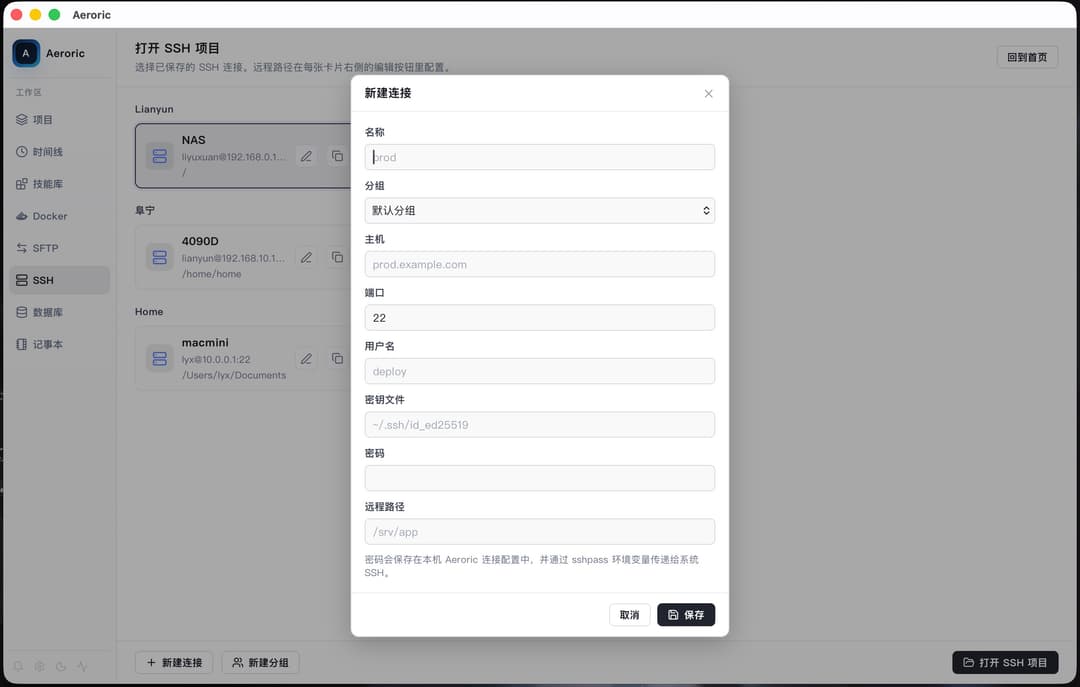
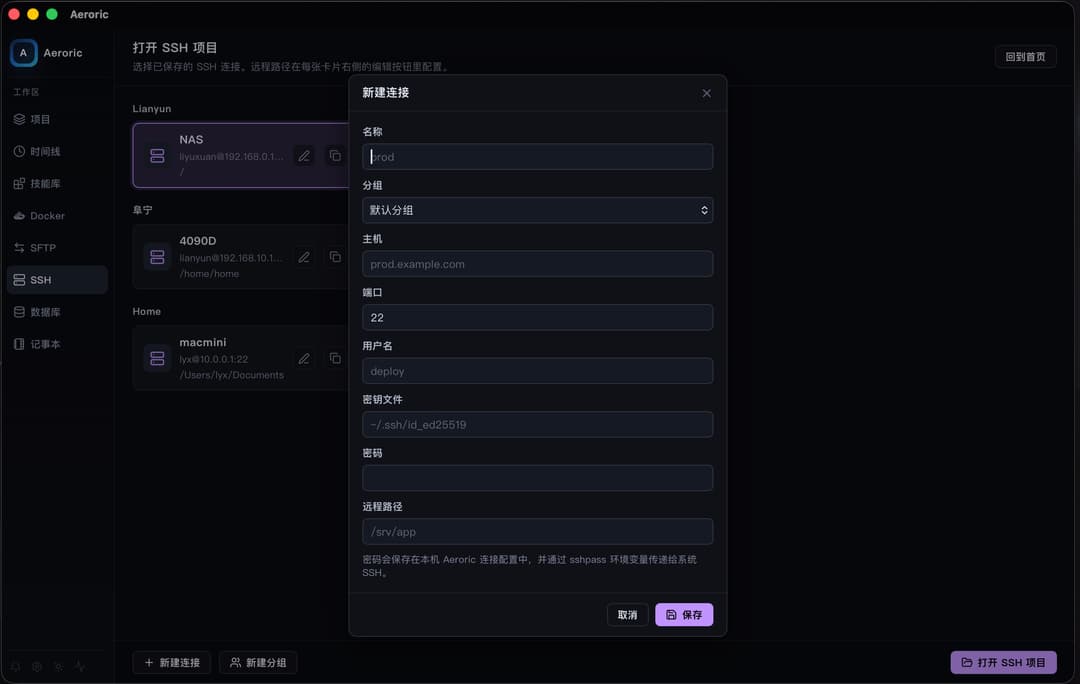
SSH
SSH connections can be managed from Aeroric so remote shells, project operations, and agent-assisted terminal work stay in the same desktop environment.
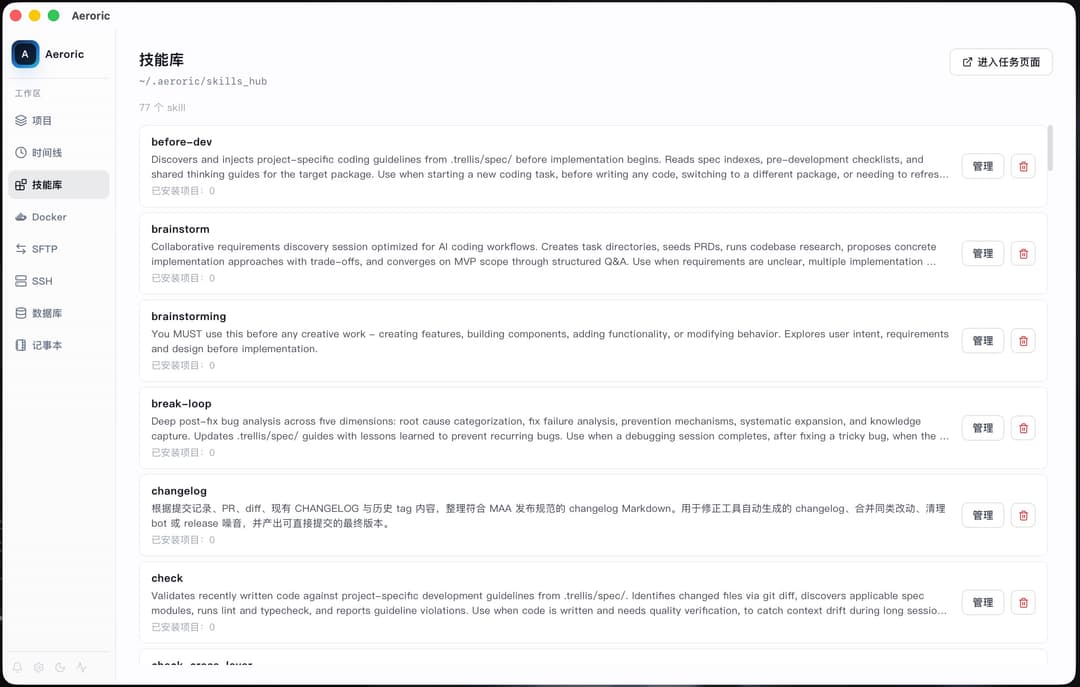
Skill Hub
The Skill Hub makes local skill libraries visible and editable, helping agents reuse team workflows, coding conventions, and specialized procedures.
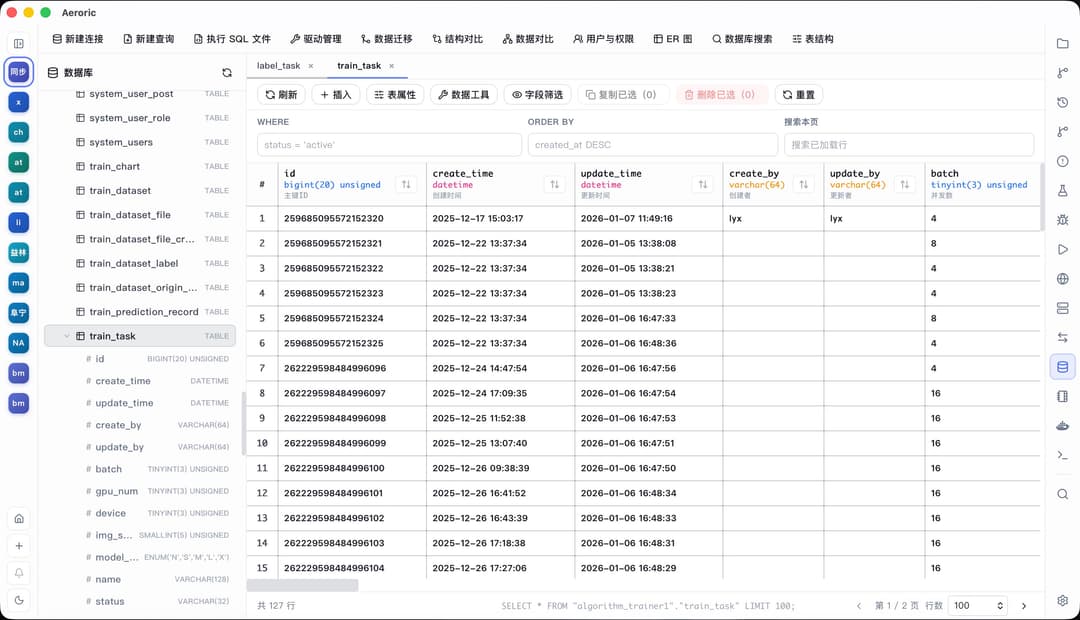
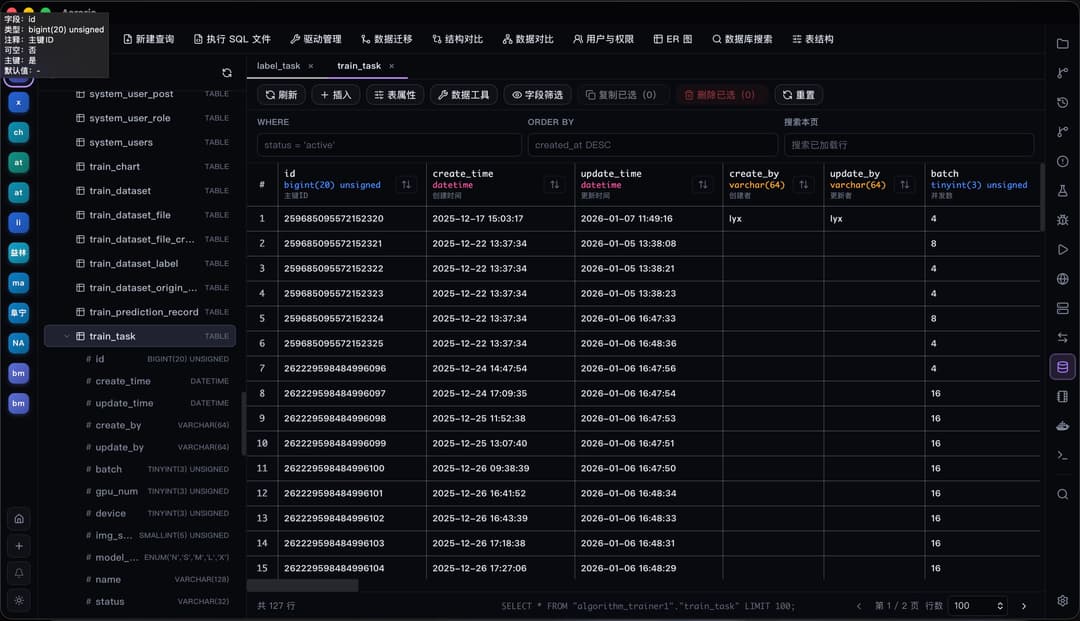
Database Tools
Database-oriented project utilities are grouped in the sidebar so application state and supporting resources can be inspected without leaving the workspace.
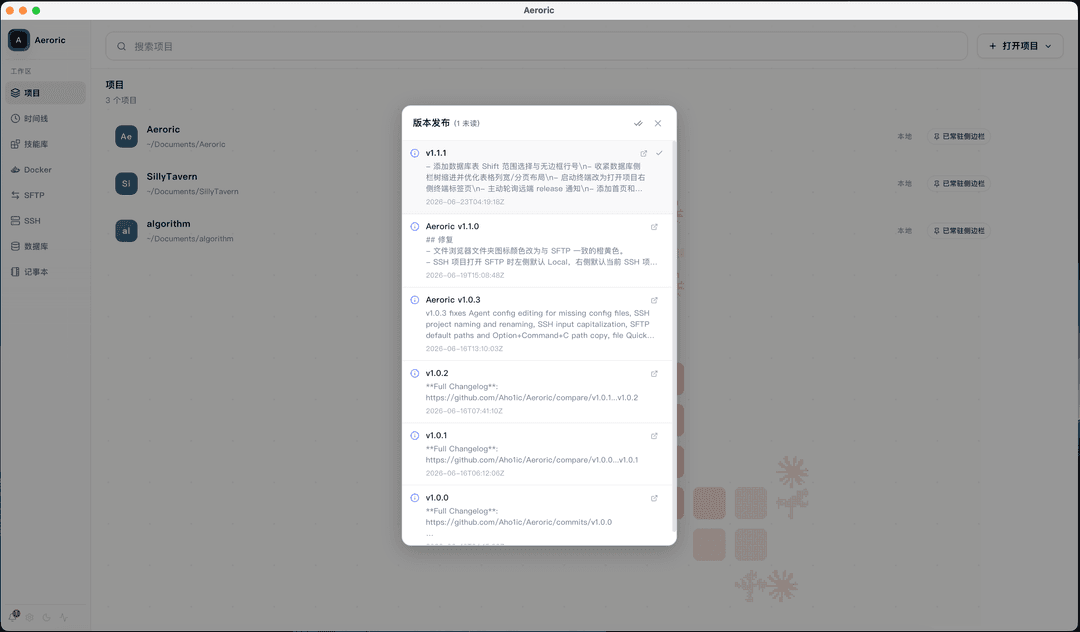
Release Page
The release workflow helps collect version context, review publish state, and keep release work close to the code changes that produced it.
Installation
Download the installer for your platform from the GitHub Releases page. Each desktop release is expected to publish macOS DMG, Windows NSIS/MSI, Linux DEB/RPM, and SHA256SUMS.txt checksum assets.
Install Claude Code and/or Codex before using agent tasks in Aeroric. On macOS, if the unsigned app is blocked by Gatekeeper, run:
xattr -rd com.apple.quarantine /Applications/Aeroric.app
Development
Local builds need Node.js 24, pnpm 9, Rust stable, the Tauri platform dependencies for your OS, and a sibling DBX checkout that satisfies src-tauri/Cargo.toml:
git clone https://github.com/Aho1ic/dbx.git ../dbx
pnpm dev            # Start Vite dev server on port 1420
pnpm build          # Type-check and build frontend
pnpm lint           # Run ESLint
pnpm test           # Run Vitest
pnpm tauri dev      # Start the desktop app
pnpm tauri build    # Build production desktop bundles
The frontend is React 19 + TypeScript + Vite. The desktop shell is Tauri 2 + Rust. Backend commands live in src-tauri/src/, and most application state is owned by src/App.tsx and persisted through Tauri storage commands.
Release Checklist
For a tagged release such as v1.2.2, keep package.json, src-tauri/tauri.conf.json, and src-tauri/Cargo.toml on the same version before pushing the tag. After the desktop workflow finishes, verify the release contains:
Aeroric-X.Y.Z-1.x86_64.rpmAeroric_X.Y.Z_aarch64.dmgAeroric_X.Y.Z_amd64.debAeroric_X.Y.Z_arm64-setup.exeAeroric_X.Y.Z_arm64_en-US.msiAeroric_X.Y.Z_x64-setup.exeAeroric_X.Y.Z_x64.dmgAeroric_X.Y.Z_x64_en-US.msiSHA256SUMS.txt
Acknowledgments
Aeroric builds on excellent open-source projects including Tauri, React, xterm.js, CodeMirror, and Shiki.
Special thanks to hanshuaikang/nezha and t8y2/dbx for open-source work that informs Aeroric's agent workspace and database tooling.
Community recognition: LINUX DO.
// faq
What is Aeroric?
A desktop task manager for AI coding agents like Claude Code and Codex, with multi-project workspaces, live terminals, session tracking, permission-aware execution, Git integration, and usage analytics.. It is open-source on GitHub.
Is Aeroric free to use?
Aeroric is open-source under the GPL-3.0 license, so it is free to use.
What category does Aeroric belong to?
Aeroric is listed under data in the Claudeers registry of Claude-compatible tools.
// embed badge

[](https://claudeers.com/aeroric)
// retro hit counter

[](https://claudeers.com/aeroric)
// reviews
// guestbook
// related in Data & Analytics
 🔓
🔓Wrap Antigravity, ChatGPT Codex, Claude Code, Grok Build as an OpenAI/Gemini/Claude/Codex compatible API service, allowing you to enjoy the free Gemini 3.1 P…
 🔓
🔓Marketing skills for Claude Code and AI agents. CRO, copywriting, SEO, analytics, and growth engineering.
 🔓
🔓Apache Airflow - A platform to programmatically author, schedule, and monitor workflows
 🔓
🔓CLI tool for configuring and monitoring Claude Code